
AI employees: what they are, what they do and how to set up your first one
AI employees are AI agents set up to do a defined job the way a team member would: an SDR who researches prospects, a bookkeeper who enters bills, an assistant who clears the inbox. Unlike a chatbot, an AI employee works in your real tools on its own computer, runs on a schedule and asks before anything it can’t undo. Teams typically hand one 5 to 15 hours of repetitive work a week per role. This guide covers what AI employees can do today, which roles to start with, what they cost, how people should work alongside them, and how to set up your first one with Sai.
Tools: Gmail, Google Sheets, LinkedIn, HubSpot, Slack
TL;DR: AI employees in one minute
An AI employee is an agent with a job description, its own computer and a manager: you. Here is what that means in practice:
- It has one role. “SDR”, “bookkeeper” or “inbox assistant”, with written rules for how your team does that job.
- It works in your tools. Gmail, Sheets, LinkedIn, HubSpot, QuickBooks or any website, by using a computer the way a person does.
- It runs on a schedule. The Monday lead list, the daily inbox sort and the month-end close happen without a prompt.
- It asks before anything irreversible. Sending, paying, posting and deleting wait for a person.
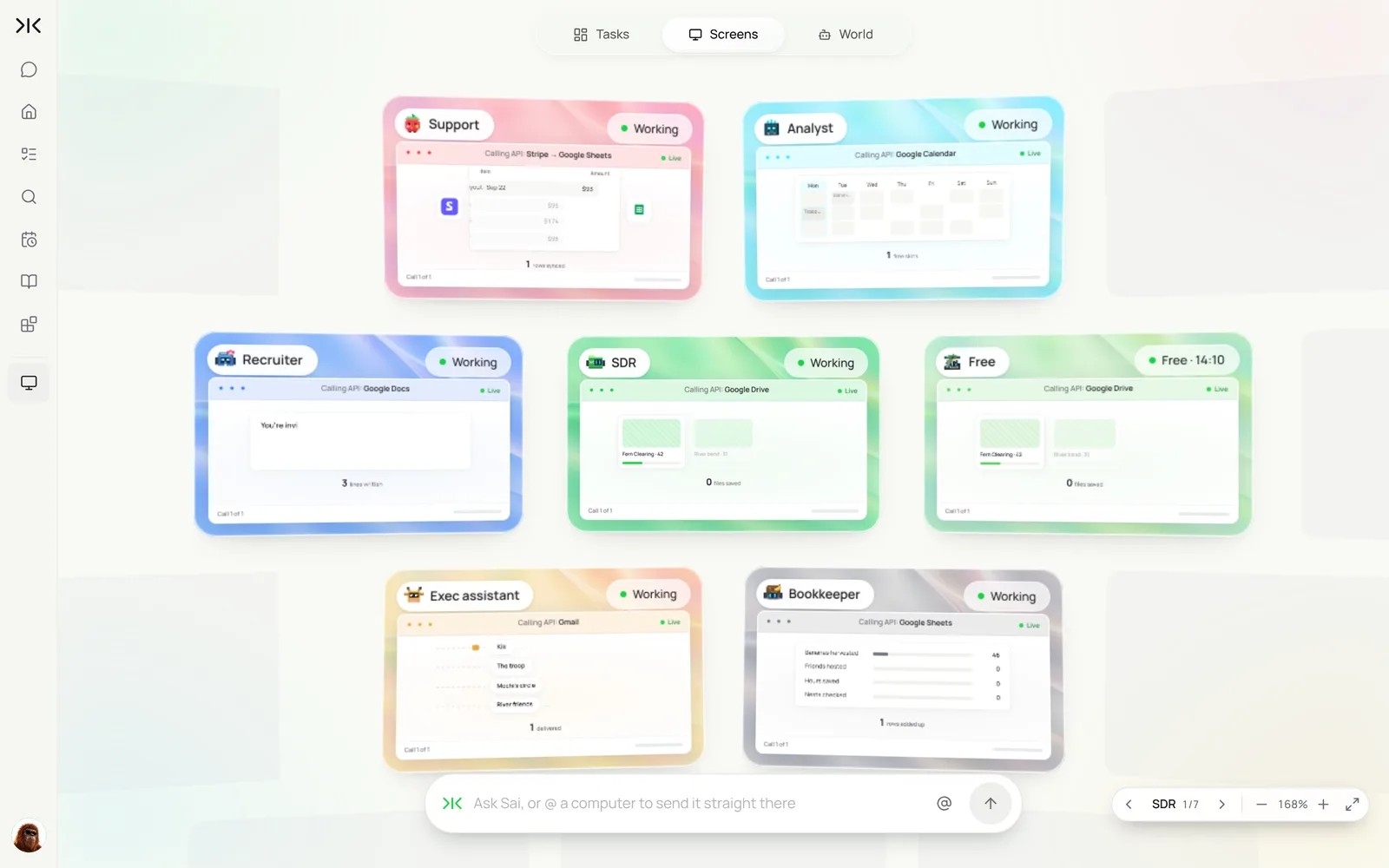
- You can run several at once. Each AI employee gets its own cloud computer, so the SDR, the bookkeeper and the recruiter work in parallel.
What is an AI employee?
An AI employee is an AI agent configured to own a recurring job inside a business. It has three things a chatbot does not: a defined role with rules, access to the same software a person in that role would use, and a schedule. You talk to it the way you would brief a colleague, and it returns finished work, not instructions.
Most AI employees today are built on a computer use agent: an agent that reads the screen, clicks and types. That is what lets one agent work across a CRM, a spreadsheet, an email client and a vendor website in the same task, without an integration for each. You will also see the terms AI workers, digital employees and AI agents for business; they describe the same idea.
Where AI employees fit
AI employees sit between tools that answer questions and people who own outcomes. The difference is what each can finish on its own.
| Chatbot or copilot | Workflow automation | AI employee | Human hire | |
|---|---|---|---|---|
| What it does | Answers and drafts when asked | Moves data between apps on a trigger | Does the whole job end to end | Does the job and owns the outcome |
| Works in | A chat window | Apps with an API | Any app or website on a computer | Everything |
| Handles messy, changing screens | No | No, breaks when fields change | Yes, reads the screen | Yes |
| Runs without a prompt | No | Yes | Yes, on a schedule | Yes |
| Makes judgment calls | No | No | Within written rules; asks otherwise | Yes |
| Typical cost | $20–$30 a month | $20–$100+ a month | Free to start; $50 a month on Pro | $45k–$90k+ a year per role |
For a wider look at assistants, see the best AI assistants and computer use agents compared.
AI employee examples by role
These are the AI employees teams set up most often with Sai. Each guide is a full build with tasks, skills and routines.
| AI employee | What it takes off your plate | Guide |
|---|---|---|
| SDR / sales assistant | Prospect research, personalized first drafts, CRM updates | AI sales assistant |
| Lead generation | ICP lists, buying signals, enrichment | AI lead generation |
| Email assistant | Inbox triage, reply drafts, follow-ups, scheduling | AI email assistant |
| Executive assistant | Calendar, meeting briefs, travel, errands | AI executive assistant |
| Bookkeeper | Invoice collection, bill entry, receipt matching, close | AI bookkeeping |
| Recruiter | Sourcing, screening with evidence, scheduling, ATS updates | AI recruiter |
| Customer support agent | Ticket triage, reply drafts, weekly issue reports | AI customer support agent |
| Customer success manager | Renewal risk, QBR prep, health checks | AI customer success manager |
| RevOps manager | CRM hygiene, pipeline reports, dedupes | AI RevOps manager |
| Project manager | Standups, status reports, ticket follow-ups | AI project manager |
| Chief of staff | KPI sheet, operating brief, investor updates | AI chief of staff |
| Social media manager | Research, drafts, scheduling, reporting | AI social media manager |
| SEO content marketer | Keyword research, briefs, drafts, refreshes | AI SEO content marketer |
| Research analyst | Market scans, company one-pagers, monitoring | AI research analyst |
| Investment analyst | Deal flow, company memos, portfolio updates | AI investment analyst |
| E-commerce operations | Orders, stock checks, marketplace listings | AI e-commerce operations agent |
What you need before you start
- A Sai account. The Free plan includes one cloud computer, enough to build and test your first AI employee. Running several at once needs a paid plan. See Plans, usage, and limits.
- One job to hand over. Pick work that repeats every week, follows rules you could write down, and costs someone at least 3 hours.
- Its own accounts where possible. A seat in the CRM, a shared inbox or a delegated mailbox, so its actions are labeled and easy to audit.
- A person who reviews. Every AI employee needs a manager who approves its first runs and reads its weekly results.
Step 1: Pick one role and write its job description
In Sai, an AI employee’s job description is a skill: plain-language rules Sai loads whenever the work comes up. Write it like onboarding notes for a new hire.
Role
You research and qualify new prospects for our sales team. You do not send anything.

Who we sell to
- B2B SaaS, 50–500 employees, US and Canada.
- Buyers: VP Sales, Head of RevOps, CRO.

How you work
- Every Monday, find 25 new companies that match and log them in the Leads sheet with the reason.
- For each, find the buyer on LinkedIn and draft a first line based on something real they posted or shipped.
- Log every lead in HubSpot with source = "Sai research".

Never
- Send email or LinkedIn messages without my OK.
- Contact a company already marked as a customer or open deal in HubSpot.
- Guess an email address.
Step 2: Give it a computer and its accounts
Each AI employee runs on a Sai cloud computer, so it keeps working with your laptop closed. Connect the apps it needs in Abilities → Integrations (Gmail, Calendar, Drive, HubSpot, Slack, Notion), and sign it in to anything else, such as LinkedIn or a vendor portal, on its computer through Sai’s approval link. Name the computer after the role so you can tell your AI employees apart.
Start with read access and drafts. Widen what it can do only after it has earned it.
Step 3: Run the job once while you watch
Give the first task in plain language and watch it work in the live view. Correct anything it gets wrong, and save the correction back to the skill so it sticks.
Using my SDR skill, find this week's 25 companies, log them in the Leads sheet with the reason each one fits,
find the buyer at each, draft a first line for each in the sheet, and add them to HubSpot.
Show me the list before you add anything to HubSpot.
Using my SDR skill, find this week’s 25 companies, log them in the Leads sheet with the reason each one fits, find the buyer at each, draft a first line, and show me the list before you add anything to HubSpot.
- 25 companies · 31 checked
- 25 signals with sources
- 2 skipped
- 23 rows · 23 first lines
Step 4: Put it on a schedule, then add a second AI employee
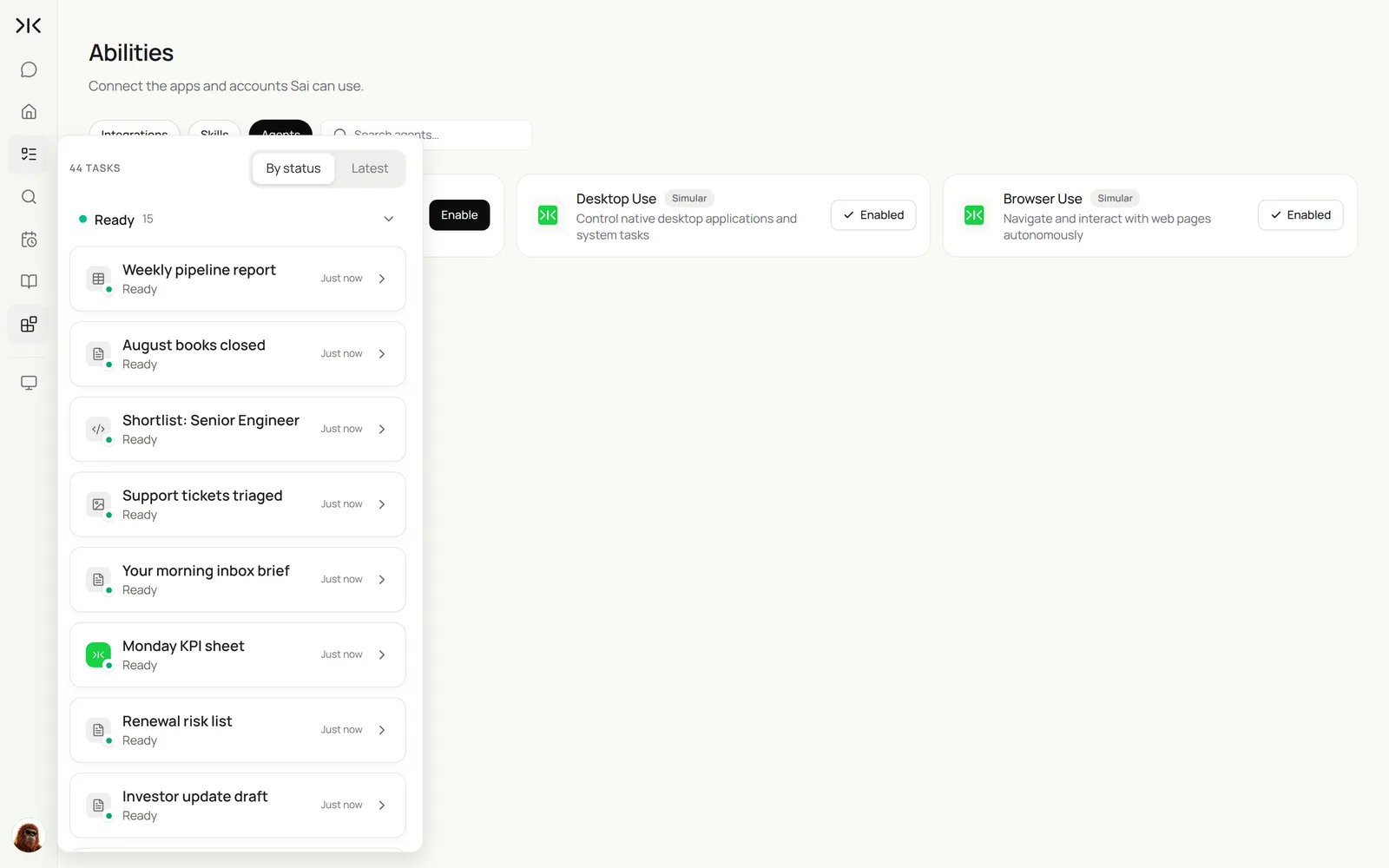
Once a task runs cleanly twice, turn it into a routine. Then repeat steps 1 to 3 for the next role. Most teams add the second AI employee in week two: a bookkeeper or an inbox assistant are common picks because the rules are clear.
It’s Monday. Run this week’s work: SDR builds the lead list, Bookkeeper enters last week’s bills and matches receipts, Inbox drafts replies and sends me the morning brief.
- 25 leads with reasons
- 18 invoices · 3 portals
- 18 bills · 44 receipts matched
- 96 emails · 14 drafts
Step 5: Manage your AI employees like a team
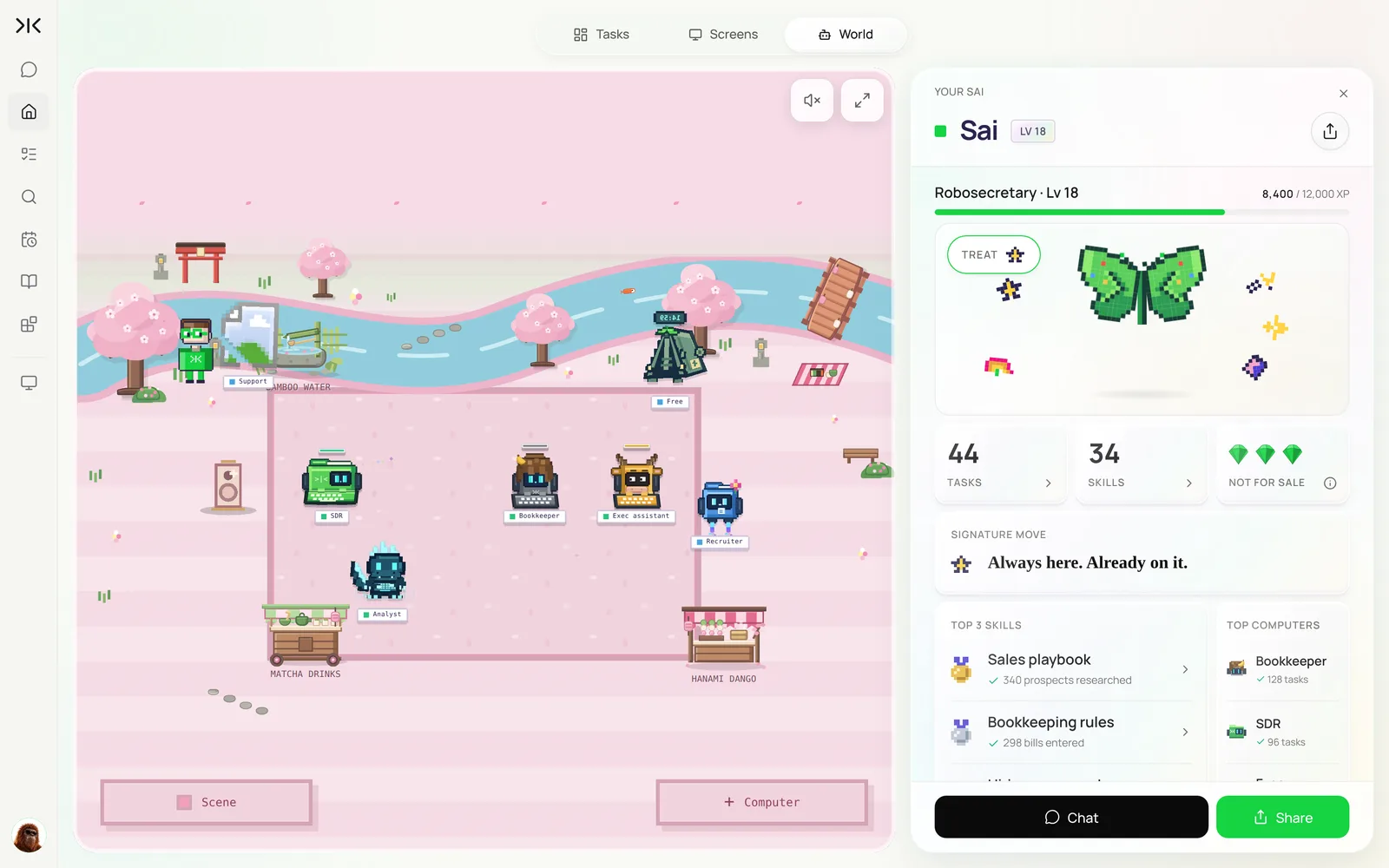
Once a week, spend 15 minutes the way you would in a one-on-one: read what each AI employee finished, approve what is waiting, and turn every correction into a rule in its skill. Sai’s World view shows which computers are working, which skills are used most, and how much time each routine saved.
How much do AI employees cost?
With Sai you can build and test an AI employee on the Free plan, which includes one cloud computer and a daily allotment of computer time. Running AI employees on a daily schedule usually needs Pro at $50 a month, and running several computers at once for a team is on the Team plan at $500 a month (see Plans, usage, and limits). Waiting for your approval and the time between scheduled runs use no computer time.
For comparison, a full-time SDR, bookkeeper or assistant in the US typically costs $45,000 to $90,000 a year before benefits. An AI employee is not a like-for-like replacement: it covers the repetitive part of the role, which is often a third to a half of the hours.
Will AI employees replace human employees?
For most roles, no. AI employees replace tasks, not the people who own outcomes. They are good at work with clear rules that repeats: research, data entry, matching, first drafts, follow-ups and reports. They are poor at the parts of a job that depend on relationships, negotiation, accountability and judgment in new situations, and in this setup they never take irreversible actions on their own.
What changes is the shape of the job. An SDR who no longer spends 10 hours a week building lists spends it on conversations. A bookkeeper who no longer types bills reviews exceptions for more clients. Teams that use AI employees well tend to grow what each person covers rather than shrink the team.
How should employees think about an AI-agent-enhanced workplace?
Treat AI employees as junior teammates you manage, not as software you configure once. Four habits help:
- Hand over tasks, keep the outcome. You still own the pipeline number or the clean books; the AI employee does the legwork.
- Write down how you work. The rules in a skill are the difference between generic output and work that matches your standards.
- Review exceptions, not everything. Once a routine is stable, read what it flags instead of redoing its work.
- Move up the value chain. Use the time you get back for the parts of the role only a person can do: customers, candidates, decisions.
AI employees for small business: your first month
Small teams get the most from AI employees because nobody has time for the repetitive work. A realistic first month:
| Week | What you set up | Time you put in |
|---|---|---|
| 1 | One AI employee for the most painful weekly task, such as inbox triage or bill entry. Run it by hand twice. | About 2 hours |
| 2 | Turn it into a routine. Add rules from your corrections to its skill. | 30 minutes |
| 3 | Add a second AI employee: lead generation or bookkeeping. | About 1 hour |
| 4 | Weekly review of both. Decide what to hand over next. | 15–30 minutes |
Start with work that is boring, frequent and low-risk. Leave anything customer-facing on approval for the first month.
What to look for in an AI employee platform
Whichever tool you choose, check these before you hand over real work.
| What to look for | Why it matters | How Sai handles it |
|---|---|---|
| Works in any app, not just integrations | Real jobs cross tools that have no API | Uses a computer like a person: browser, desktop apps and integrations |
| Its own computer, always on | Schedules shouldn’t depend on your laptop | Every account includes a cloud computer; paid plans run many in parallel |
| Approvals before irreversible actions | You stay accountable for what goes out | Sending, paying, posting and deleting wait in one approval queue |
| Rules you can write and edit | Output should match how your team works | Skills in plain language, updated from your corrections |
| A record of every action | You need to audit what happened | Live view while it works and a log of every step |
| Proven on real computer tasks | Demos aren’t the same as finishing work | Ranks at the top of OSWorld, the open benchmark for computer use |
Example: the first three AI employees at a 12-person company
An illustrative B2B services company with one founder-led sales motion, outsourced accounting and a shared inbox. Your numbers will differ; the shape of the change is typical.
| AI employee | Hours a week before | Hours a week after | What people still do |
|---|---|---|---|
| Lead generation | 8 (founder building lists) | 1 (reviewing the Monday list) | Choose who to contact and write the first message |
| Bookkeeper | 6 (bills, receipts, chasing invoices) | 1 | Approve payments, answer flagged questions |
| Inbox assistant | 7 (shared inbox and follow-ups) | 2 | Approve replies and handle the sensitive ones |
| Total | 21 | 4 | About 4 hours of review instead of 21 hours of doing |
The hours come back as founder time on sales calls and faster replies to customers.
Keep your AI employees safe
- Least access first. Start with read access and drafts; add write access one permission at a time.
- Separate accounts. Give each AI employee its own seat or delegated access so actions are labeled and can be revoked.
- Approvals on anything external. Emails, posts, payments and record deletions wait for a person.
- Rules in the skill. Put the “never” list in writing: who not to contact, what not to share, what not to change.
- Respect each platform’s terms. Work at a human pace on sites like LinkedIn, and use official integrations where a platform requires them. See Security, privacy, and trust.
Frequently asked questions
What are AI employees?
AI employees are AI agents configured to do a defined job, such as SDR, bookkeeper or inbox assistant. They work in your real tools on their own computer, run on a schedule, follow written rules, and ask before anything irreversible.
Can AI replace employees?
AI can replace many repetitive tasks, but rarely a whole role. AI employees handle research, data entry, first drafts and follow-ups; people keep relationships, decisions and accountability. Most teams use them to grow what each person covers.
How much does an AI employee cost?
With Sai you can build and test one on the Free plan. A daily schedule usually needs Pro at $50 a month, and a team running several computers at once is on the Team plan at $500 a month. A full-time hire in the same role typically costs $45,000 to $90,000 a year.
What are examples of AI agents for business?
Common examples are an AI SDR that builds lead lists, an AI email assistant that triages and drafts, an AI bookkeeper that enters bills and matches receipts, an AI recruiter that screens applicants, and an AI support agent that triages tickets.
Are AI workers and AI employees the same thing?
Yes. AI workers, AI employees, digital employees and AI agents for business all describe agents that own a recurring job. The useful test is whether it can finish the work in your tools on its own, not what it is called.
How do I set up my first AI employee?
Pick one weekly job, write its rules as a skill, connect the apps it needs, run the task once while you watch, then make it a routine. With Sai that takes about an hour for the first role.
How should employees think about working with AI agents?
As junior teammates they manage: hand over tasks, keep the outcome, write down how the work should be done, review exceptions, and spend the time saved on work only people can do.
Do AI employees work when my computer is off?
With Sai, yes. Each AI employee runs on a cloud computer, so routines run on schedule with your laptop closed.
Is it safe to give an AI employee access to my accounts?
Start with read access and drafts, give it its own seat where possible, keep approvals on for anything external, and review its first runs. Sai logs every action and pauses for security checks.
Related guides
Pick your first AI employee.
Ready-made skills to give your first AI employee: insurance eligibility verification, employee onboarding and accounts receivable. Browse all in the Sai Skills Marketplace.