
How to build an AI customer success manager with Sai
An AI customer success manager watches every account between calls: it tracks renewals, scores account health, prepares QBRs, drafts check-ins and turns support tickets into a weekly customer pulse. This guide builds one with Sai, step by step, using HubSpot, Gmail, Google Calendar, Sheets and your support tool, with every customer email waiting for your approval.
Tools: HubSpot, Gmail, Google Calendar, Google Sheets, Google Slides, Slack
TL;DR: the AI customer success manager you end up with
By the end of this guide you have an AI customer success manager that keeps an eye on every account, every day, and has the renewal brief or QBR pack ready before you need it. Anything a customer will read waits for you. It runs six routines:
- Renewal watch. Every Monday, lists renewals in the next 90 days with usage, open tickets and risk flags.
- Account health. Scores every account weekly from usage, support tickets, email sentiment and champion changes.
- QBR packs. Before each business review, builds the usage charts, wins and asks into your slide template.
- Check-ins. Drafts a short, specific check-in for accounts that have gone quiet.
- Customer pulse. Every Friday, groups support tickets, call notes and feedback into the five things customers are asking for.
- Champion watch. Flags when a main contact changes jobs on LinkedIn, and suggests who to reach next.
What is an AI customer success manager?
An AI customer success manager is an agent that does the monitoring and preparation behind customer success: tracking renewals, measuring account health, preparing business reviews and drafting outreach. The relationship stays with your CSM. The agent makes sure nothing slips between calls.
Sai fits because the signals are spread out. Renewal dates sit in the CRM, usage in a dashboard export, sentiment in email, problems in the support tool, champion changes on LinkedIn. Sai reads them in one task on its own computer and writes back to the places your team already works.
What your AI customer success manager will do
Start with renewal watch. It protects revenue from week one.
| Workflow | What Sai does | Cadence | Needs your approval |
|---|---|---|---|
| Renewal watch | Renewals in 90 days with usage, tickets, risks | Mondays 8:00 | No, it is a brief |
| Account health | Scores each account, explains every change | Weekly | No |
| QBR pack | Charts, wins, asks, in your slide template | 5 days before each QBR | Yes, before sharing |
| Check-ins | Drafts a specific note to quiet accounts | Tuesdays | Yes, before sending |
| Customer pulse | Groups tickets and feedback into themes | Fridays 16:00 | No |
| Champion watch | Flags job changes of key contacts | Weekly | Yes, before outreach |
What you need before you start
- A Sai account. The Free plan includes one cloud computer for building and testing. Weekly routines across many accounts work best on Pro. See Plans, usage, and limits.
- Connections. HubSpot, Gmail, Google Calendar and Drive in Abilities → Integrations. Your support tool and product analytics signed in on the cloud computer through Sai’s approval link, or a weekly usage export in Drive.
- Your health model. What healthy, watch and at risk mean for you, in plain words.
- Templates. Your QBR slide template and an Accounts sheet with tier, owner and renewal date.
Step 1: Write your Customer Success skill
This is where your judgment lives: what a healthy account looks like and how you talk to customers.
When to use it
Any task about customer accounts, renewals, health, QBRs or customer email.

Health
- Healthy: weekly active users at or above 60% of seats, no P1 tickets in 30 days, champion engaged.
- Watch: usage down 20%+ in 4 weeks, or 3+ open tickets older than 7 days.
- At risk: champion left, usage down 40%+, or an unanswered escalation.

Voice
- Short and specific. Lead with something useful to them, not a check-in for its own sake.

Never
- Send, share or forward anything to a customer without my OK.
- Discuss pricing, discounts or contract terms. Flag them to me.
- Change renewal dates or amounts in HubSpot.
Step 2: Watch renewals 90 days out
Sai prepares a brief for every upcoming renewal, so risks show up while there is still time to fix them.
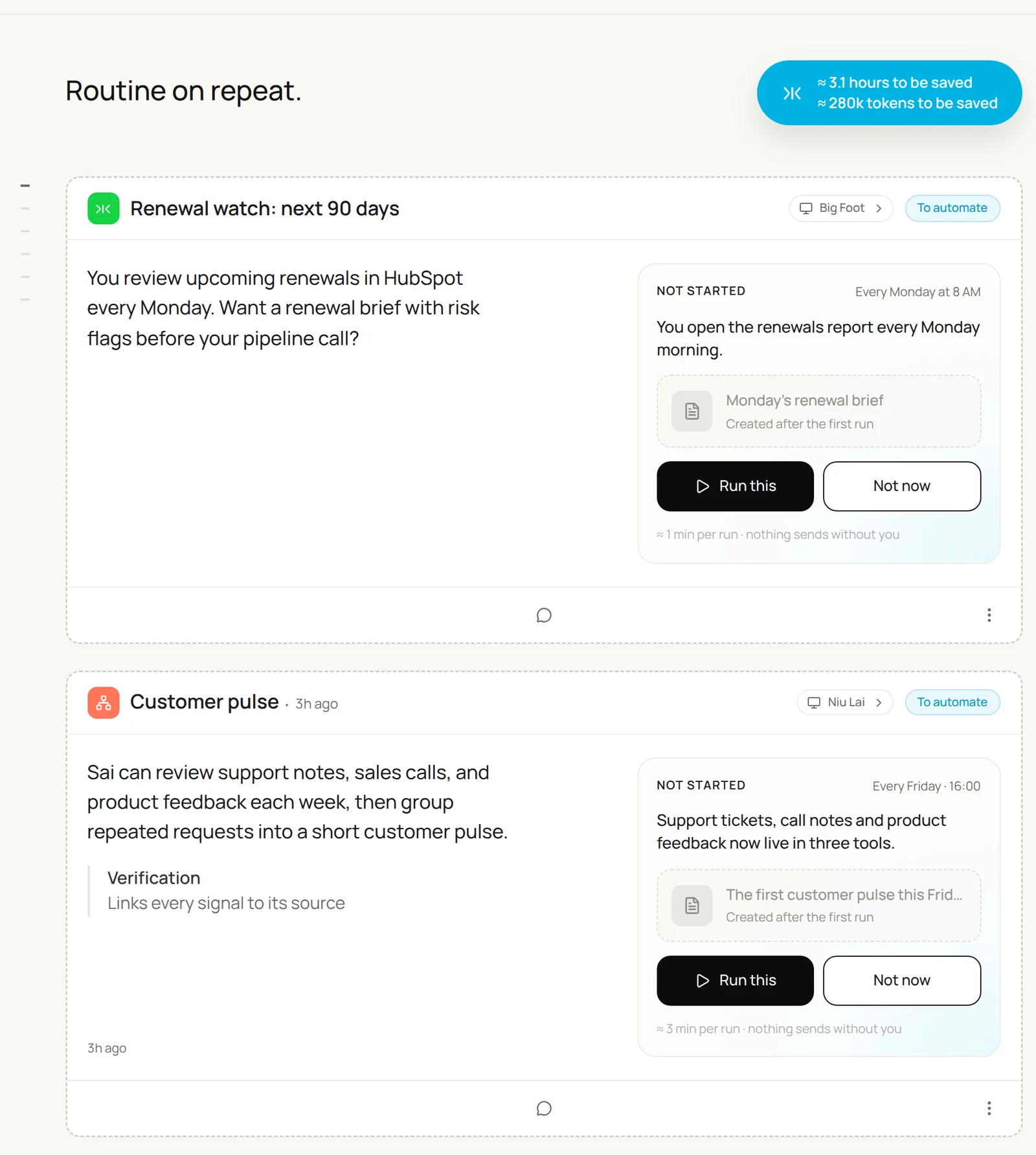
Every Monday at 8:00, list deals in HubSpot with a renewal date in the next 90 days.
For each account: seats vs active users from the usage export in Drive, open support tickets, last email from the champion, and anything changed on the champion's LinkedIn.
Score health with my Customer Success skill and explain every Watch or At risk.
Post the brief in #renewals.
List our renewals in the next 90 days from HubSpot. For each account add seats vs active users, open tickets, the champion’s last email and any LinkedIn job change, score health with my Customer Success skill, and post the brief in #renewals.
- 23 accounts · $1.2M ARR
- Seats and weekly active users matched
- 61 tickets · 23 threads
- 1 champion moved
- Brief posted
Step 3: Score account health every week
One number is not enough. Ask Sai for the score and the reason.
Every Sunday evening, update the Health column for every account in the Accounts sheet.
Use my Customer Success skill. For each change since last week, add one line on why and a link to the source:
the usage export, the ticket, or the email.
List the accounts that moved to Watch or At risk at the top.
Related: building a customer health dashboard in Sheets.
Step 4: Build the QBR pack
The deck takes hours by hand. Sai builds the first draft from real numbers.
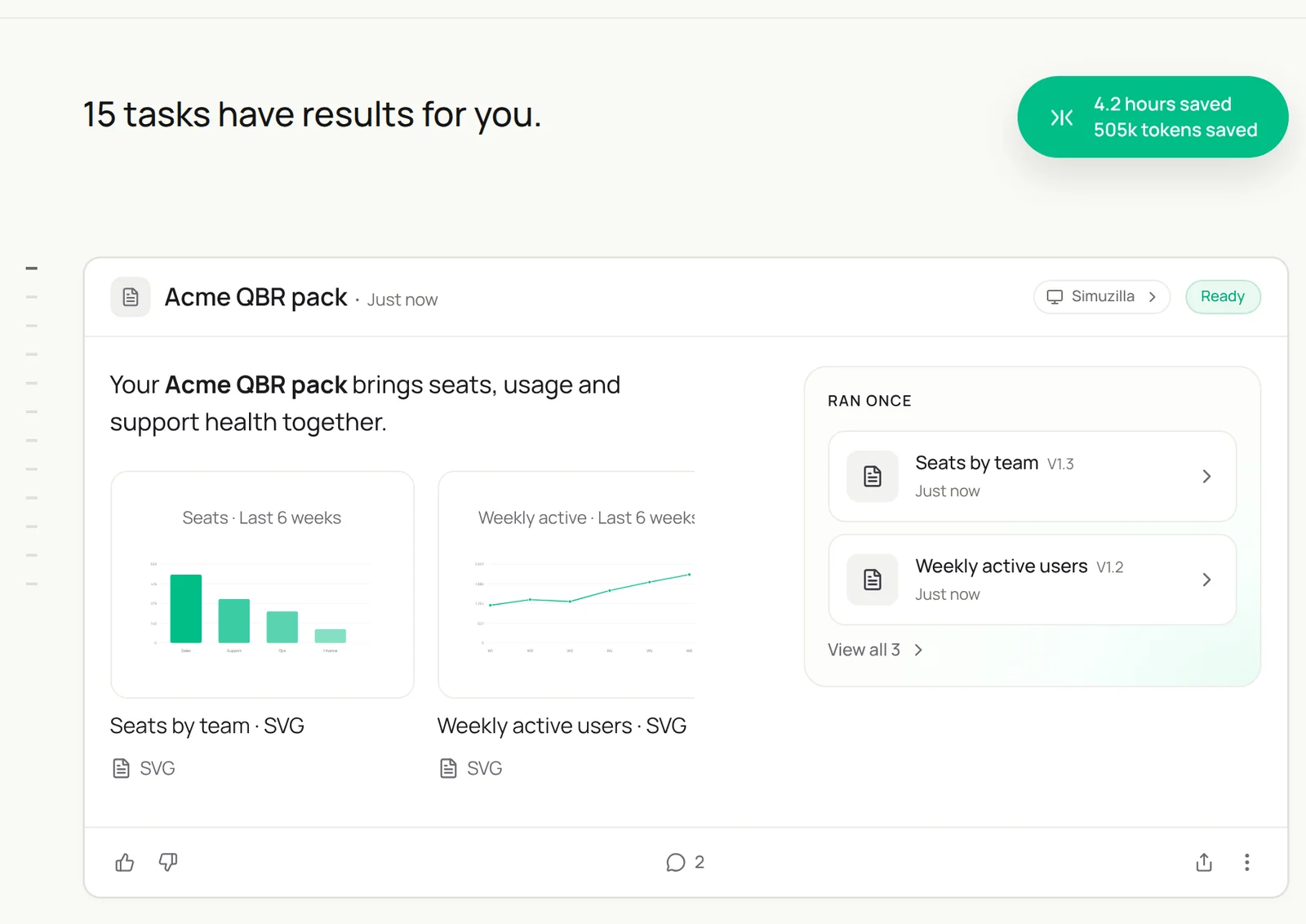
Acme's QBR is next Tuesday. Build the pack in our QBR template in Drive:
seats by team, weekly active users for 6 weeks, top features used, support tickets and how fast they closed,
three wins in their own words from emails and call notes, and two asks for the next quarter.
Link every number to its source. Then find a time with Priya and draft the invite. Do not send.
Acme’s QBR is next Tuesday. Build the pack in our QBR template with seats by team, six weeks of weekly active users, support stats, three wins and two asks, then find a time with Priya and draft the invite.
- 6 weeks of usage · 4 call notes
- 12 tickets · median 9h to close
- 9 slides drafted
- Tue 10:00 or Wed 14:00
Step 5: Draft check-ins and renewal replies
Sai drafts, you send. Approving a batch takes a minute.
Every Tuesday, find accounts in the Accounts sheet with no email or meeting in 30 days.
Draft a short check-in for each that offers something specific: a feature they have not tried, a relevant customer story, or an answer to an open ticket.
Also draft replies to any renewal emails waiting on me. Hold everything for my approval.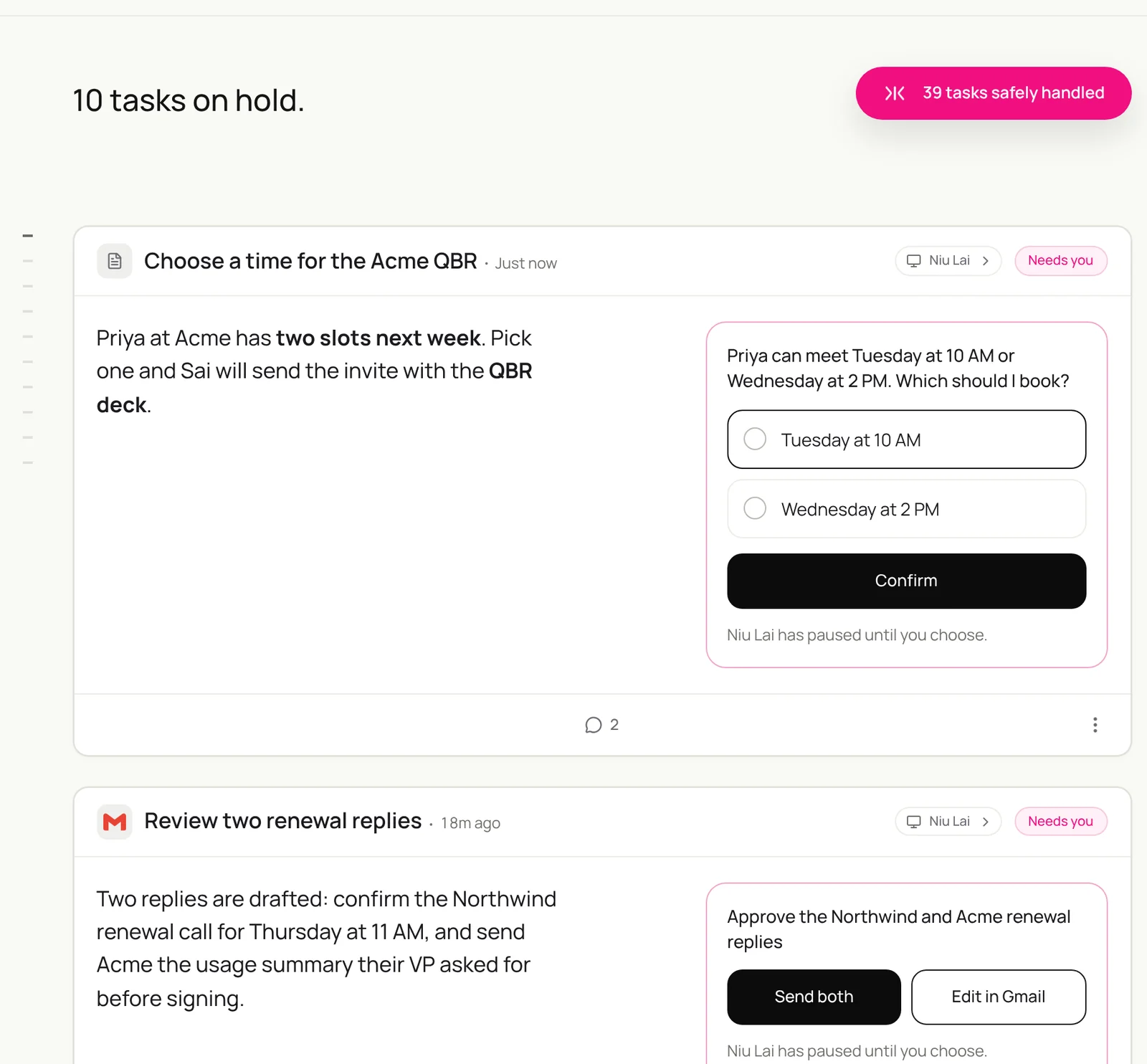
Notes from calls can update the CRM too. See updating the CRM from notes.
Step 6: Send the weekly customer pulse
Product and leadership hear what customers are saying, grouped and counted, every Friday.
Every Friday at 16:00, read this week's support tickets, call notes in Drive and feedback emails.
Group repeated requests and problems into themes, count accounts per theme, and quote one customer for each.
Note which themes affect accounts renewing in the next 90 days.
Post the top five in #customer-pulse.
Step 7: Put your AI customer success manager on a schedule
Once each task runs well by hand, make it a routine:
| Routine | When it runs | What you do |
|---|---|---|
| Renewal watch | Mondays 8:00 | Act on Watch and At risk |
| Account health | Sundays | Read the changes |
| QBR pack | 5 days before each QBR | Edit and present |
| Check-ins | Tuesdays | Approve drafts |
| Customer pulse | Fridays 16:00 | Share with product |
See Routines. For renewal outreach on LinkedIn, see Sai × LinkedIn.
Keep your AI customer success manager safe
- Customers hear from you. Every email, invite and shared file waits for your approval.
- Commercial terms stay human. Pricing, discounts and contract changes go to you or your account executive. Put that in the skill.
- Read-only where possible. Give Sai read access to support and analytics tools; it writes only to your sheets, notes and drafts.
- Respect customer data. Keep exports in your own Drive and follow your data processing agreements. Do not paste customer data into tools your contracts do not cover.
- Explain every score. A health score without a reason is not actionable. Ask for a source on every change.
Why build your AI customer success manager on Sai
- It reads every signal. CRM, usage exports, tickets, email and LinkedIn in one task, so health scores reflect the whole account.
- It does the prep, not the relationship. Renewal briefs and QBR packs are ready; your CSMs spend their time with customers.
- It follows your playbook. Health definitions and voice live in a skill your team can edit.
- It finishes the task. Sai ranks #1 on OSWorld for completing real work on a real computer.
Frequently asked questions
What is an AI customer success manager?
An AI customer success manager is an agent that tracks renewals, scores account health, prepares business reviews and drafts customer outreach. Your CSMs own the relationship and approve anything customers see.
Can Sai track renewals in HubSpot?
Yes. Sai lists renewals in the next 90 days and adds usage, open tickets, recent email and champion changes to each, then posts a brief in Slack.
How does Sai score account health?
With the definitions in your Customer Success skill, such as usage against seats, open tickets and champion engagement. Every change comes with a reason and a source link.
Can Sai build QBR decks?
Yes. Sai fills your slide template with usage charts, support stats, wins from emails and call notes, and suggested asks, and links every number to its source.
Will Sai email my customers?
Only after you approve. Sai drafts check-ins and renewal replies and holds them until you send.
Can Sai read our support tickets?
Yes, with read access to your support tool on its cloud computer, or from a weekly export in Drive.
Does Sai replace customer success managers?
No. It does the monitoring and preparation so CSMs can spend more time with customers.
How much does it cost?
You can build and test every step on the Free plan. Weekly routines across many accounts usually need Pro at $50 a month. See Plans, usage, and limits.
Related guides
Keep building on the same pieces.
Skills that fit this role: accounts receivable automation and CRM data cleanup.