
CRM data cleanup: let Sai merge duplicates and fix fields
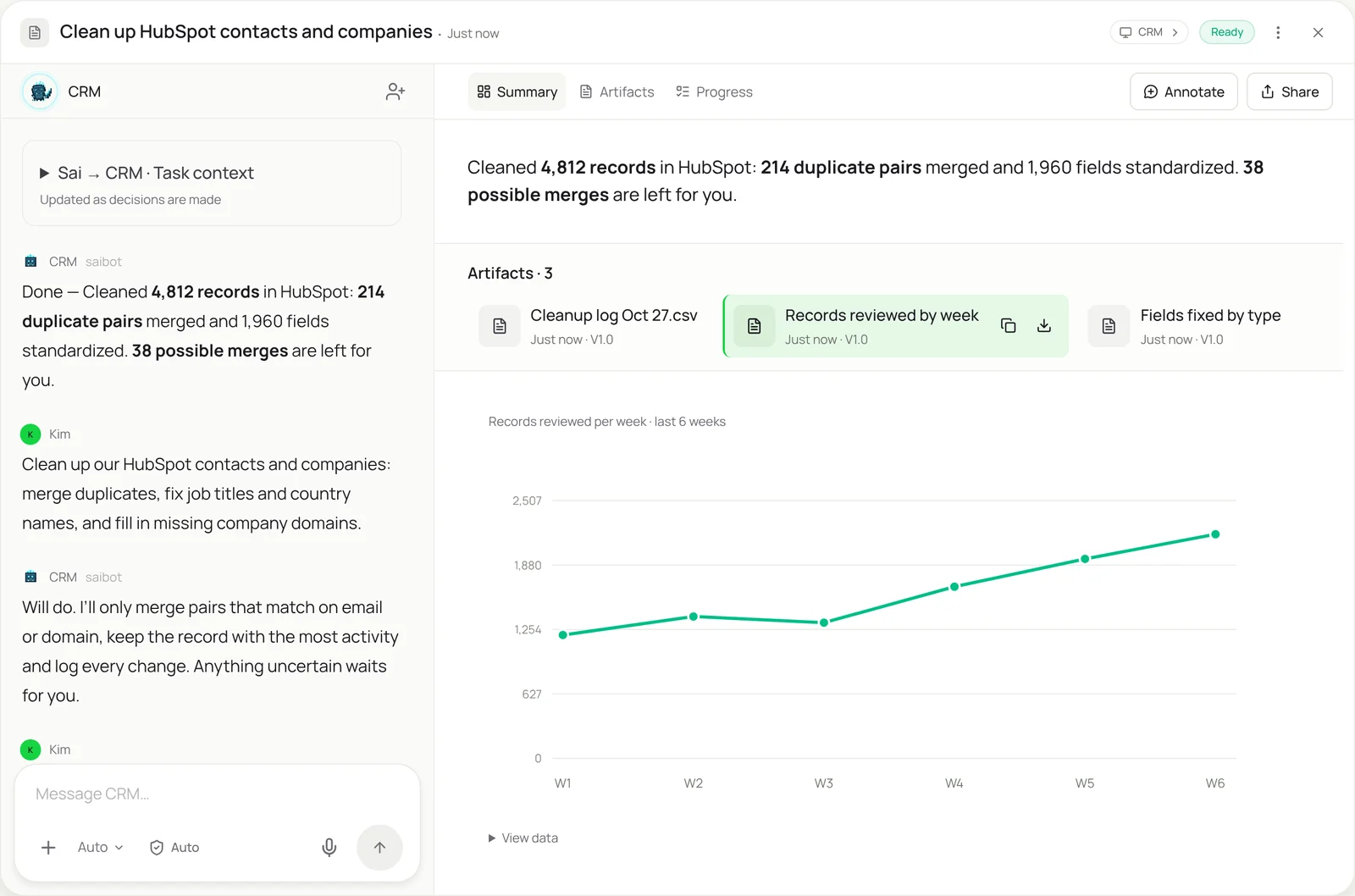
This skill keeps your CRM clean without a cleanup project. Sai works through HubSpot or Salesforce the way an ops admin does: it merges records that are clearly the same, standardizes job titles, countries and phone numbers, and fills missing company domains from the company’s website. Every change is logged, records owned by teams you exclude are left alone, and merges that aren’t certain come to you for review.
The skill
# Skill: CRM data cleanup

## When to use
Cleaning contacts, companies and deals in HubSpot or Salesforce: a weekly sweep of new records, or a one-time cleanup before a migration or a big campaign.

## Inputs
- The CRM and the objects to clean (contacts, companies, deals), with any owners or teams to exclude.
- The Cleanup rules sheet: field formats (country names, phone format, job title mapping), required fields, and merge rules.

## How to clean
1. Pull the records in scope with a saved view or report. Skip records owned by excluded teams.
2. Merge only clear duplicates: same email for contacts, same domain for companies. Keep the record with the most activity as primary.
3. Pairs that match on name but not email or domain go on a review list. Don't merge them.
4. Standardize fields using the rules sheet: country names, state codes, phone format, job title to seniority and function.
5. Fill missing company domain, industry and size from the company's own website. Leave blank if unsure.
6. Log every change: record, field, old value, new value.

## Never
- Delete records, or merge records owned by excluded teams.
- Overwrite a value someone entered in the last 7 days.
- Change owners, lifecycle stages or deal amounts.

## Output
A change log, the list of possible duplicates for my review, and counts of what was fixed.
What it does
- Pull the records in scope. Sai opens your CRM and pulls the records to clean with a saved view or report, for example contacts created last week, or all companies before a migration. Records owned by teams you’ve excluded are skipped from the start, so a partner or enterprise team’s data is never touched.
- Merge clear duplicates. Contacts with the same email and companies with the same domain are merged using the CRM’s own merge screen, keeping the record with the most activity as primary so history and associations survive. Pairs that only match on name go to a review list instead, because Dana Lee at Northwind and Dana Lee at Northwind Labs might be two people.
- Standardize fields. Countries, states, phone numbers and job titles are rewritten to the formats in your rules sheet, so “USA”, “U.S.” and “United States” become one value and “VP Sales” maps to the right seniority and function. Values someone edited in the last week are left alone.
- Fill the gaps. Missing company domain, industry and employee range are filled from the company’s own website, read in the browser the way the website data to Sheets skill does. If the answer isn’t clear, the field stays blank rather than being guessed.
- Log and review. Every change is written to a log with the old and new value, so anything can be traced or reversed. You get the counts, the change log and the list of possible duplicates to review. New records can be entered cleanly from the start with automated data entry.
Why it works without an API
Built-in duplicate tools in HubSpot and Salesforce catch exact matches but leave the judgment calls, and cleanup apps need setup, field mapping and often an admin license. Sai works through the CRM screens with your rules written in plain language, merges only what is certain, and reads company websites to fill gaps, so a cleanup takes an afternoon of review instead of a project. More on CRM data management with Sai. How computer use works.
What you get back
- Clear duplicates merged, with history kept
- Standardized fields across records
- Missing company data filled from websites
- A change log and a review list of possible duplicates
Apps it uses
- HubSpot
- Salesforce
- Google Sheets
- Chrome
Who it’s for
AI RevOps manager
Pipeline reports are only as good as the CRM behind them. An AI RevOps manager with this skill runs a weekly cleanup of new records and a deeper pass before each quarter, so routing, attribution and forecasts work on clean data. See the HubSpot and Salesforce guides for the setup.
- Weekly cleanup of new records
- Pre-quarter deep clean
- Standard fields for reporting
Read the AI RevOps manager guide
AI sales assistant
Reps waste time on duplicate contacts and companies with no domain. An AI sales assistant uses this skill to clean each rep’s accounts and contacts before outreach, so sequences don’t hit the same person twice and every account has the data reps need.
- Account cleanup before outreach
- No double-contacted leads
- Domains and titles filled
Read the AI sales assistant guide
AI lead generation
New lead lists bring new duplicates and inconsistent fields into the CRM. An AI lead generation agent with this skill checks each import against existing records, merges clear duplicates and standardizes titles, so scoring and routing stay accurate.
- Import dedupe
- Title to seniority mapping
- Clean lead routing
Read the AI lead generation guide
AI customer success manager
Customer records drift: champions leave, companies rebrand, contacts pile up. An AI customer success manager uses this skill to keep each account’s contacts and company data current, so renewals and health scores are based on the right people.
- Account contacts kept current
- Rebrands and domain changes
- Health data on clean records
Read the AI customer success manager guide
Common variations
- HubSpot duplicate cleanup: Contacts and companies merged by rule
- Salesforce data cleanup: Leads, contacts and accounts standardized
- Before a CRM migration: Everything cleaned before the move
- Clean a lead list before import: Duplicates and formats fixed in a sheet first
- Fill company data from websites: Domain, industry and size from the source
- Records from forms and events: New records entered clean from day one
More skills
- Automated data entry: Copy records from forms, PDFs and emails into portals, CRMs and sheets, field by field, with every entry checked and logged.
- Website data to Excel or Sheets: Pull prices, listings and tables from websites with no export into a clean Google Sheet or Excel file, on a schedule if you want.
- Excel automation: Clean, merge and update workbooks, refresh a model from new numbers, and build the weekly report in the real Excel app.