
AI lead generation: how to find and qualify leads with an AI agent
AI lead generation means using an AI agent to find companies that match your ideal customer profile, spot buying signals, find the right contact, and hand qualified leads to sales with the reason each one fits. Done well, it turns 6 to 10 hours a week of list building into a 20-minute review of 25 researched leads every Monday. This guide explains how to use AI for lead generation, where it fits next to lead databases and sequencing tools, what it costs, and how to build a weekly lead generation routine with Sai on LinkedIn, Google Sheets and HubSpot. Nothing is sent to a prospect without your approval.
Tools: LinkedIn, Chrome, Google Sheets, HubSpot, Gmail
TL;DR: the AI lead generation routine you end up with
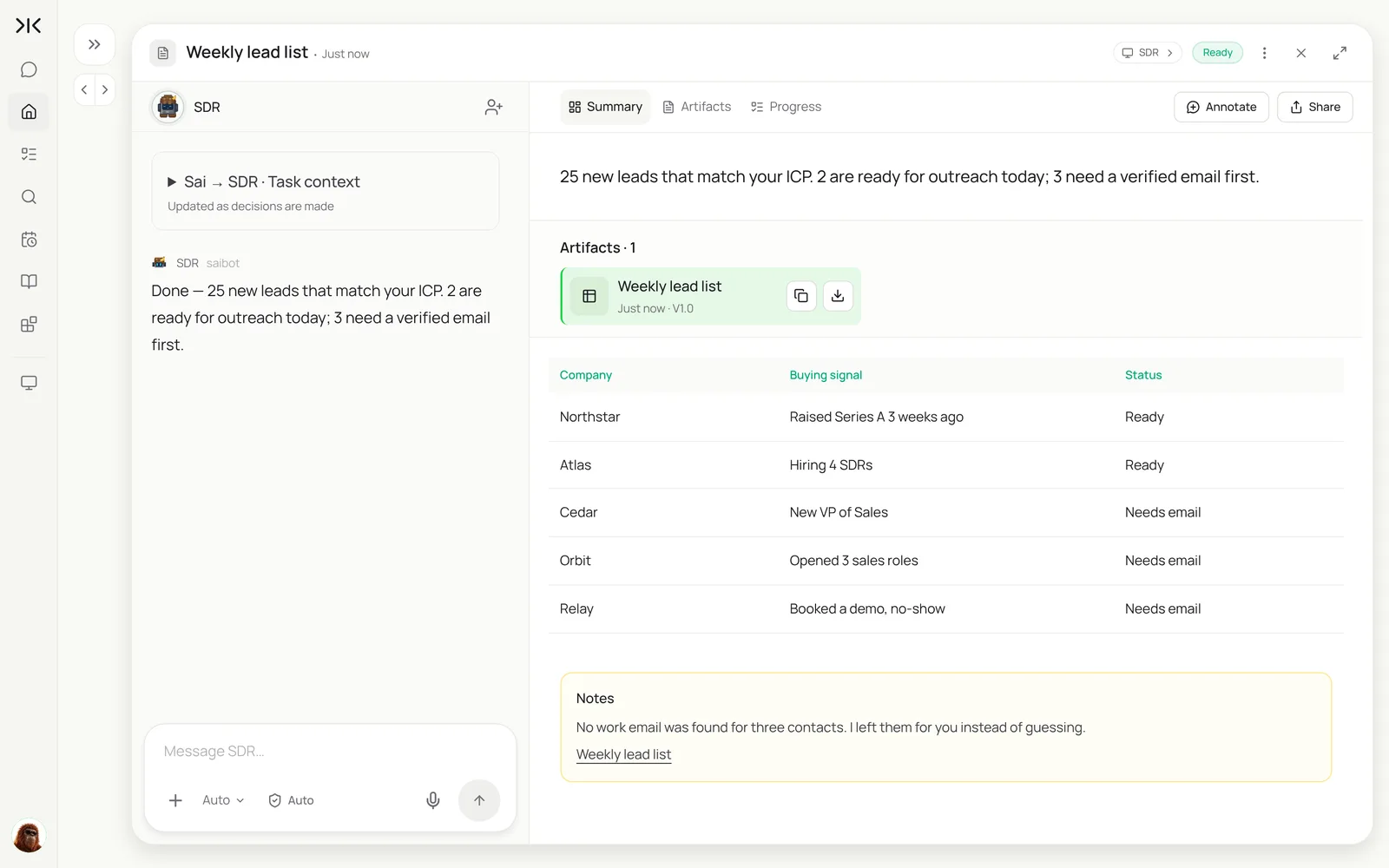
By the end of this guide, Sai builds a qualified lead list every week and hands it to you or your SDRs, ready to work. It runs five steps:
- Find. Companies that match your ICP, from the sources you choose.
- Qualify. Keep only those with a buying signal: funding, hiring, a new sales leader, a pricing-page visit.
- Find the buyer. The right person at each company, with a verified work email or none.
- Research. One real, specific reason to reach out, and a first line drafted from it.
- Hand off. Logged in the Leads sheet and HubSpot with the source, so nobody is contacted twice.
What is AI lead generation?
AI lead generation is the use of AI to do the research side of prospecting: deciding who to target, finding them, checking they fit and learning enough to start a relevant conversation. The output is a short list of qualified leads with reasons, not a bulk export of names.
An AI agent like Sai does this by using the same sources a good SDR would, such as LinkedIn, company websites, job boards, news and your CRM, in a browser on its own computer. It is the top of the funnel for an AI sales assistant or AI SDR, which then handles outreach drafts and follow-ups.
Where AI lead generation fits
Most teams already use one or more of these. The question is which part of the work each one does.
| Manual research | Lead database | Sequencing tool | AI lead generation agent | |
|---|---|---|---|---|
| Finds companies by ICP | Yes, slowly | Yes, by filters | No | Yes, by filters and your written rules |
| Checks live buying signals | Yes | Partly, often stale | No | Yes, from current sources each run |
| Explains why each lead fits | Yes | No | No | Yes, a reason per lead |
| Writes a relevant first line | Yes | No | Templates | Yes, from something real |
| Keeps the CRM clean | Sometimes | Import only | Partly | Logs and dedupes against HubSpot or Salesforce |
| Hours a week for 25 good leads | 6–10 | 2–3 plus cleanup | n/a | About 20 minutes of review |
For tools in this space, see the best AI tools for B2B lead generation and AI lead generation with Simular.
How to use AI for lead generation: the workflows
Start with the ICP list. Every other workflow reads from it.
| Workflow | What Sai does | Cadence | Needs your approval |
|---|---|---|---|
| ICP list | Finds companies that match your rules, with the source | Weekly | No |
| Buying signals | Checks funding, hiring, leadership changes and site visits | Weekly or daily | No |
| Contact finding | Finds the buyer and a verified work email, or leaves it blank | Each new lead | No |
| Research and first line | One specific reason to reach out and a drafted opener | Each new lead | Yes, before anything is sent |
| CRM logging | Adds leads to HubSpot with source, skipping customers and open deals | Each run | No |
| Inbound enrichment | Researches new demo requests before the first call | On every new request | No |
What you need before you start
- A Sai account. The Free plan includes one cloud computer for building and testing. A weekly routine usually runs on Pro. See Plans, usage, and limits.
- Your ICP in writing. Industry, size, region, buyer titles and what disqualifies a company.
- A Leads sheet in Google Sheets with columns for company, signal, buyer, email, first line, status and source.
- Connections. HubSpot (or Salesforce) and Gmail in Abilities → Integrations, and LinkedIn signed in on Sai’s computer. See How to automate LinkedIn with Sai.
Step 1: Write your ICP skill
The skill is your targeting playbook. The clearer it is, the less you will throw away.
When to use it
Any task about finding, qualifying or researching leads.

Ideal customer
- B2B SaaS, 50–500 employees, US and Canada.
- Buyers: VP Sales, Head of Sales Development, Head of RevOps, CRO.
- Disqualify: agencies, companies under 20 employees, current customers, open deals in HubSpot.

Buying signals (need at least one, within 60 days)
- Raised a round. Hiring SDRs or AEs. New sales leader. Visited our pricing page.

Rules
- Every lead gets a one-line reason with a link to the source.
- Never guess an email. If you can't verify it, leave it blank and mark "Needs email".
- Work at a human pace on LinkedIn: no more than 40 profiles a run.
- Never send messages or emails.
Step 2: Find companies with buying signals
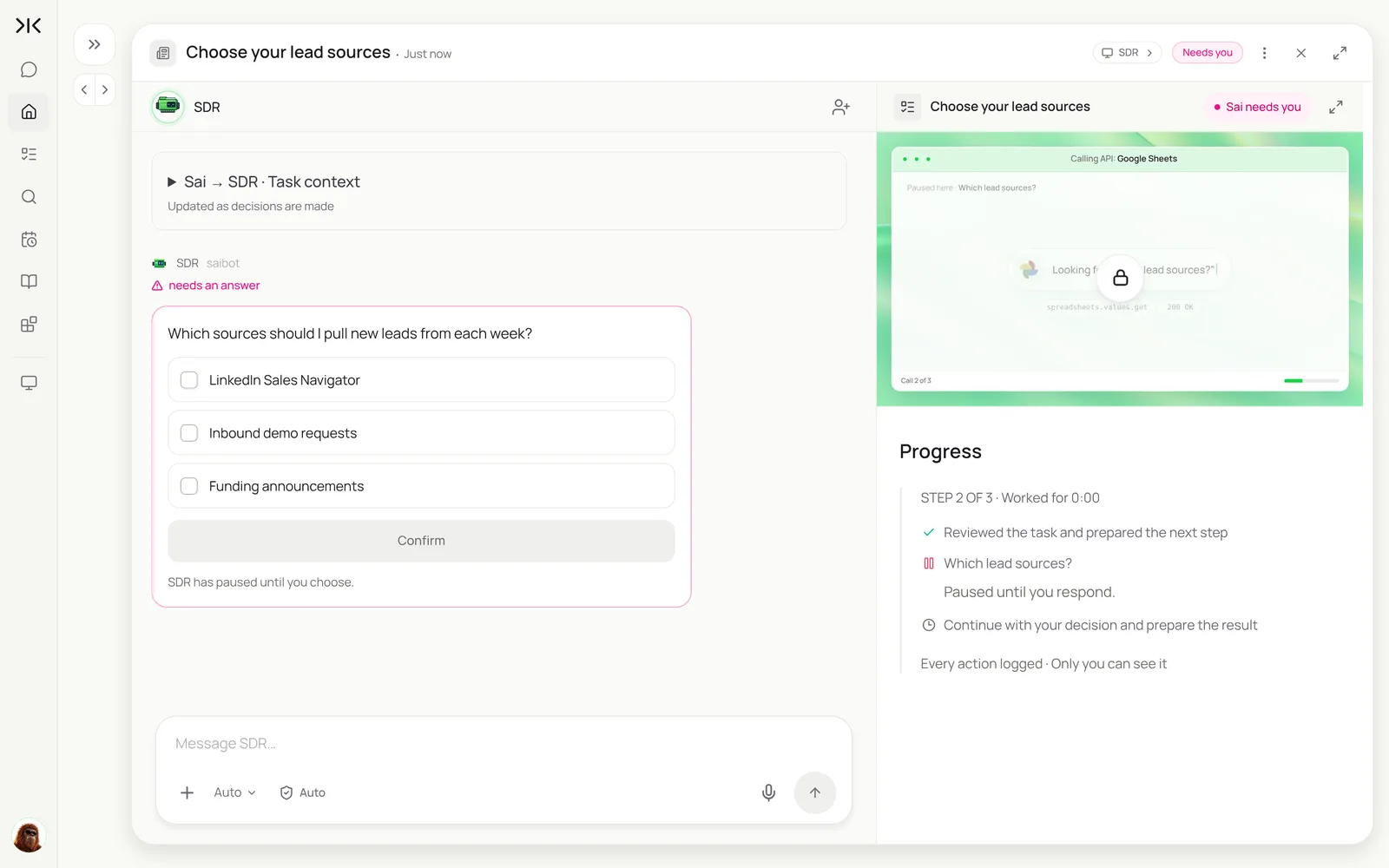
Run it once by hand. Sai asks which sources to use the first time, then remembers.
Using my ICP skill, find 25 companies that match and have a buying signal from the last 60 days.
Check LinkedIn, job boards and recent funding news. Skip anything already in HubSpot as a customer or open deal.
Add them to the Leads sheet with the signal, a link to the source and a one-line reason they fit.
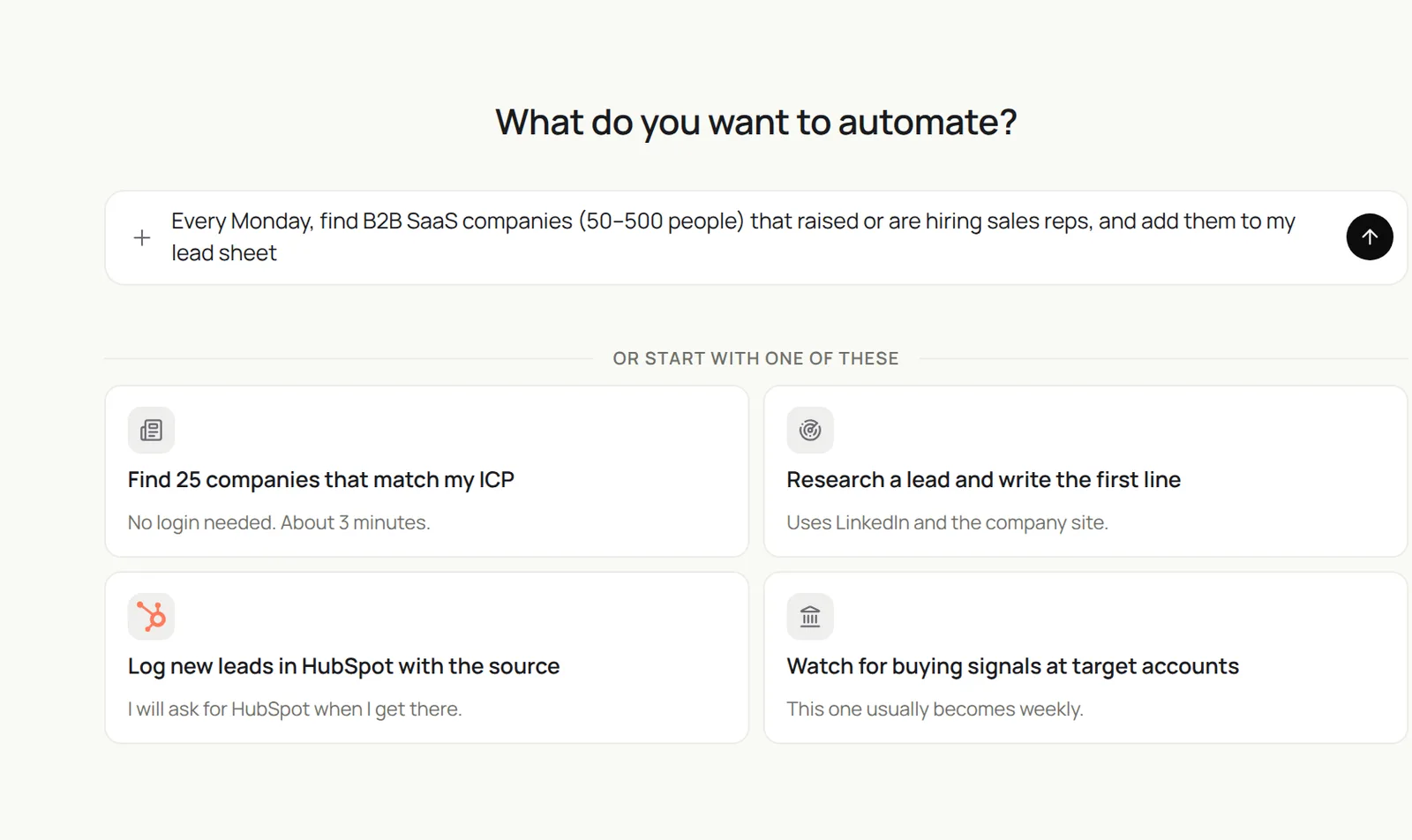
Using my ICP skill, find 25 companies that match and have a buying signal from the last 60 days. Skip customers and open deals in HubSpot. Add them to the Leads sheet with the signal, a source link and a one-line reason.
- 40 profiles · 34 companies
- 29 with a signal
- 4 skipped
- 25 rows
Step 3: Find the buyer and a verified email
Contact data goes stale fast. Ask for verification and let Sai leave gaps rather than guess.
For each new company in the Leads sheet, find the person who matches our buyer titles on LinkedIn and the company site.
Add name, title, LinkedIn URL and a work email only if you can verify it. Otherwise mark "Needs email".
If the buyer started in the role in the last 90 days, note it: that is a signal too.
To turn this into a weekly list without writing it yourself, start from the prospects with buying signals template or the weekly prospect list prompt.
Step 4: Research each lead and draft a first line
A first line built on something real is the difference between a reply and a delete.
For each lead marked Ready, read their recent LinkedIn posts, the company's blog and news from the last 60 days.
Pick one specific, recent thing worth mentioning and write a first line under 25 words that connects it to the signal.
Put it in the First line column. Don't write the rest of the email and don't send anything.
For each lead marked Ready, find the buyer, verify a work email or mark Needs email, read their recent posts and company news, and write a first line under 25 words in the sheet. Don’t send anything.
- 25 buyers · 6 new in role
- 22 verified · 3 blank
- 25 hooks found
- 25 first lines
Step 5: Log leads in HubSpot and hand off
Leads only matter once someone works them. Log them where your team already looks.
Add every Ready lead from this week's Leads sheet to HubSpot as a contact and company,
with lead source = "Sai research", the signal in the notes and the first line as a draft task for the owner.
Assign by territory: US East to Maya, US West and Canada to Jordan. Skip duplicates and tell me which ones you skipped.
For the outreach side, continue with the AI sales assistant guide, and see Sai × HubSpot for CRM rules.
Step 6: Make it a weekly routine
Once a run looks right, describe it as a routine and Sai does it every week.
| Routine | When it runs | What you do |
|---|---|---|
| ICP list with signals | Mondays 6:00 | Skim the reasons |
| Buyer and email finding | After the list | Nothing |
| Research and first lines | After contacts | Edit the best ones |
| HubSpot logging and routing | Mondays 8:00 | Nothing |
| Inbound demo request research | On every new request | Read before the call |
See Routines for scheduling and approvals.
How much does AI lead generation cost?
With Sai you can build and test the whole routine on the Free plan. A weekly list of 25 to 50 researched leads usually runs on Pro at $50 a month; a sales team running lists for several reps in parallel fits the Team plan at $500 a month (see Plans, usage, and limits).
Lead databases typically cost $50 to $150 per seat a month, and an SDR spends 6 to 10 hours a week building and cleaning lists on top. Many teams keep their database for firmographic filters and use Sai for the signals, the reasons and the CRM hygiene.
Will AI replace SDRs?
AI replaces the list building, not the SDR. Finding, filtering and researching leads is rule-based work an agent does well. Starting conversations, handling objections and deciding who deserves a call are not. Teams that use AI lead generation usually ask SDRs to spend the hours they get back on calls and follow-up, which is where pipeline comes from.
AI lead generation for small business
If the founder or one salesperson does prospecting, start small:
- Week 1: write the ICP skill and run a list of 10 by hand.
- Week 2: add contact finding and first lines, and review every lead.
- Week 3: make it a Monday routine of 25.
- Week 4: add inbound research, so every demo request arrives with a one-pager.
- Keep outreach manual or on approval until you trust the lists.
Read more on AI for sales prospecting and outbound lead generation use cases.
What to look for in AI lead generation tools
| What to look for | Why it matters | How Sai handles it |
|---|---|---|
| Live signals, not only a static database | Timing is what makes a lead warm | Checks current sources on every run |
| A reason for every lead | Reps need to know why before they reach out | One-line reason with a source link |
| Verified contacts, no guessing | Bounces hurt your sender reputation | Leaves email blank when it can’t verify |
| CRM dedupe and routing | Contacting customers or open deals is costly | Checks HubSpot or Salesforce, assigns by your rules |
| Respect for platform rules | Accounts get restricted for bot-like activity | Human pace, caps per run, stops on warnings |
| Approval before outreach | Your name is on every message | Nothing is sent without you |
Example: one month of AI lead generation for a 3-person sales team
An illustrative B2B SaaS team selling to sales leaders. Your numbers will differ; the shape of the change is typical.
| Task | Before (hours/month) | With Sai (hours/month) | What people still do |
|---|---|---|---|
| Building ICP lists | 16 | 1 | Adjust the ICP rules |
| Checking signals and fit | 10 | 1 | Skim reasons |
| Finding contacts and emails | 8 | 0.5 | Fill a few blanks |
| Researching first lines | 12 | 2 | Edit the best openers |
| CRM entry and dedupe | 6 | 0 | Nothing |
| Total | 52 | 4.5 | About an hour a week of review |
The team works about 100 qualified leads a month instead of building them.
Keep AI lead generation safe and compliant
- Work at a human pace on LinkedIn. LinkedIn’s User Agreement restricts bots and automated activity. Cap profiles per run and stop if LinkedIn shows a warning.
- Follow email law. Cold email to US prospects falls under CAN-SPAM; prospects in the EU and UK are covered by GDPR, which needs a lawful basis and an easy opt-out.
- Protect your domain. Never guess emails, keep volumes modest, and send from a domain set up for outreach.
- You send. Keep approvals on for every email and message in this setup.
- Respect opt-outs. Put a “never contact” list in the skill and have Sai check it every run.
Frequently asked questions
How do I use AI for lead generation?
Write down your ICP and buying signals, let an AI agent find matching companies, check signals, find the buyer and draft a first line, then review and log the leads in your CRM. With Sai the whole routine runs weekly on a schedule.
What is AI lead generation?
AI lead generation uses AI to find, qualify and research potential customers: companies that match your ICP, a current buying signal, the right contact and a reason to reach out.
What are the best AI lead generation tools?
It depends on the job: lead databases for firmographic filters, sequencing tools for sending, and an AI agent such as Sai for live signals, research, first lines and CRM hygiene across tools.
How much does AI lead generation cost?
With Sai you can build and test on the Free plan; a weekly routine usually runs on Pro at $50 a month, and a team on the Team plan at $500 a month.
Can AI find leads on LinkedIn?
Yes, within LinkedIn’s rules. Sai uses your signed-in session at a human pace, reads profiles and company pages, and caps how many it handles per run.
Will AI replace SDRs?
AI replaces list building and research, not the SDR. Reps spend the time saved on conversations and follow-up.
Can Sai send the outreach emails too?
Sai drafts first lines and full emails, but in this setup nothing is sent without your approval. See the AI sales assistant guide for outreach.
How do I avoid contacting existing customers?
Put the rule in the ICP skill and connect HubSpot or Salesforce. Sai checks every lead against customers and open deals before adding it.
Related guides
Keep building the pipeline.