
AI sales assistant and AI SDR: what it does, what it costs and how to build one
An AI sales assistant, also called an AI SDR, takes over the repetitive half of sales development: finding prospects, researching them, keeping the CRM current and drafting outreach and follow-ups. A rep who spends 15 hours a week on list building, research and logging can hand most of that to an agent and review its work in about an hour a day. This guide explains how an AI SDR works, what it costs and where it fits, then builds one with Sai step by step using the LinkedIn, HubSpot, Gmail and Google Sheets accounts you already have. Every message waits for your approval before it goes out.
Tools: LinkedIn, HubSpot, Salesforce, Gmail, Google Sheets
TL;DR: the AI sales assistant you end up with
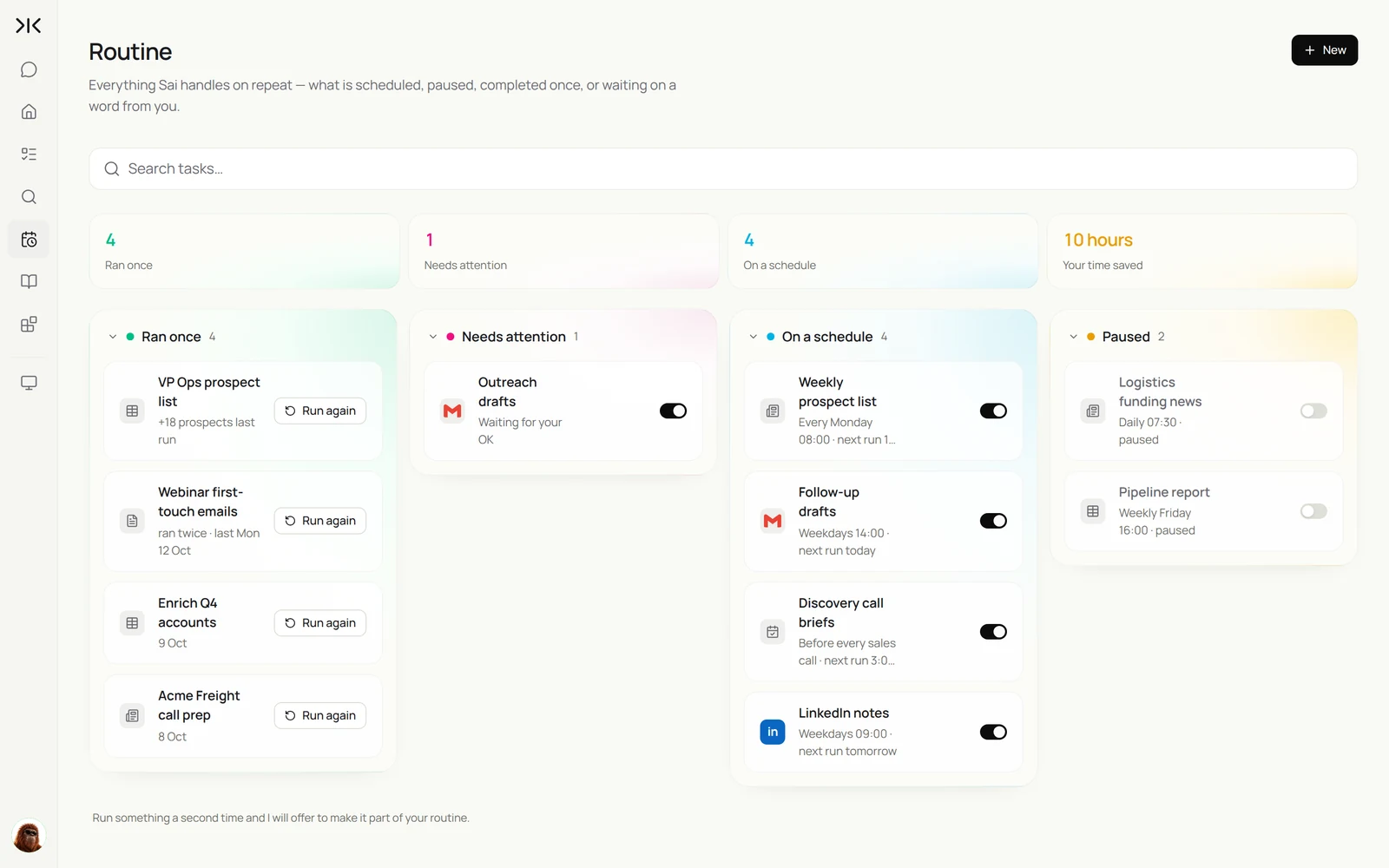
By the end of this guide you have an AI sales agent that works your pipeline on a schedule, on its own cloud computer, while you keep the final say on anything a prospect will see. It runs five routines:
- Monday prospect list. Searches LinkedIn with your ideal customer profile, skips anyone already in your CRM, and adds new prospects to a Google Sheet.
- Daily research and outreach drafts. Reads each prospect's recent activity and drafts a personalized connection note and first email in your voice.
- CRM logging. Creates the contact, sets the lead source and logs every touch in HubSpot or Salesforce.
- Follow-ups. Finds prospects who have not replied after a set number of days and drafts the next message.
- Friday pipeline report. Sends you one summary: who was contacted, who replied and which meetings are booked.
What is an AI sales assistant (AI SDR)?
An AI SDR (AI sales development representative) is software that performs the top-of-funnel work of a human SDR: building lead lists that match an ideal customer profile, researching each prospect, writing personalized outreach, following up, and recording every touch in a CRM. The term AI sales agent covers the same idea, sometimes extended to qualifying replies and booking meetings.
Most AI SDRs fall into one of two designs. Packaged AI SDR platforms bring their own contact database and sending infrastructure and run sequences for you. Agent-based AI SDRs work inside the tools a sales team already uses, such as LinkedIn, the CRM and the inbox, and do the same clicks and typing a person would. This guide builds the second kind.
An AI SDR is the most common first AI employee for B2B teams.
Where an AI sales assistant fits
Teams usually compare three ways to cover top-of-funnel work. They differ most in who controls the message and where the data lives.
| Human SDR | Packaged AI SDR platform | AI sales assistant on Sai | |
|---|---|---|---|
| Lead lists | Built by hand | From the vendor’s contact database | From LinkedIn and your own sources, deduped against your CRM |
| Research per prospect | 10–15 minutes | Template fields | Reads profile, posts and company site; writes a one-line hook |
| Outreach | Written by the rep | Sent in sequences by the platform | Drafted in your voice, sent only after you approve |
| CRM | Logged when remembered | Synced through an integration | Logged in your CRM’s own screens, every touch |
| Sending domain | Yours | Often the vendor’s infrastructure | Your own inbox, at a human pace |
| Cost | $60k–$90k a year plus tools | Typically hundreds to thousands a month | Free to build; Pro at $50 a month for daily routines |
Comparing outreach tools? See the best AI outreach tools for SDRs and AI for LinkedIn outreach.
How an AI SDR works: the five workflows
Write the job description before you build anything. These are the five workflows this guide sets up, each one a task you first run by hand and then put on a schedule.
| Workflow | What Sai does | Cadence | Needs your approval |
|---|---|---|---|
| Prospect list | Searches LinkedIn with your ICP filters, dedupes against the CRM, adds new rows to a sheet | Weekly | No, it only reads |
| Prospect research | Reads each profile, recent posts and the company site, and writes a one-line hook | Daily | No, it only reads |
| CRM update | Creates contacts and companies, sets lead source, logs each touch | After each send | Optional |
| Outreach drafts | Drafts a connection note and a first email from your playbook | Daily | Yes, before anything sends |
| Follow-ups | Finds prospects with no reply after N days and drafts the next message | Daily | Yes, before anything sends |
What you need before you start
- A Sai account. The Free plan includes one cloud computer, enough to build and test every step. Daily routines run best on Pro. See Plans, usage, and limits.
- Your ideal customer profile. Industry, company size, region, titles, and any signals that make a lead hot, such as a recent funding round or a new hire.
- Your messaging. Two or three emails that worked, the value proposition in one sentence, and phrases you never want to see.
- Accounts Sai will sign in to. LinkedIn (Sales Navigator if you have it), your CRM, and the inbox you send from. Sign-ins happen through an approval link; you never paste a password into the chat.
- A Google Sheet named Prospects with columns for name, title, company, LinkedIn URL, hook, status and last touch.
Step 1: Write your sales playbook as a skill
A skill is how Sai remembers the way your team sells. Instead of repeating your ICP and tone in every task, write them once and Sai loads them whenever a sales task comes up. In Sai, open Abilities → Skills, choose to describe a new skill, and paste a playbook like the one below, adjusted to your business.
Name: sales-playbook

Who we sell to (ICP)
- US logistics and 3PL companies, 200 to 1,000 employees
- Titles: VP Operations, Director of Operations, Head of Supply Chain
- Hot signals: funding in the last 6 months, a new warehouse, hiring operations roles

How we write
- Open with something specific the person or company did recently. Never open with our product.
- One idea per message. Emails under 90 words. Connection notes under 280 characters.
- One clear ask: a 15-minute call. No attachments in a first email.
- Never use: "I hope this finds you well", "quick question", "synergy".

Rules
- Never send a message without my approval.
- Never contact anyone already in HubSpot with an open deal.
- If a fact about the prospect is not on their profile or company site, leave it out.
- Log every touch in HubSpot with the date and channel.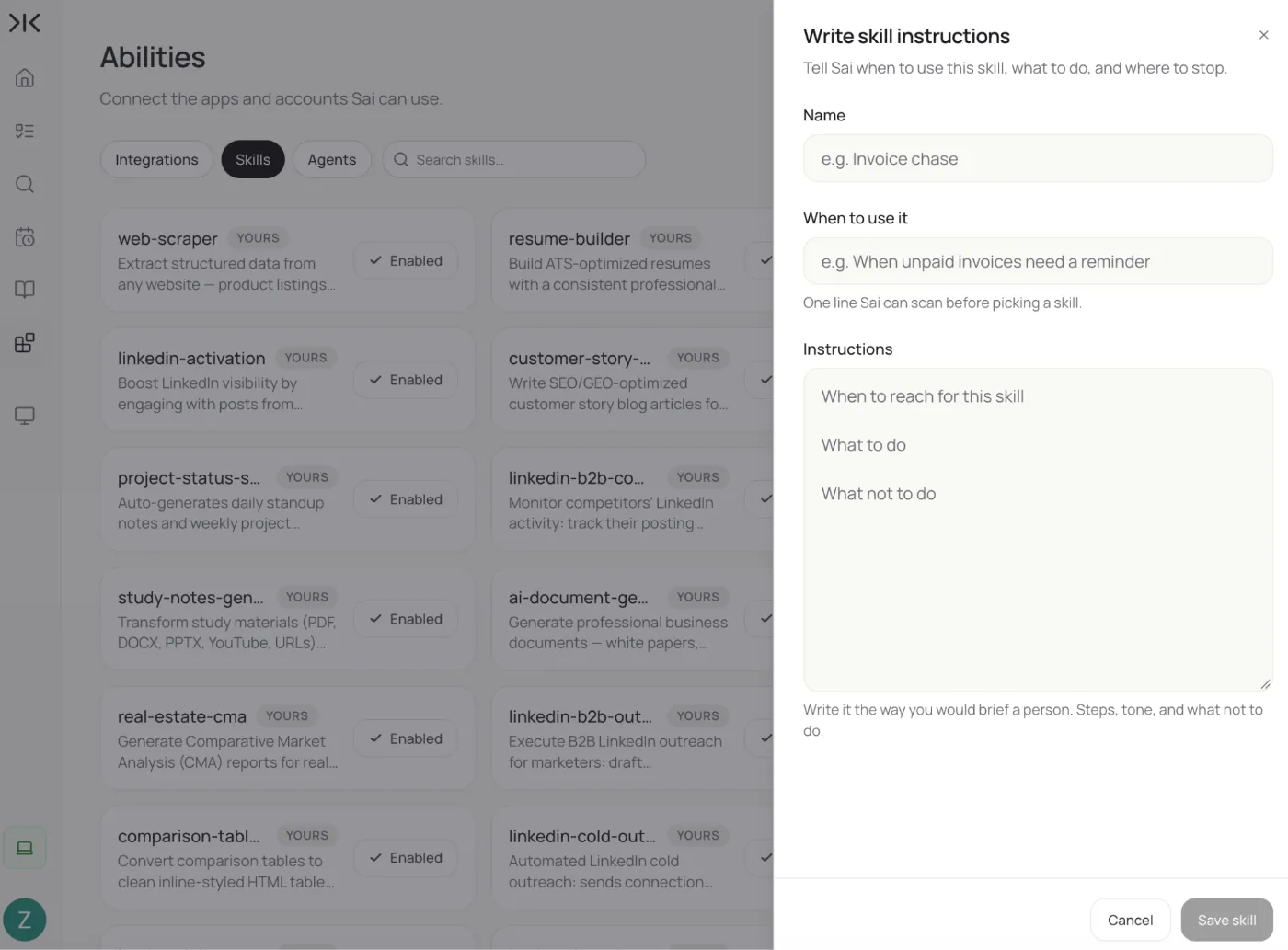
Sai turns the description into a structured skill for you to review before it is saved. If you correct the same thing in two drafts, add the correction to this skill. More in Skills.
Step 2: Build your prospect list from LinkedIn
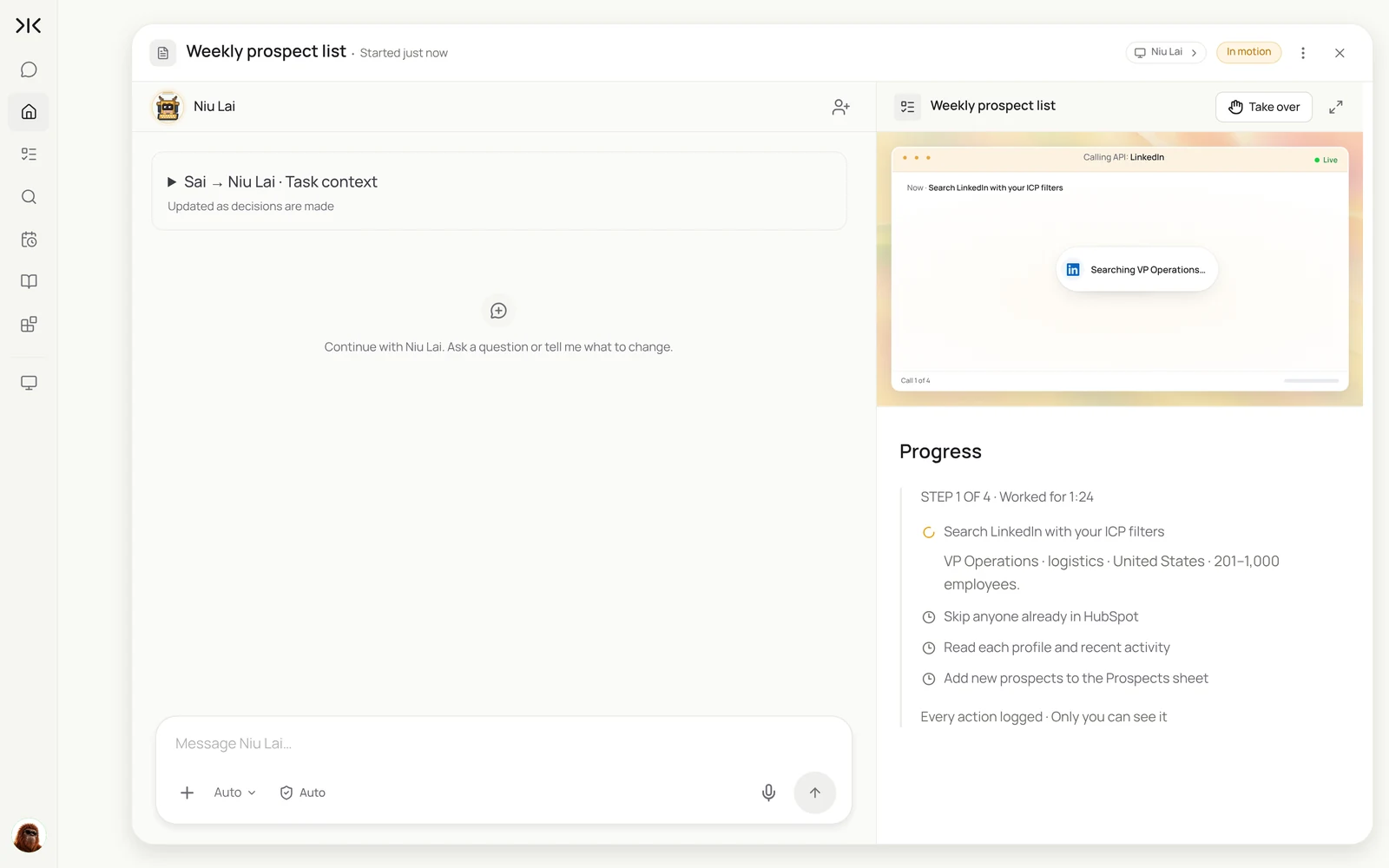
Start with a one-off task. Sai searches LinkedIn on its cloud computer in an ordinary browser, the same way you would, reads each result and writes the matches to your sheet. It only reads in this step, so nothing needs your approval.
For a full weekly list with buying signals, verified emails and CRM dedupe, see AI lead generation.
Find VPs of Operations at US logistics companies with 200 to 1,000 employees on LinkedIn.
Use the ICP in my sales-playbook skill.
Skip anyone already in HubSpot.
Add the rest to the Prospects sheet: name, title, company, company size, LinkedIn URL,
and one line on anything they posted or the company announced in the last 30 days.
Stop at 25 new prospects.
Find VPs of Operations at US logistics companies with 200 to 1,000 employees on LinkedIn. Skip anyone already in HubSpot and add the rest to the Prospects sheet.
- Found 25 matching profiles
- 7 already in HubSpot, skipped
- Read 18 of 18 profiles
- 18 rows added to Prospects
LinkedIn caps a standard search at about 1,000 results and Sales Navigator at about 2,500, so narrow by title, region or company size rather than running one broad search. Our walkthrough on how to build a targeted LinkedIn prospect list covers search filters and list hygiene in depth.
Step 3: Research and enrich each prospect
A list is only useful if each row gives you a reason to reach out. Ask Sai to read past the headline: recent posts, the company's news page and careers page, and anything that matches the hot signals in your playbook.
For every row in Prospects with an empty Hook column:
1. Read their LinkedIn profile, their posts from the last 30 days, and the company's news and careers pages.
2. Write one sentence in Hook that a busy person would recognize as about them.
3. Mark Signal as funding, expansion, hiring or none.
If you find nothing specific, write "role-based" in Hook. Do not guess.
If you also need work emails, add a step that looks them up and verifies them before anything is sent. See how to build a LinkedIn lead enrichment workflow and how to find emails from LinkedIn.
Step 4: Keep your CRM current automatically
An AI SDR that forgets to log is worse than none. Give Sai the CRM step as part of the same flow, so the contact, the company and the lead source exist before the first message goes out.
For each prospect in Prospects with Status = ready:
- Create the contact and company in HubSpot if they do not exist. Set Lead source to LinkedIn.
- If the contact already exists with an open deal, set Status to skip and tell me why.
- Copy the Hook into a note on the contact.
Sai works in the CRM's own web app, so the same task works in HubSpot, Salesforce, Pipedrive or a CRM with no public API. For syncing in the other direction, see how to sync LinkedIn and HubSpot and how to link LinkedIn and Salesforce. After calls, the log call notes into your CRM use case keeps deals current too. To keep the CRM itself clean, see Sai × HubSpot and the AI RevOps manager.
Step 5: Draft personalized outreach and approve before it sends
This is the step where an AI sales agent earns or loses trust. Sai drafts every message from the hook and your playbook, then stops. You see the drafts, edit what you want, and approve. Sai sends only what you approved and logs it.
For each prospect in Prospects with Status = ready:
- Draft a LinkedIn connection note and a first email using my sales-playbook skill and their Hook.
- Put both drafts in the Drafts column and wait for my approval.
After I approve: send the emails from Gmail, send the connection notes one at a time,
set Status to contacted, and log the touch in HubSpot.
For each new prospect in the Prospects sheet, read their recent LinkedIn activity and draft a connection note and a first email with my sales playbook. Do not send anything until I approve.
- 18 new prospects to draft for
- Found a personal hook for 16 of 18
- 36 drafts written
- Approved by you · 3 drafts sent back for edits
- 15 emails sent, 3 held for your edits
- 18 contacts created and logged
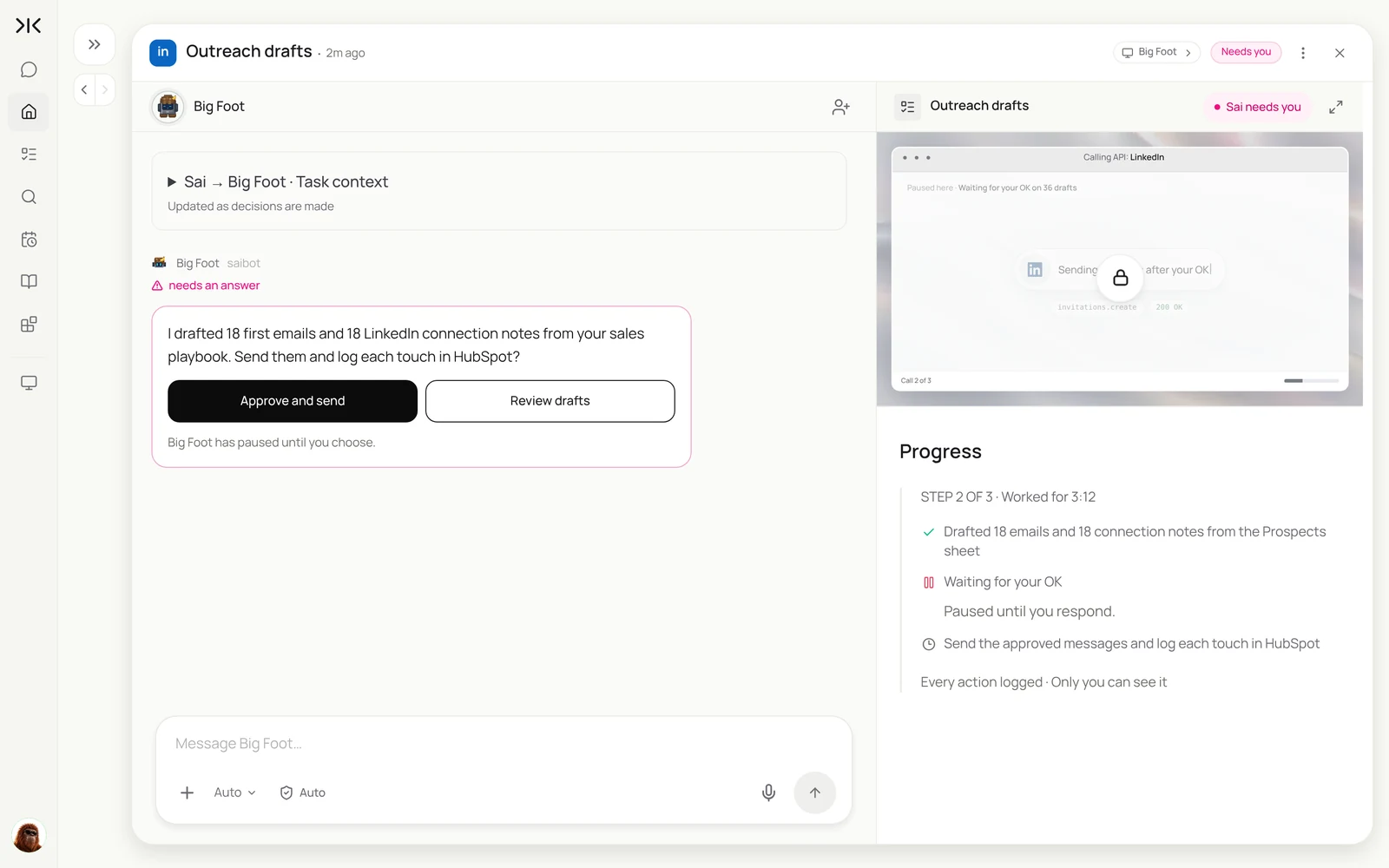
Approvals are on by default for anything that sends or changes data outside your workspace. When a draft is wrong, reject it with a reason; if the same reason comes up twice, add it to the playbook skill so the next run gets it right.
Step 6: Follow up with prospects who have not replied
Most replies come after the first message, and follow-ups are the work that slips first. Give Sai a clear rule for when and how to follow up, and a clear rule for when to stop.
Every weekday, check Prospects for Status = contacted with no reply in Gmail or LinkedIn after 4 business days.
Draft one follow-up that adds something new: a relevant customer story, a short insight, or a question.
Never send more than 2 follow-ups. After the second, set Status to nurture.
If someone replied, set Status to replied, summarize the reply, and notify me. Do not answer replies yourself.
Step 7: Put your AI SDR on a schedule
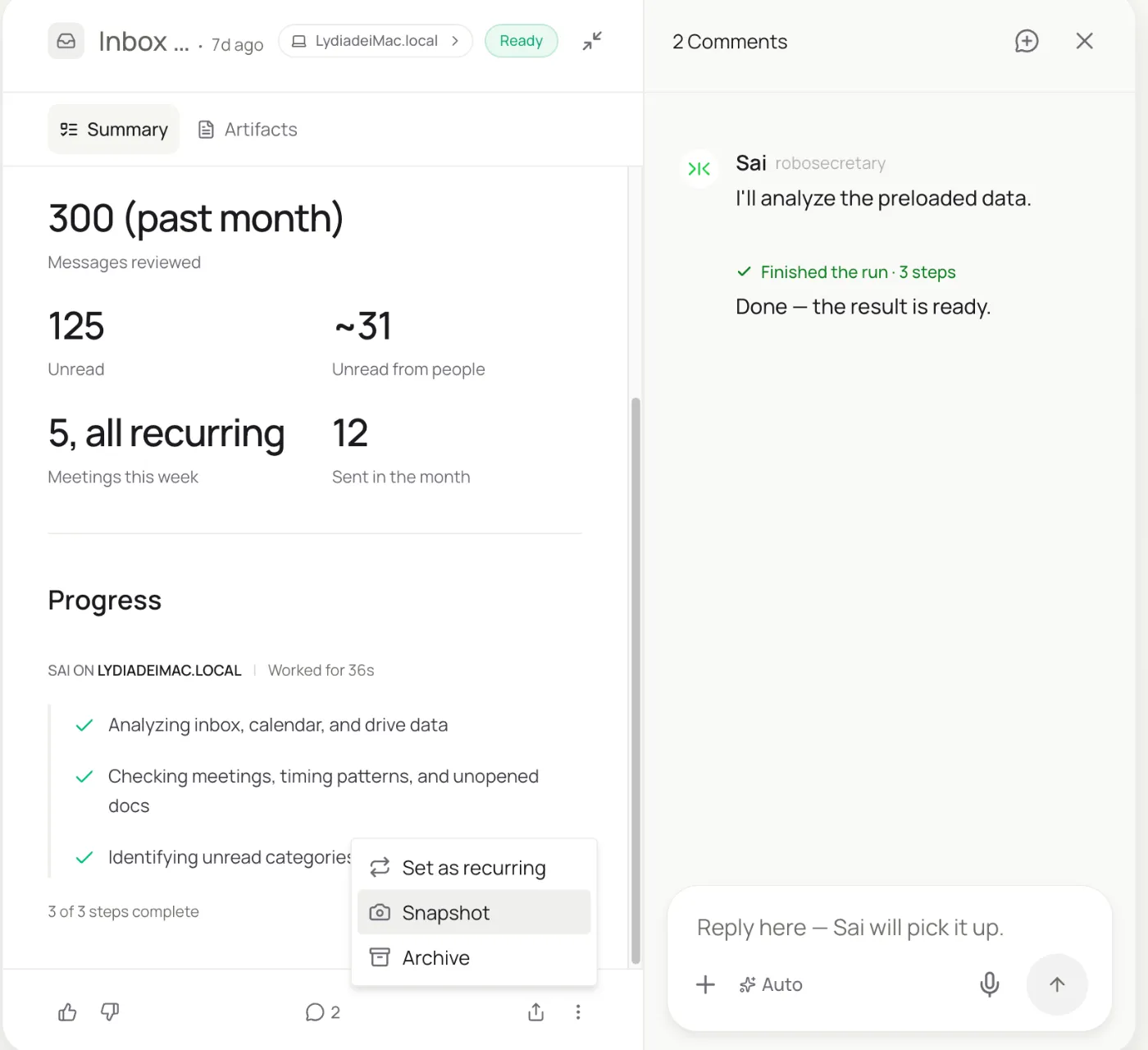
Once each task has produced a result you are happy with, turn it into a routine with Set as recurring. The instruction and its context carry over; you choose the cadence. Together the routines below are your AI sales agent's week.
| Routine | When it runs | What you do |
|---|---|---|
| Weekly prospect list | Mondays, 8:00 AM | Glance at the new rows |
| Research and hooks | Weekdays, 8:30 AM | Nothing |
| Outreach drafts | Weekdays, 9:00 AM | Review and approve the drafts |
| Follow-ups | Weekdays, 2:00 PM | Approve follow-ups, read the reply summaries |
| Pipeline report | Fridays, 4:00 PM | Read one email: contacted, replied, meetings booked |
Turn on Code-Replay for the routines that repeat the same clicks, such as the prospect search. Sai replays the recorded steps instead of reasoning through them again, which lowers computer time on every run, and the agent takes over only when the page has changed. Every routine setting is explained in Routines.
How much does an AI SDR cost?
Packaged AI SDR platforms usually price per seat or per contact, from a few hundred to a few thousand dollars a month, often with an annual contract. A human SDR costs $60,000 to $90,000 a year in salary before tools and management time.
An AI sales assistant built on Sai uses the accounts you already have. You can build and test every step on the Free plan, and daily routines usually need Pro at $50 a month (see Plans, usage, and limits). The trade-off: you write the playbook and approve the drafts yourself, which is also what keeps the outreach good.
Will an AI SDR replace sales reps?
It replaces tasks, not relationships. The split we see:
- The agent takes: list building, research, CRM logging, first drafts and follow-up reminders.
- People keep: approving messages, answering replies, discovery calls, demos, negotiation and closing.
- The result: one rep covers more accounts with better research, instead of the team hiring more SDRs for volume.
AI sales assistant for small teams and founders
Founders and small sales teams often have no SDR at all. Start small:
- Week 1: a weekly list of 25 prospects in a sheet, with hooks, and nothing sent.
- Week 2: drafts for the best 10, approved by you and sent from your own inbox.
- Week 3: follow-ups and CRM logging on a schedule.
- Then: a Friday report of who replied and which meetings are booked.
Related: AI for sales prospecting, AI lead generation and the prospects with buying signals template.
What to look for in AI SDR tools
Six checks before you let any AI sales assistant near your pipeline.
| Check | Why it matters | How Sai handles it |
|---|---|---|
| You approve before sending | One bad email costs a relationship | Approvals on by default for every send |
| Uses your data and your CRM | Bought lists go stale and bounce | Prospects from LinkedIn and your sources, logged in your CRM |
| Writes in your voice | Generic AI copy gets ignored | A sales playbook skill holds your tone and rules |
| Respects platform rules | LinkedIn restricts automation | Human-paced volumes, one action at a time |
| Protects your domain | Spam complaints hurt deliverability | Low-volume sends from your own inbox |
| No invented facts | A wrong hook is worse than none | Hooks only from facts on the profile or site |
Keep your AI SDR safe and within platform rules
- Approve everything a prospect sees. Keep auto-approve off for sends. Reads and research can run unattended.
- Work at a human pace. LinkedIn's User Agreement restricts bots and scraping. Keep daily volumes to what you would do by hand, and use Sai to do that work well rather than to multiply it.
- Protect your sending domain. Google's email sender guidelines require SPF, DKIM and DMARC for bulk senders and ask senders to keep spam rates low. Personalized, low-volume email from your own inbox stays well within them.
- Never let it invent facts. The playbook rule "if a fact is not on their profile or company site, leave it out" keeps every hook verifiable.
- Keep replies human. Sai summarizes replies and tells you; the conversation itself is yours.
Why build your AI sales agent on Sai
It finishes the task. Sai ranks #1 on OSWorld, the public benchmark for agents completing real work on a real computer, which is what a multi-step prospecting run across LinkedIn, a sheet and a CRM is.
It gets cheaper as it repeats. With Code-Replay, a routine that worked once replays as code, so the hundredth Monday prospect run costs less than the first.
It learns your process. Skills hold your playbook and every correction you make, so the agent keeps improving without being re-briefed, and runs on its own cloud computer without anyone watching.
Frequently asked questions
What is an AI sales assistant?
An AI sales assistant is software that does the repetitive parts of selling: finding and researching prospects, drafting outreach and follow-ups, and keeping the CRM current. An AI SDR is the same idea focused on top-of-funnel prospecting.
What is an AI SDR and how does it work?
An AI SDR builds a prospect list from your ideal customer profile, researches each prospect, drafts personalized outreach, follows up and logs every touch in your CRM. On Sai, each step is a plain-language task that runs on a schedule and waits for your approval before sending.
How much does an AI SDR cost?
Packaged platforms usually cost a few hundred to a few thousand dollars a month. An AI SDR built on Sai is free to build and test; daily routines usually need Pro at $50 a month, using your existing LinkedIn, CRM and inbox.
What is an AI sales agent?
An AI sales agent is software that does sales tasks on its own: finding and researching prospects, writing outreach, following up and updating the CRM. An AI SDR is an AI sales agent focused on the sales development stage, before a qualified meeting.
Can I build an AI SDR without code?
Yes. With Sai, each part of the AI SDR is a task written in plain language and a sales playbook skill. There are no workflows, nodes or field mappings to build.
Will the AI SDR send messages without my approval?
No. Anything that sends or changes data outside your workspace waits for your approval by default. You can approve, edit or reject each draft.
Can an AI sales agent prospect on LinkedIn?
Yes. Sai searches LinkedIn and reads profiles in a normal browser on its cloud computer, the way you would. Keep volumes to what you would do by hand, since LinkedIn restricts automated activity.
Does it work with HubSpot and Salesforce?
Yes. Sai works in the CRM's web app like a person, so it works with HubSpot, Salesforce, Pipedrive and CRMs without a public API.
How much does it cost to build an AI SDR with Sai?
You can build and test every step on the Free plan, which includes a daily allotment of computer time. Running daily routines usually needs Pro at $50 a month. See Plans, usage, and limits for details.
Will an AI SDR replace sales reps?
It replaces the repetitive part of the job: list building, research, logging and first drafts. Conversations, discovery calls and closing stay with people, who now spend more of their week on them.
How long does it take to set up?
Plan on about 45 minutes to write the playbook skill and run each task once, then a week of light edits as you approve drafts and refine the skill.
Related guides
Keep building on the same pieces.
Skills that fit this role: Google Slides automation and PowerPoint automation.