
How to build an AI RevOps manager with Sai
An AI RevOps manager keeps your CRM clean and your pipeline honest: it merges duplicates, fills missing fields, routes new leads, audits stale deals and writes the weekly pipeline report. This guide builds one with Sai, step by step, on HubSpot or Salesforce, Google Sheets, Gmail and Slack, with every merge, deletion and ownership change waiting for your approval.
Tools: HubSpot, Salesforce, Google Sheets, Gmail, LinkedIn, Slack
TL;DR: the AI RevOps manager you end up with
By the end of this guide you have an AI RevOps manager that does the CRM hygiene nobody has time for, every week, on its own cloud computers. Merges, deletions and changes to who owns a deal stay with you. It runs six routines:
- Duplicate cleanup. Every Monday, finds duplicate contacts and companies, groups them into merge sets and asks you which record should win.
- Field enrichment. Fills missing company size, industry and job title from company sites and LinkedIn, and leaves a field blank when no source confirms it.
- Lead routing. Every hour, assigns new inbound leads to the right rep with your territory rules and posts the hand-off in Slack.
- Stale deal audit. Every Thursday, lists deals with no activity in 21 days, close dates in the past or missing next steps, and drafts a nudge to each owner.
- Activity logging. Logs last week’s emails and LinkedIn conversations to the right contact so the timeline is complete.
- Weekly pipeline report. Every Friday, posts pipeline by stage and owner, what moved, and what is at risk.
What is an AI RevOps manager?
An AI RevOps manager is an agent that maintains the data and the processes behind your revenue team: CRM records, lead routing, pipeline stages and reporting. It does the repetitive checking and fixing so the CRM can be trusted, and it hands every decision that changes ownership, deletes data or touches a customer to a person.
Sai fits because RevOps work crosses tools. A clean record needs the CRM, the company’s website, a LinkedIn profile and the email thread, all in one task. Sai uses your CRM through its integration or in a browser on its own computer, works through the rest the way an ops analyst would, and asks before anything irreversible. For the CRM side in depth, see Sai × HubSpot and Sai × Salesforce.
What your AI RevOps manager will do
Set these up in order. Duplicate cleanup first: every other routine works better on clean data.
| Workflow | What Sai does | Cadence | Needs your approval |
|---|---|---|---|
| Duplicate cleanup | Groups duplicate contacts and companies into merge sets | Mondays 8:00 | Yes, before any merge |
| Field enrichment | Fills company size, industry, title with a source for each | Daily | No, blanks stay blank |
| Lead routing | Assigns new leads by territory and round robin, posts in Slack | Hourly | No, within your rules |
| Stale deal audit | Lists stuck deals, drafts a nudge to each owner | Thursdays 9:00 | Yes, before sending |
| Activity logging | Logs emails and LinkedIn conversations to contacts | Daily 19:00 | No |
| Pipeline report | Pipeline by stage and owner, movement, risks | Fridays 15:00 | No, it is a summary |
What you need before you start
- A Sai account. The Free plan includes one cloud computer, enough to build and test each step. Running cleanup, enrichment and routing in parallel works best on Pro. See Plans, usage, and limits.
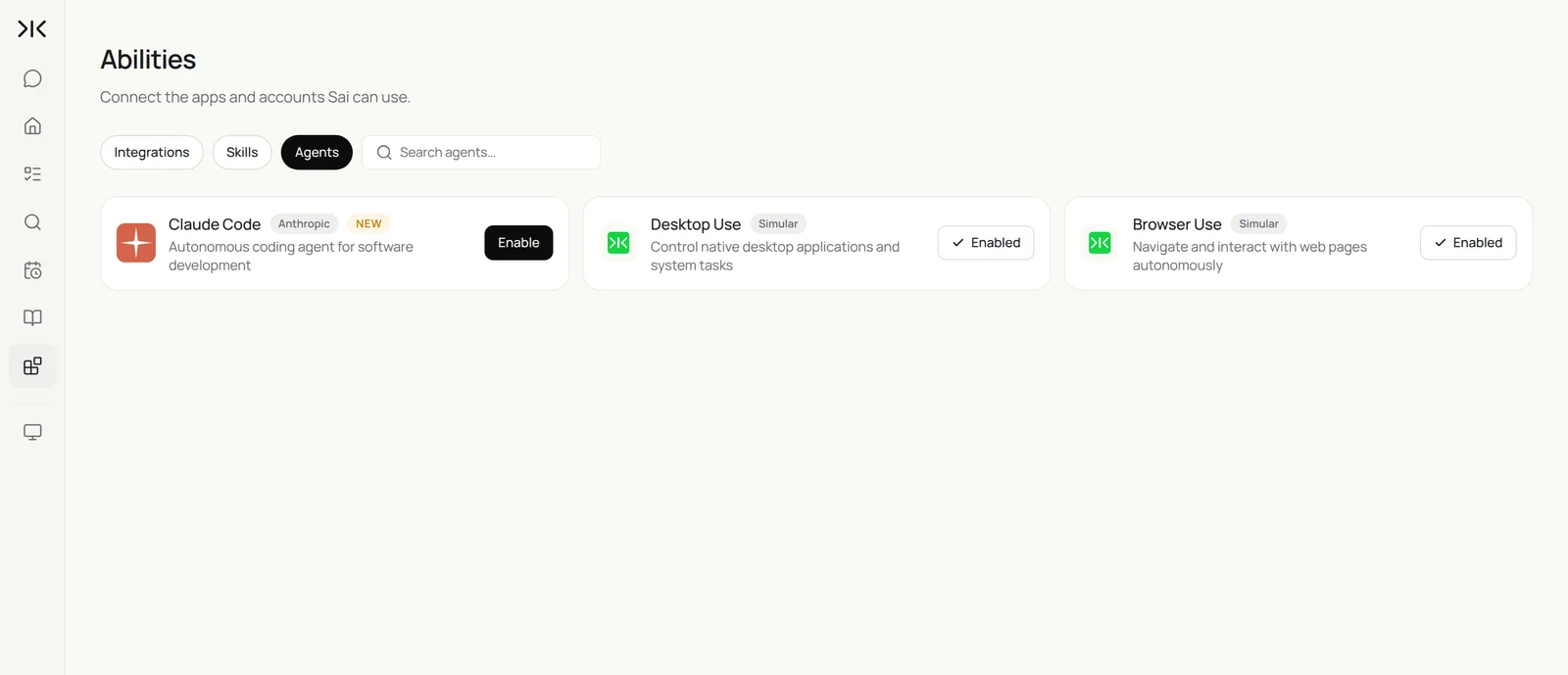
- CRM access. Connect HubSpot in Abilities → Integrations, or sign Salesforce in on the cloud computer through Sai’s approval link. Give Sai its own user with the permissions an ops analyst would have, not a super admin.
- Your rules, written down. Territories, lifecycle stage definitions, which fields are required at each stage, and who may approve merges.
- A RevOps sheet in Google Sheets for merge sets, open questions and the weekly report history.
Step 1: Write your RevOps Rules skill
Everything Sai does in your CRM follows this skill. Put definitions and hard limits in it.
When to use it
Any task that reads or changes HubSpot or Salesforce records.

Definitions
- MQL: filled a demo form or replied to outbound. SQL: rep accepted after a call.
- Required at Proposal: amount, close date, next step, decision maker.

Duplicates
- Same email = duplicate. Same name + same company domain = likely duplicate.
- When fields conflict, the most recently updated value wins, except owner: keep the owner with the open deal.

Routing
- US West and APAC: Maya. US East: Dev. EMEA: Sam. Companies over 1,000 employees: enterprise queue.

Never
- Merge, delete or change a deal owner without my OK.
- Enroll anyone in a sequence or send email from the CRM.
- Guess a field. Leave it blank and add a note.
If your team already documents these rules in a wiki, paste it in. Sai reads it the same way a new hire would.
Step 2: Clean up duplicates every Monday
Sai finds duplicates, groups them and prepares the merge. You decide the rule once and approve each batch.
Every Monday at 8:00, find duplicate contacts and companies in HubSpot created or updated in the last 30 days.
Group them into merge sets in the RevOps sheet with the reason (same email, same name and domain).
Apply my RevOps Rules skill to choose the surviving value for each field.
Ask me before merging. Never delete a record.
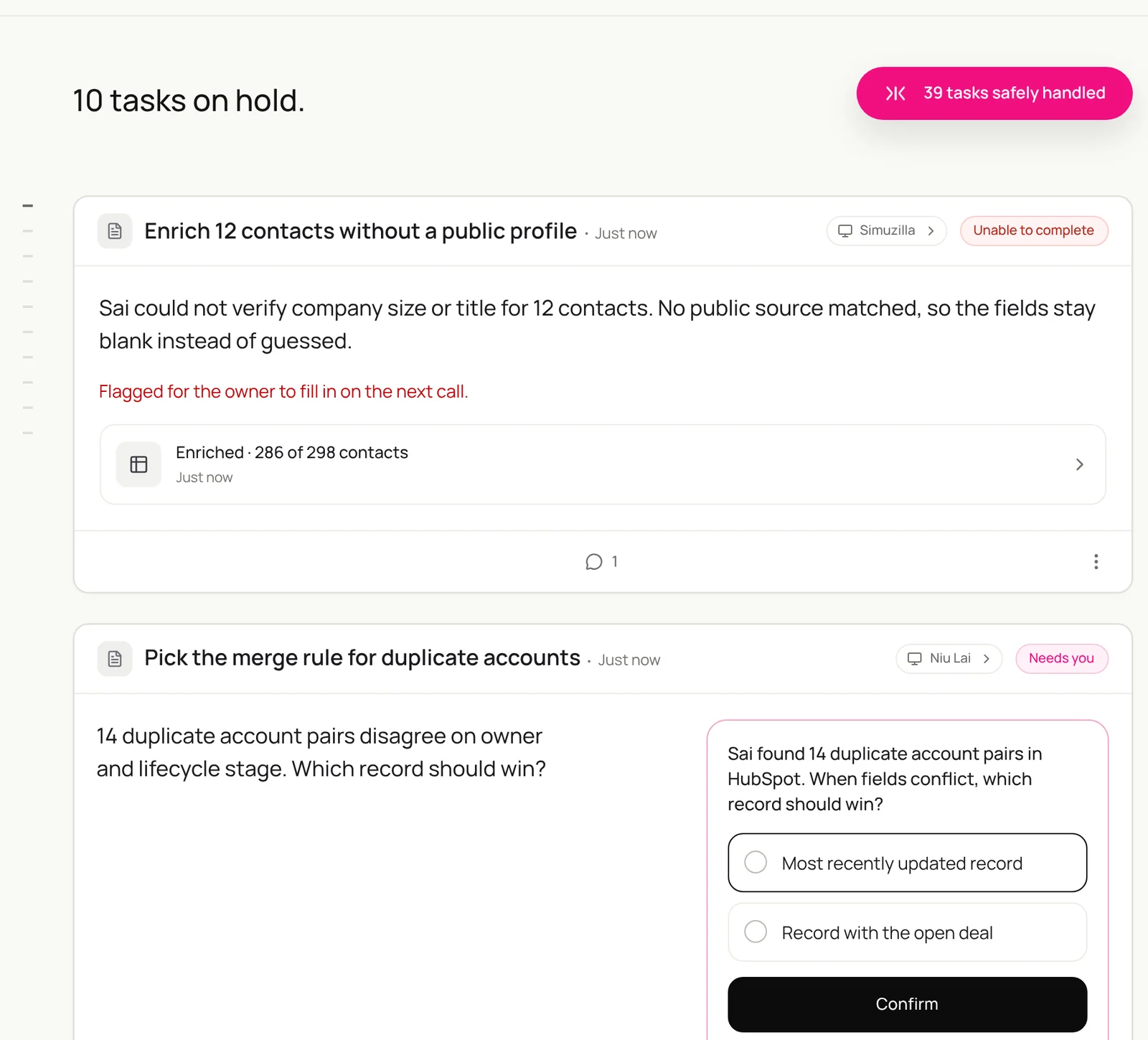
Find duplicate contacts and companies in HubSpot from the last 30 days, group them into merge sets in the RevOps sheet, choose the surviving values with my RevOps Rules skill, and ask me before merging anything.
- 2,140 contacts · 612 companies
- 38 contacts in 17 sets
- 14 sets clear, 3 need you
Related: CRM data management with Simular and cleaning Salesforce deals via Google Sheets.
Step 3: Fill missing fields from real sources
Enrichment is only useful if it is right. Ask Sai to cite where each value came from.
Every day, find contacts created yesterday with an empty job title, company size or industry.
Check the company website and the person's LinkedIn profile.
Fill each field only if a source confirms it, and add the source link to a note.
Leave it blank and list the contact in the RevOps sheet if nothing confirms it. Read at most 60 profiles a day.
For the LinkedIn side of this, see Sai × LinkedIn and building a LinkedIn lead enrichment workflow.
Step 4: Route new leads in minutes, not days
Routing rules in a CRM are hard to maintain. Rules in a skill are a paragraph you can edit.
Every hour, find new inbound leads in HubSpot with no owner.
Assign each one with the territory and size rules in my RevOps Rules skill, round robin within a territory.
Post each hand-off in #sales-leads: name, company, size, what they asked for, and the owner.
If a lead matches an existing open deal, assign it to that deal's owner and say so.
Related: building advanced HubSpot lead routing.
Step 5: Audit stale deals and log the missing activity
Most forecast errors come from deals nobody has touched. Sai finds them and makes the timeline complete.
Every Thursday at 9:00, list open deals with no activity in 21 days, a close date in the past, or no next step.
For each, read the latest emails with the contact in Gmail and log any that are missing from the deal.
Draft a two-line nudge to each owner in Slack with the deal, what is missing, and a suggested next step.
Show me the list before sending.
To log LinkedIn conversations too, see logging LinkedIn messages to HubSpot.
Step 6: Send the weekly pipeline report
One message every Friday that sales leaders and the CEO actually read.
Every Friday at 15:00, pull open pipeline from HubSpot.
Write a report: pipeline by stage and by owner, deals that moved stage this week, new deals, closed won and lost with reasons,
and the five deals most at risk with why.
Add a row to the Pipeline History tab in the RevOps sheet and post the report in #revenue.
It’s Friday. Pull open pipeline from HubSpot, tell me what moved this week and the five deals most at risk, add the history row to the RevOps sheet, and post the report in #revenue.
- 84 open deals · $3.4M
- 22 threads read
- 11 moved · 5 at risk
- Week 42 logged
- Report posted
To chart it, see building a sales forecasting dashboard in Sheets.
Step 7: Put your AI RevOps manager on a schedule
Once each task runs well by hand, make it a routine:
| Routine | When it runs | What you do |
|---|---|---|
| Duplicate cleanup | Mondays 8:00 | Approve merge sets |
| Field enrichment | Daily | Fill the blanks Sai could not confirm |
| Lead routing | Hourly | Nothing, unless a lead is flagged |
| Stale deal audit | Thursdays 9:00 | Approve the nudges |
| Pipeline report | Fridays 15:00 | Read it |
Turn on Code-Replay for routing and the report, which repeat the same steps every time. See Routines.
Keep your AI RevOps manager safe
- Merges and deletions are yours. Sai prepares merge sets and waits. It never deletes a record. Put that in the skill.
- Use its own user. Give Sai a seat with ops-level permissions instead of sharing someone’s login. HubSpot’s Acceptable Use Policy does not allow shared credentials.
- Prefer the integration. Use the CRM integration for reads and writes, and the browser only for settings it does not cover, at a human pace.
- Never guess. Blank is better than wrong. Ask for a source on every enriched field.
- Keep a trail. Every change Sai makes is noted on the record and in the RevOps sheet, so anyone can see who changed what and why.
Why build your AI RevOps manager on Sai
- It works across the whole stack. CRM, company sites, LinkedIn, Gmail, Sheets and Slack are steps in one task, not five integrations to maintain.
- Your rules are a paragraph. Territories and merge rules live in a skill you can edit in a minute, not a tangle of workflow branches.
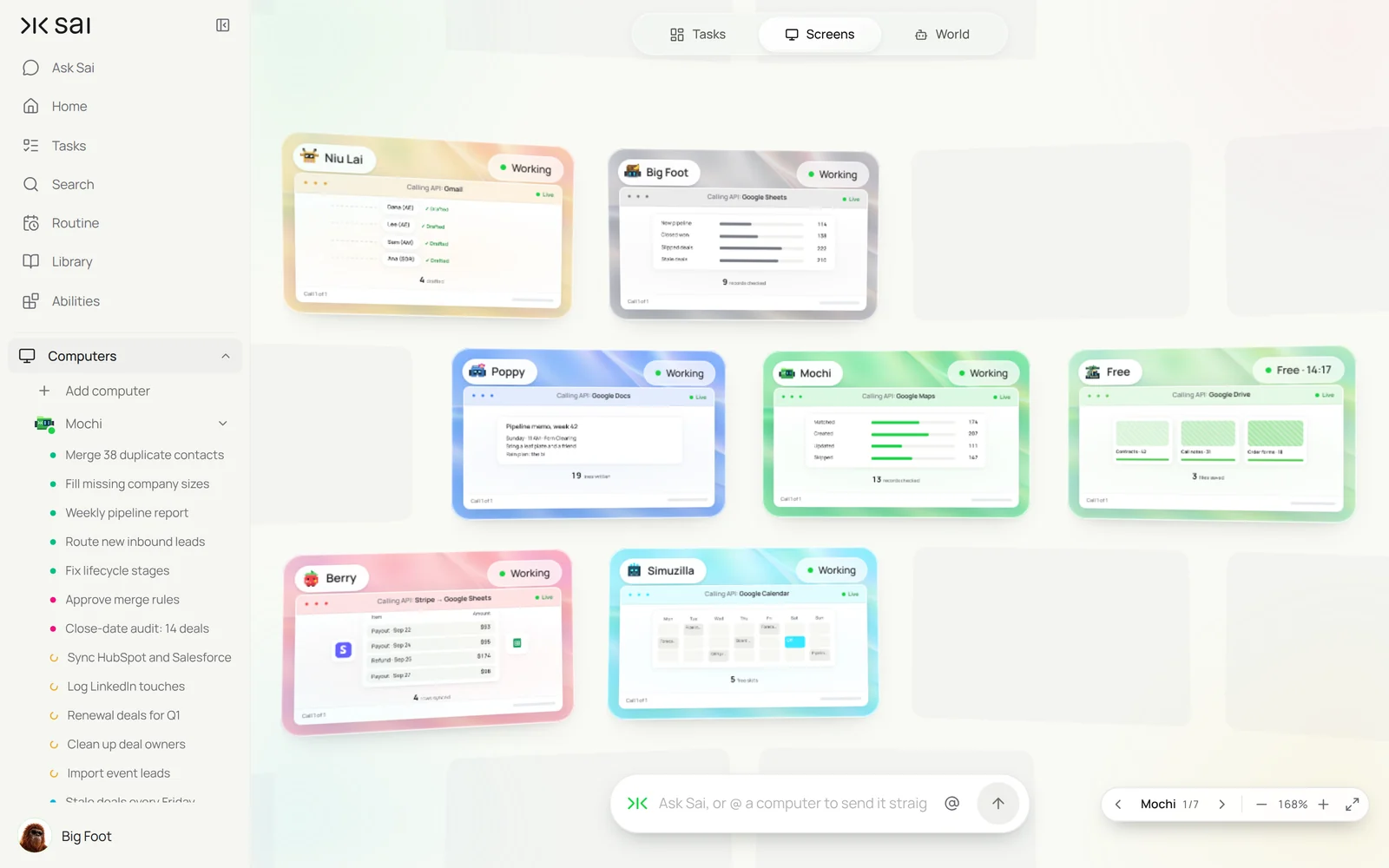
- It runs in parallel. Cleanup, enrichment and routing can each use their own cloud computer. See Screens.
- It finishes the job. Sai ranks #1 on OSWorld, the public benchmark for agents completing real work on a real computer.
Frequently asked questions
What is an AI RevOps manager?
An AI RevOps manager is an agent that maintains CRM data and revenue processes: deduplicating and enriching records, routing leads, auditing pipeline and writing reports. People still approve merges, deletions and ownership changes.
Can Sai clean up duplicates in HubSpot or Salesforce?
Yes. Sai finds duplicate contacts and companies, groups them into merge sets with a reason, applies your rule for which values win, and merges only after you approve.
How does Sai enrich CRM records?
Sai checks company websites and LinkedIn profiles, fills a field only when a source confirms it, adds the source link to a note, and leaves the field blank otherwise.
Can Sai route inbound leads?
Yes. Sai assigns new leads using territory and size rules written in a skill, round robin within a territory, and posts each hand-off in Slack.
Will Sai change deal owners or delete records?
Not without your approval. In this setup Sai never deletes a record and asks before any merge or ownership change.
Does Sai replace our RevOps team?
No. Sai does the repetitive checking and fixing. Your RevOps team decides the rules, approves changes and works on the process itself.
Can I use Sai with Salesforce instead of HubSpot?
Yes. The steps are the same. Sai works in Salesforce in a browser on its own computer, signed in with the user you give it. See Sai × Salesforce.
How much does it cost?
You can build and test every step on the Free plan, which includes a daily allotment of computer time. Running several routines in parallel usually needs Pro at $50 a month. See Plans, usage, and limits.
Related guides
Keep building on the same pieces.
Skills that fit this role: CRM data cleanup, automated data entry and Excel automation.