
How to automate HubSpot with Sai
Sai can automate HubSpot end to end: it logs leads from Gmail and LinkedIn, enriches and dedupes records, routes new contacts, keeps deals current and writes the pipeline report, through the HubSpot integration or in HubSpot’s own screens. This guide covers what Sai can do in HubSpot, the workflows sales teams, investors, RevOps and customer success automate first, and how to set them up with integrations, skills, routines and approvals.
Tools: HubSpot, Gmail, LinkedIn, Google Sheets, Slack
TL;DR: what Sai does in HubSpot
HubSpot is only as useful as the data in it, and keeping that data current is the job nobody wants. Sai is an AI agent that does it every day, across HubSpot and the tools around it, and asks before anything that cannot be undone. Here is what that covers, by team:
- Sales. Turns inbound emails and form fills into contacts and deals with the right owner, logs every email and LinkedIn conversation to the timeline, finds prospects who match your ICP and are not in HubSpot yet, and drafts follow-ups for deals that have gone quiet. Before each call, writes a brief from the record, past emails and the company’s news.
- Investors and VCs. Uses HubSpot as a deal-flow CRM: logs pitch emails as companies and deals with stage, round and sector, enriches founders from LinkedIn, tracks intros by who made them, and keeps a portfolio pipeline with monthly metrics on each company record.
- RevOps. Dedupes contacts and companies, fills missing fields with a source for each, routes new leads by territory, audits stale deals and missing close dates, and posts the weekly pipeline report. See AI RevOps manager.
- Customer success. Lists renewals in the next 90 days with usage and tickets, scores account health, logs call notes, and drafts check-ins. See AI customer success manager.
- Marketing. Imports event and webinar leads from a sheet with clean fields, tags them by campaign and checks consent before anything is added to a list.
- Founders and leaders. Pulls pipeline, wins and losses into the weekly KPI sheet and the investor update.
How Sai works with HubSpot
There are two ways Sai reaches HubSpot. The first is the integration: connect HubSpot once in Abilities → Integrations, and Sai can read and update contacts, companies, deals and tickets directly, fast and within HubSpot’s rules for apps. The second is the browser: Sai can open HubSpot on its own cloud computer, signed in as its own user, for anything the integration does not cover, such as a view, a report or a setting, at a human pace.
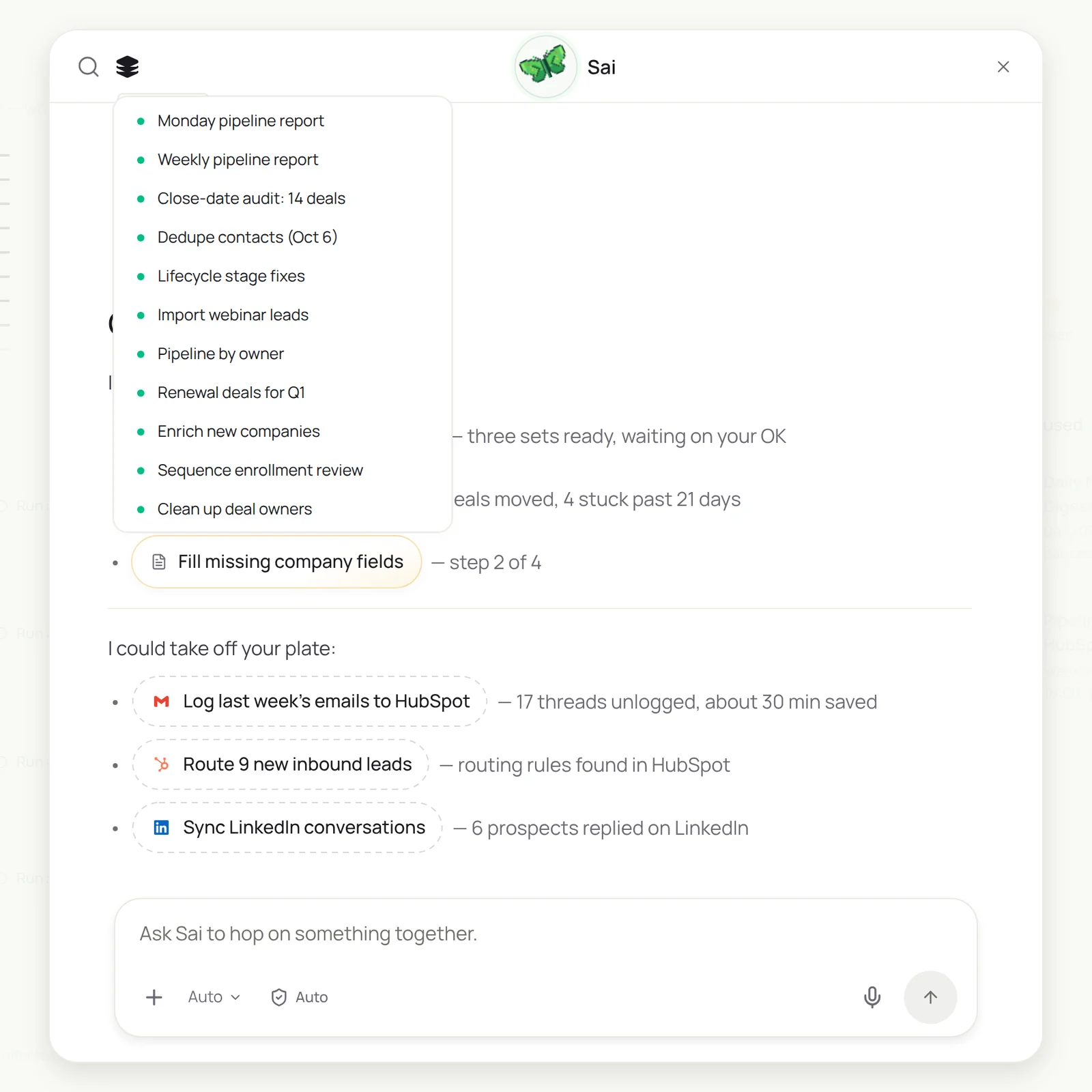
Either way, HubSpot is one step in a bigger task. Sai can read a thread in Gmail, check the company’s website and the contact’s LinkedIn profile, update the record, post in Slack and add a row to a sheet, without anyone copying data between tabs. You can ask in chat, or let routines run on their own.
How far Sai can go in HubSpot
What Sai can do in each part of HubSpot, and the approval setting we recommend. Reading and filling empty fields is safe on automatic. Anything that merges, deletes, changes ownership or reaches a customer should wait for you.
| Area | What Sai can do | Recommended approval |
|---|---|---|
| Contacts and companies | Create, update and enrich fields, add notes, associate records, find duplicates | Automatic for new and empty fields |
| Merges and deletions | Prepare merge sets with a reason and a surviving value per field | Ask before every merge; never delete |
| Deals | Create deals, update stage, amount, close date and next step, log activity | Automatic for logging, ask before stage or owner changes |
| Ownership and routing | Assign new leads by your territory rules, reassign on request | Automatic within rules, ask to reassign |
| Tickets | Read tickets, summarize, link to companies, draft replies | Ask before replying |
| Emails and sequences | Draft one-to-one emails; leave marketing email and sequences to people | Always ask; Sai never enrolls contacts |
| Lists, views and reports | Build lists and views, read reports, export to Sheets | Automatic |
HubSpot’s Acceptable Use Policy prohibits sharing logins and limits automated systems that send more requests than a person could in a browser. Give Sai its own seat, prefer the integration, and keep browser work at a human pace.
Recommended HubSpot workflows
These are the workflows that save the most time. Each is set up later in this guide.
| Workflow | Who it is for | What Sai does | Routine |
|---|---|---|---|
| Inbound leads from Gmail | Sales | Creates contact and deal, assigns owner, drafts a reply | Hourly |
| LinkedIn to HubSpot | Sales | Logs LinkedIn conversations and new prospects to the right records | Daily 19:00 |
| Quiet deal follow-ups | Sales | Drafts a follow-up for deals with no activity in 10 days | Weekdays 9:00 |
| Deal flow from pitch emails | VC | Logs company, founders, round and intro source as a deal | Daily 19:00 |
| Portfolio metrics | VC | Adds monthly metrics from founder updates to each company | Monthly |
| Duplicate cleanup | RevOps | Groups duplicates into merge sets for approval | Mondays 8:00 |
| Field enrichment | RevOps | Fills size, industry and title with a source | Daily |
| Renewal watch | Customer success | Renewals in 90 days with usage, tickets and risks | Mondays 8:00 |
| Weekly pipeline report | Leaders | Pipeline by stage and owner, movement, risks | Fridays 15:00 |
Set up Sai for HubSpot
Setup takes about 15 minutes. After that, every HubSpot workflow reuses the same connection, skills and approval rules.
Step 1: Connect HubSpot
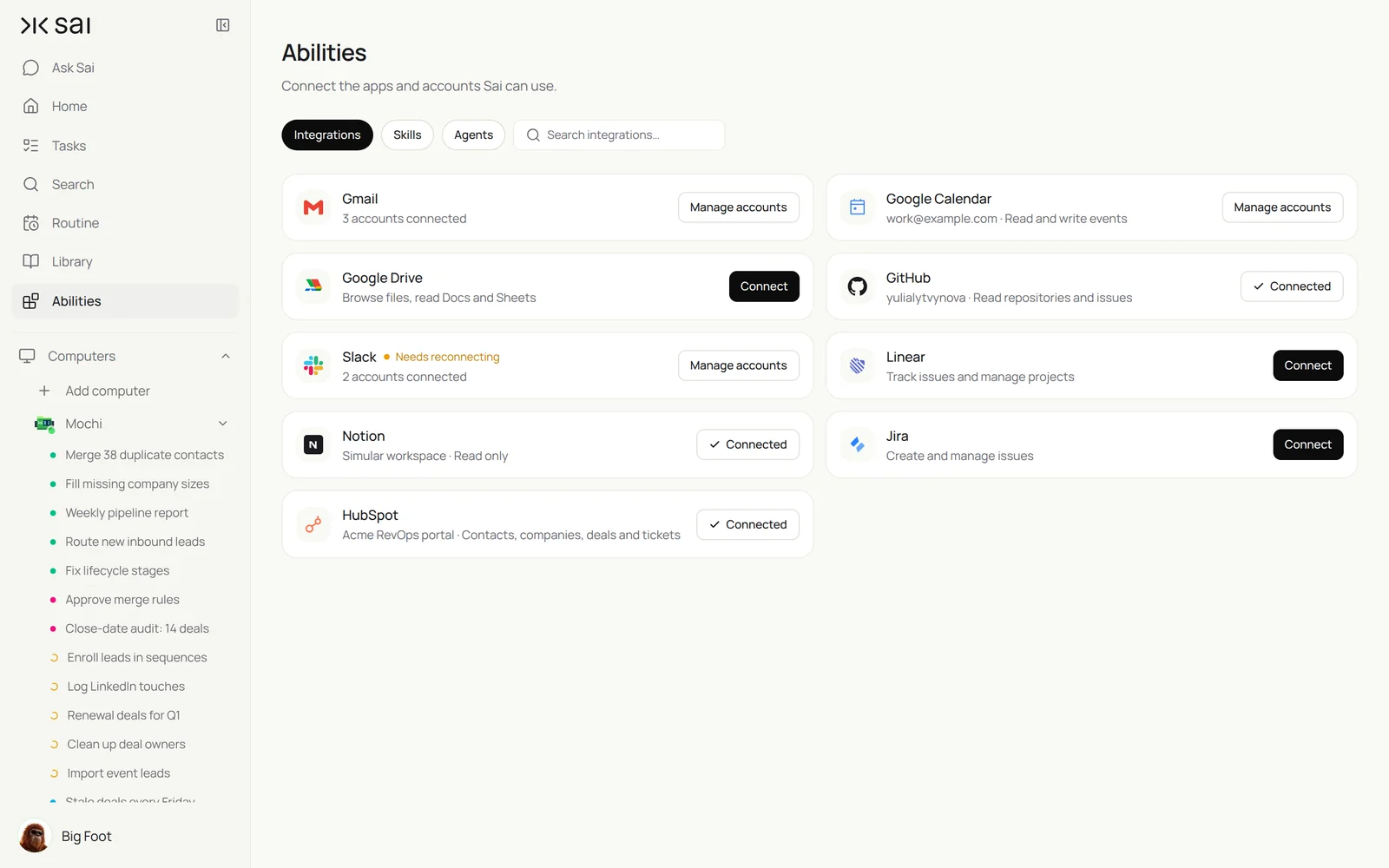
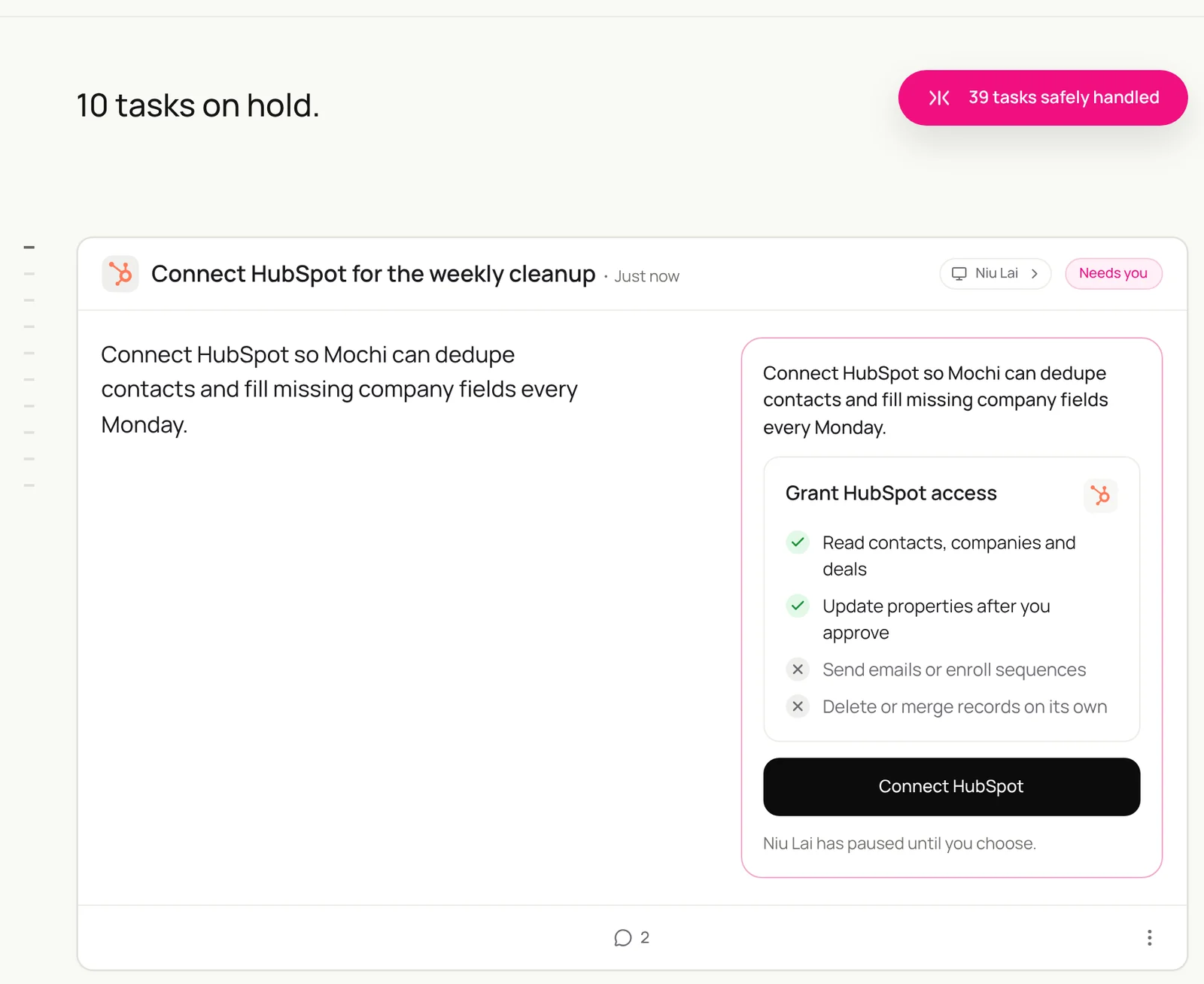
Open Abilities → Integrations and connect HubSpot with a user that has the permissions an ops analyst would have. Sai shows what it can and cannot do before you connect. For browser work, sign Sai’s own HubSpot user in on its cloud computer through Sai’s approval link, so no password goes into a chat.
Step 2: Write your CRM rules as a skill
Open Abilities → Skills → Add skill → Write skill instructions. One skill for your CRM rules covers most workflows: definitions, required fields, routing and the things Sai must never do.
When to use it
Any task that reads or changes HubSpot.

Records
- One company per domain. Contacts must have an email or a LinkedIn URL.
- Lead source: Inbound, Outbound, LinkedIn, Event, Referral. Never leave it empty on new contacts.
- Required at Proposal: amount, close date, next step.

Routing
- US West and APAC: Maya. US East: Dev. EMEA: Sam. Over 1,000 employees: enterprise queue.

Never
- Merge, delete or change an owner without my OK.
- Enroll anyone in a sequence or add them to a marketing list.
- Fill a field you cannot confirm. Leave it blank and add a note.
Step 3: Choose what runs on Auto
The guardrail next to the chat input switches between Auto and Manual. Use Auto for logging, enrichment and reports. Use Manual for merges, owner changes and any email. Sai then prepares the change and waits for you.
Step 4: Turn the task into a routine
Run the task once and check the records. Then open Routine → New and describe the job in a sentence, including when it should run. Turn on Code-Replay for routines that repeat the same steps. See Routines.
Recipes: sales
Every lead captured, every touch logged, every quiet deal followed up.
Read new emails to sales@. For each real inbound lead create or update the contact and company in HubSpot, add a Discovery deal, set the lead source, assign the owner with my HubSpot Rules skill, and draft a reply with two times from their calendar.
- 9 inbound leads · 14 skipped
- 7 new · 2 matched existing
- 2 slots per lead
- 9 drafts
Inbound leads from Gmail to HubSpot
Answer every lead the same morning, with the record already in place.
Every hour, read new emails to sales@ in Gmail.
For each real inbound lead: create or update the contact and company in HubSpot, create a deal at Discovery,
set Lead source = Inbound and assign the owner with my HubSpot Rules skill.
Draft a reply from the owner offering two times from their calendar. Do not send.
Skill: HubSpot Rules. Approval: Auto for records, Manual for email.
Log LinkedIn conversations and new prospects
The timeline should show LinkedIn too.
Every day at 19:00, read today's LinkedIn conversations with prospects.
Log each to the right contact in HubSpot as a note with the date and a one-line summary.
Create contacts for new prospects who replied, with Lead source = LinkedIn. Read at most 40 conversations.
Skill: HubSpot Rules. Approval: Auto. Related: syncing LinkedIn and HubSpot for sales teams and Sai × LinkedIn.
Follow up on quiet deals
Let the CRM decide who needs a nudge.
Every weekday at 9:00, find open deals with no logged activity in 10 days.
Read the last email thread with the contact and draft a short follow-up that adds something new.
If the close date is in the past, propose a new one in a note for the owner.
Skill: HubSpot Rules. Approval: Manual for email.
Recipes: investing
Many funds run deal flow and portfolio tracking in HubSpot. Sai keeps both current.
Read today’s pitch emails and intro threads. For each company create the company and a deal in our Deal Flow pipeline with stage, round, sector and location, add the founders with their LinkedIn URLs, record who made the intro, and skip companies we already have.
- 11 companies · 4 intros
- 19 founders matched
- 9 new · 2 already in pipeline
Deal flow from pitch emails and intros
Every pitch and every intro becomes a record, with who sent it.
Every evening at 19:00, read new pitch emails and intro threads in Gmail.
For each company: create the company and a deal in the Deal Flow pipeline with stage, round, sector and location.
Add the founders as contacts with their LinkedIn URL and record who made the intro.
Save the deck link on the deal. Skip companies already in the pipeline.
Skill: Investment Thesis. Approval: Auto. See AI investment analyst.
Portfolio metrics on every company record
One place for each company’s monthly numbers.
On the 5th of every month, find each portfolio company's update email.
Update the company record in HubSpot: MRR, burn, runway, headcount and a two-line summary.
Create a task for me on any company where runway is under 9 months or MRR fell.
Skill: HubSpot Rules. Approval: Auto.
Recipes: RevOps and customer success
The hygiene and the renewals that keep revenue predictable.
Run the Monday cleanup in HubSpot: group duplicates into merge sets for my approval, fill missing company size and industry where a source confirms it, and route every new contact with no owner.
- 38 contacts in 17 sets
- 286 of 298 filled
- 41 assigned
- 41 hand-offs
Clean up duplicates every Monday
Merge sets prepared, merges approved by you.
Every Monday at 8:00, find duplicate contacts and companies in HubSpot updated in the last 30 days.
Group them into merge sets with the reason, and choose surviving values with my HubSpot Rules skill.
Show me the sets. Merge only the ones I approve. Never delete.
Skill: HubSpot Rules. Approval: Manual.
Route new leads by territory
New contacts reach the right rep in minutes.
Every hour, assign new contacts with no owner using the routing rules in my HubSpot Rules skill.
If the company already has an open deal, assign that deal's owner.
Post each hand-off in #sales-leads.
Skill: HubSpot Rules. Approval: Auto within rules. Related: building advanced HubSpot lead routing.
Renewal watch
Risks show up 90 days early.
Every Monday at 8:00, list deals with a renewal date in the next 90 days.
Add seats vs active users from the usage export in Drive, open tickets and the champion's last email.
Post the brief in #renewals with Watch and At risk accounts first.
Skill: Customer Success. Approval: Auto.
Where the results land
Record changes go into HubSpot itself, with a note on each record saying what Sai changed and why. Merge sets, open questions and report history go into a sheet you name, briefs and reports into Slack, and email drafts wait in Gmail. To connect the three, see connecting Google Sheets and HubSpot with Slack.
Stay within HubSpot’s rules
- Give Sai its own seat. HubSpot does not allow shared logins. Connect the integration or sign in Sai’s own user.
- Prefer the integration. It is the fastest path and the one HubSpot designs for apps. Use the browser for what it does not cover, at a human pace.
- Consent before marketing. Sai never adds contacts to marketing lists or sequences. Your team does that, with consent, under HubSpot’s anti-spam rules.
- Approve what cannot be undone. Merges, owner changes and anything a customer reads wait for you. Sai never deletes.
- Keep a trail. Every change is noted on the record, so your team can see what Sai did.
Why automate HubSpot with Sai
Why Sai is a good fit for HubSpot work.
- It works around HubSpot, not just in it. Gmail, LinkedIn, company websites, Sheets and Slack are steps in the same task, so records are complete.
- It understands the content. Sai reads the email and decides whether it is a lead, a pitch, a renewal question or noise.
- Your rules are a paragraph. Routing, required fields and merge rules live in a skill anyone on the team can edit.
- You stay in control. Auto for logging and enrichment, Manual for merges, owners and email.
- It finishes the job. Sai ranks #1 on OSWorld, and with Code-Replay, routines that repeat the same steps get faster and cheaper. For more ideas, see CRM and marketing automation with Simular.
Frequently asked questions
Can Sai automate HubSpot?
Yes. Sai can create and update contacts, companies and deals, log emails and LinkedIn conversations, enrich and dedupe records, route leads and report on pipeline, through the HubSpot integration or in HubSpot’s own screens, with approval before merges and emails.
How does Sai connect to HubSpot?
Connect HubSpot in Abilities → Integrations. For anything the integration does not cover, Sai can use HubSpot in a browser on its own cloud computer, signed in as its own user.
Can Sai log Gmail and LinkedIn activity to HubSpot?
Yes. Sai reads the conversations and logs each one as a note or activity on the right contact, creating the contact when a new prospect replies.
Can Sai merge duplicate contacts in HubSpot?
Sai finds duplicates, groups them into merge sets with a reason and the surviving values, and merges only the sets you approve. It never deletes records.
Will Sai send emails or enroll contacts in sequences?
Sai drafts one-to-one emails for your approval. It does not enroll contacts in sequences or marketing lists; your team does that with consent.
Can VCs use HubSpot with Sai for deal flow?
Yes. Sai logs pitch emails and intros as companies and deals with stage, round and intro source, enriches founders from LinkedIn and keeps portfolio metrics on company records.
Is it allowed to automate HubSpot with an AI agent?
Use the integration or give Sai its own seat, keep browser work at a human pace, and follow HubSpot’s Acceptable Use Policy, which prohibits shared logins and request rates beyond what a person could produce.
How much does it cost to automate HubSpot with Sai?
You can set up and test every workflow on the Free plan. Daily and hourly routines usually need Pro at $50 a month. See Plans, usage, and limits.
Related guides
Go deeper on the pieces used here.
Ready-made skills for HubSpot: CRM data cleanup and automated data entry.