
Skills
Teach Sai how your team does something once, and let Sai handle the rest. A skill holds the methods that are not written down anywhere an agent can read, so they apply on every run, including the ones you are not watching.
What is a skill in Sai?
A skill is a reusable package of instructions, and when useful scripts and reference files, that Sai loads on demand when a task matches it. It differs from a prompt in scope and lifespan. A prompt describes one request and is used up by it. A skill encodes a method that holds across many requests: how a report is structured, which fields a record must carry, what order a process happens in, what must never happen.
Skills are not compiled into the agent. They sit in a library, they are named and versioned, and Sai reads the relevant one at the moment it is needed rather than holding every rule at once. That on-demand loading is what makes a large library practical: instructions stay precise without every task paying the cost of every rule you have ever written.
A skill is also not an integration. Loading one grants no access to any tool. It tells Sai how to work, while connected tools determine what it can reach.
Want a starting point? The Sai Skills Marketplace has ready-made skills you can copy into Sai, such as AI PDF form filling, Excel automation, website data to Sheets and desktop automation.
Built-in skills
Sai arrives with skills for the work most tasks touch. They load automatically: asking for a formatted deck pulls in the slides skill without you naming it.
| Group | What it covers |
|---|---|
| Documents | Creating and reading PDF, DOCX, XLSX and PPTX files |
| Research and web | Structured research, reading and extracting from live pages |
| Publishing | Shareable sites, write-ups, rich formatting |
| Integrations | One skill per connected tool, carrying that tool's API surface and conventions |
| Data | Keeping structured records across sessions |
| Meta | Creating and editing skills themselves |
Three ways to add your own skill
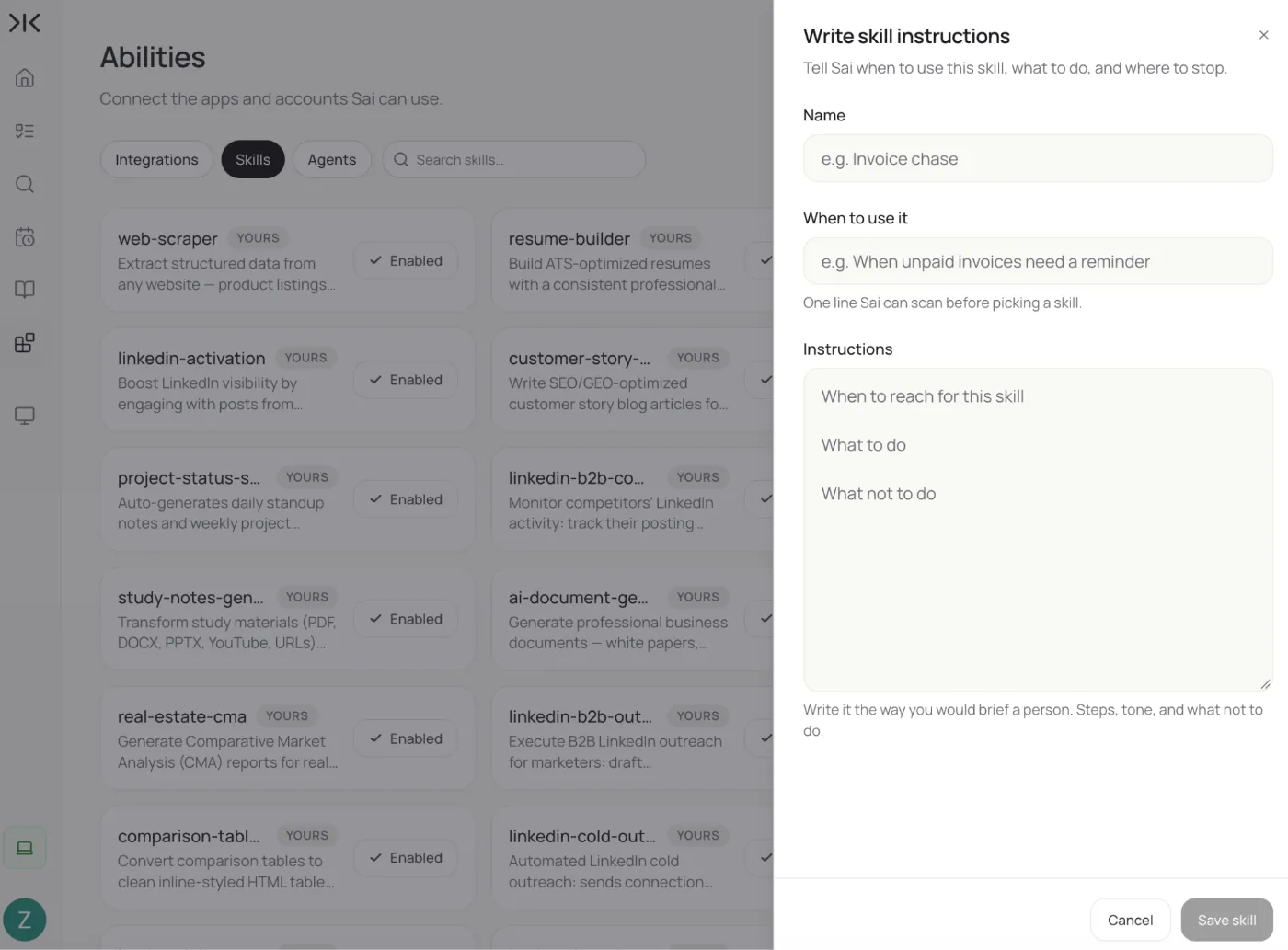
1. Describe it in plain language
Tell Sai how you do something: the steps, the rules, the things that must never happen. Sai writes it up as a structured skill for you to review before it is saved. There is no format to learn and no folder layout to get right. If you have corrected Sai on the same point twice, that correction is a skill.
2. Import from a GitHub link
Paste the URL of a repository or folder containing a skill, and Sai fetches it, unpacks it and adds it to your library. It is the fastest way to adopt a skill someone has already written, and it keeps a shared team skill anchored to a source anyone can review.
3. Install a packaged skill
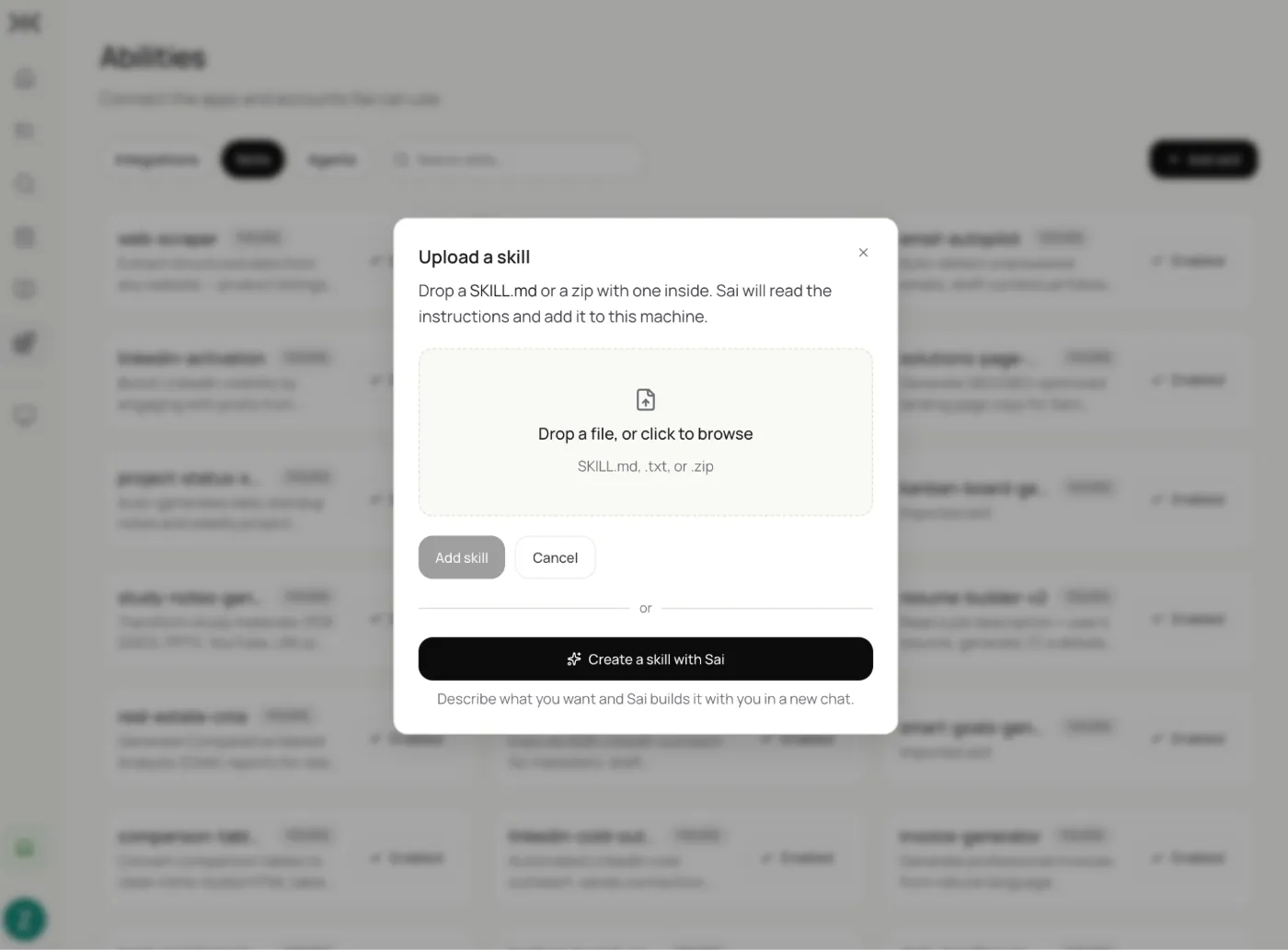
Skills distributed as an archive install in one click. The same package is what you export when handing a skill to a teammate or moving it between accounts.
Whenever you write a weekly client update, use these sections in this order: [what shipped], [what is blocked], [what we need from the client]. Keep each section under [80 words], name an owner for every blocked item, and never include internal ticket IDs.
Saved as a skill, this becomes the standing rule for every weekly update from then on.
Which way to add a skill
| Method | Best for | What you supply |
|---|---|---|
| Built-in | Common document, research and integration work | Nothing; already present |
| Plain-language description | Encoding a process that lives in your head | A description of how you do it |
| GitHub link | Adopting a shared or open-source skill | A repository or folder URL |
| Packaged import | Moving a skill between people or accounts | A skill package file |
How Sai decides which skill to use
At the start of a task, Sai matches the request against your library and loads what applies, often more than one. You can also name a skill in the request to force it, which is the right move when two skills overlap and you know which should win.
Inside a routine, skills are pinned rather than inferred: the routine's edit panel lists exactly which skills load on every run. That is what makes an unattended scheduled task behave the same on run fifty as on run one: the method does not drift because the agent is not re-deciding it each time.
Routines and skills divide the work cleanly. The routine decides when and what. The skill decides how.
What you need to know
A skill is instructions, not permissions. Loading one never grants access to a tool you have not connected, and approval requirements apply to the action rather than the instruction, so a skill cannot authorize a send, a payment or a deletion on its own. Imported skills run under exactly the same guardrails as ones you wrote.
Skills you create stay private to your account until you export or publish them. Editing a skill takes effect on the next task that loads it; a task already running keeps the version it started with. Where several loaded skills conflict, a skill you named explicitly takes precedence over one Sai inferred.
Skills vs. prompt libraries and custom instructions
A prompt library stores text you paste in each time. It works until someone forgets to paste it, or pastes last quarter's version, and it cannot travel into a scheduled run at 6am.
A global custom-instruction field has the opposite failure: it applies to everything, whether or not it fits. Rules for client updates end up shaping unrelated research tasks, and the field grows until it is too general to be useful.
A skill sits between the two. It is stored once, loads only when a task matches it, can carry scripts and files rather than text alone, and applies inside unattended runs without anyone remembering anything. One person writes the method, everyone's tasks follow it, and nobody copies a prompt out of a document again.
Frequently asked questions
What is the difference between a skill and a prompt?
A prompt is one request, used up when it runs. A skill is a stored method that applies across many requests and loads automatically when a task matches it.
Can I add a skill from GitHub?
Yes. Paste the link to the repository or folder and Sai fetches and installs it into your library.
Do I need to write a skill in a special format?
No. Describe the process in plain language and Sai structures it for you. You review the result before it is saved.
When does Sai decide to use a skill?
At the start of a task, by matching the request against your library. You can also name a skill to force it, and routines pin their skills explicitly.
Can a skill include files or scripts?
Yes. A skill can bundle reference documents, templates and helper scripts alongside its instructions.
Are the skills I create private?
Yes. They stay in your account unless you export or publish them.
Can a skill make Sai act without my approval?
No. Approval applies to the action, not the instruction, so no skill can authorize a send, payment or deletion on its own.
How do I share a skill with my team?
Export it as a package for one-click install, or keep it in a repository and have teammates import it by link.
What happens if two skills conflict?
A skill you name explicitly takes precedence over one Sai inferred. Where both were inferred, narrow the scope of one so it stops matching tasks it should not.
Do skills work inside routines?
Yes, and that is where they matter most. A routine pins exactly which skills load on every run, so a scheduled task follows the same method every time.