
How to build an AI social media manager with Sai
An AI social media manager plans, drafts, schedules and reports on your social channels so your team can spend its time on ideas instead of logistics. This guide builds one with Sai, step by step, on the LinkedIn, X, Instagram and Google Sheets accounts you already use, with every post and reply waiting for your approval before it goes live.
Tools: LinkedIn, X, Instagram, YouTube, Google Sheets
TL;DR: the AI social media manager you end up with
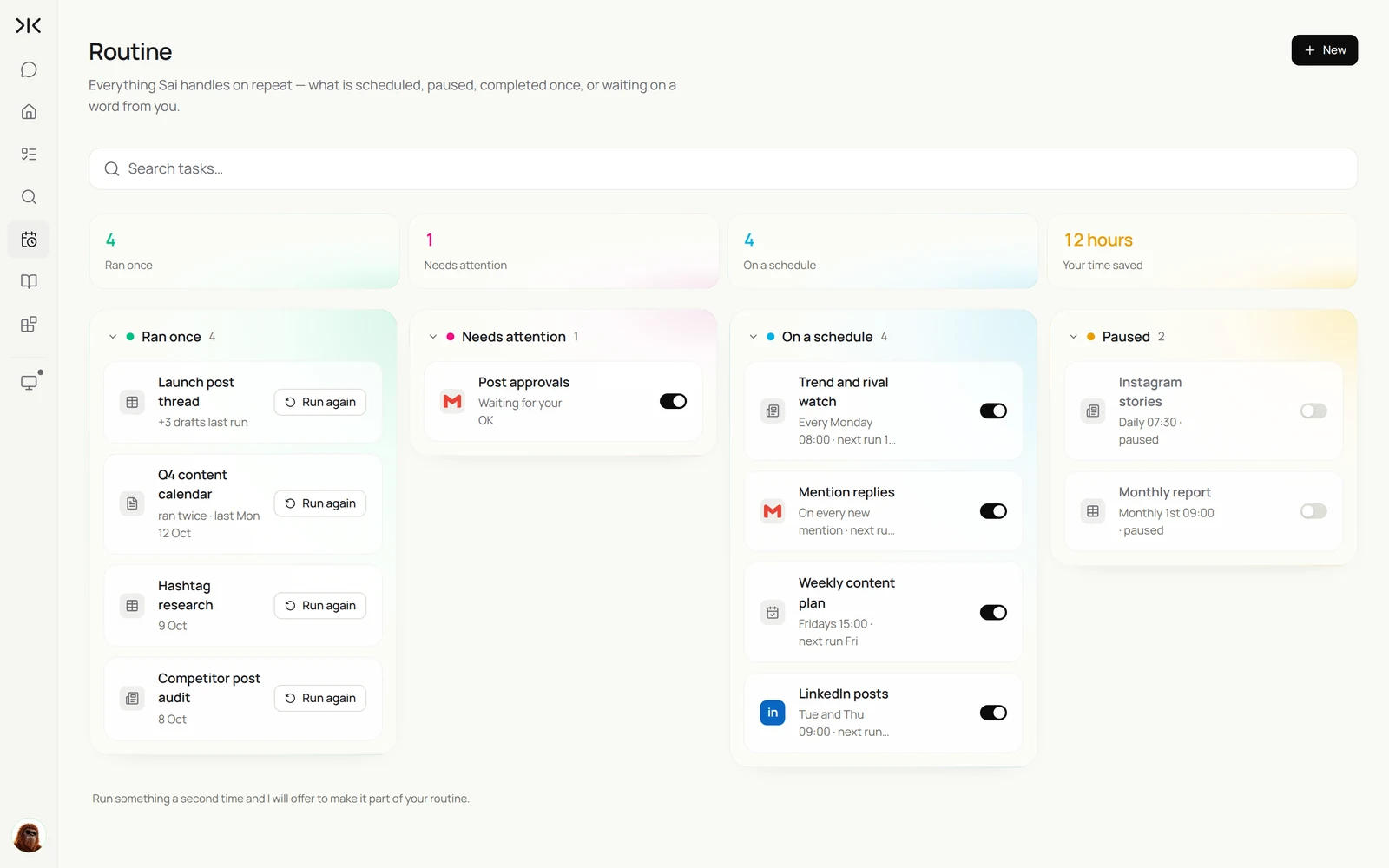
By the end of this guide you have an AI social media manager that keeps every channel moving on its own cloud computer, while nothing goes public without your approval. It runs five routines:
- Weekly content plan. Turns your themes and launches into a dated plan in Google Sheets.
- Post drafts. Writes next week's posts for LinkedIn and X in your brand voice and schedules them after you approve.
- Mention replies. Collects mentions and comments, drafts replies and holds them for your OK.
- Trend and rival watch. A Monday summary of what competitors posted and which topics are moving.
- Performance report. Pulls each platform's analytics into one sheet and tells you what worked.
What is an AI social media manager?
An AI social media manager is software that handles the repeatable parts of running social channels: planning a calendar, drafting posts in a brand voice, scheduling, replying to comments and mentions, monitoring competitors and reporting on performance. A person still owns the strategy, the creative ideas and the final say on what goes public.
Most social media tools schedule posts you have already written. An AI social media manager also does the work around them: reading the sources, writing the drafts, collecting the numbers from each platform and telling you what to do more of.
What your AI social media manager will do
These are the six workflows this guide sets up. Each starts as a one-off task and becomes a routine once the output is right.
| Workflow | What Sai does | Cadence | Needs your approval |
|---|---|---|---|
| Content plan | Turns themes, launches and dates into a weekly plan | Fridays | No, it drafts a plan |
| Post drafts | Writes posts per channel in your brand voice | Weekly | Yes, before scheduling |
| Scheduling | Schedules approved posts in each platform | After approval | Already approved |
| Mention replies | Collects mentions and comments, drafts replies | Twice a day | Yes, before replying |
| Trend and rival watch | Reads competitor accounts and topics | Mondays | No, it only reads |
| Performance report | Pulls analytics into a sheet with a summary | Mondays | No, it only reads |
What you need before you start
- A Sai account. The Free plan is enough to build and test each step. Daily routines across several channels work best on Pro. See Plans, usage, and limits.
- A brand voice in writing. Tone, words you use and avoid, and three posts that performed well.
- A Content plan sheet with columns for date, channel, theme, source link, draft and status.
- Accounts Sai will sign in to. LinkedIn (including your company page if you manage one), X, Instagram and YouTube. Sign-ins go through an approval link.
Step 1: Write your brand voice as a skill
The difference between generic AI posts and posts that sound like you is the skill. Write it once in Abilities → Skills, and every draft follows it.
Name: brand-voice

Who we talk to
- Operations leaders at mid-size logistics companies. Practical, busy, skeptical of hype.

How we sound
- Plain and specific. Lead with the result or the problem, not the product.
- LinkedIn: 80 to 150 words, one idea, a question or a takeaway at the end. No more than 3 hashtags.
- X: under 240 characters. Threads only for launches.
- Never: "game-changer", "revolutionize", "unlock", emoji walls.

Facts
- Only use numbers and claims from the source link in the Content plan.
- Customer names only if the row says Approved for public use.

Rules
- Never post, reply or delete without my approval.
- Never engage with political topics or competitors by name.
More on writing skills in Skills.
Step 2: Build next week’s content plan
Give Sai your themes and dates; it fills the Content plan with a balanced week across channels, each row linked to a source. You adjust the plan in the sheet before anything is written.
Plan next week's social content in the Content plan sheet:
- Themes: the Route Planner launch on Tuesday, the Acme Freight customer story, and hiring for two ops roles.
- 3 LinkedIn posts, 4 X posts and 2 Instagram posts, spread Tuesday to Friday.
- For each row: date and time, channel, theme, and the source link to draw facts from.
Do not write the posts yet.
Step 3: Draft posts in your brand voice and schedule them
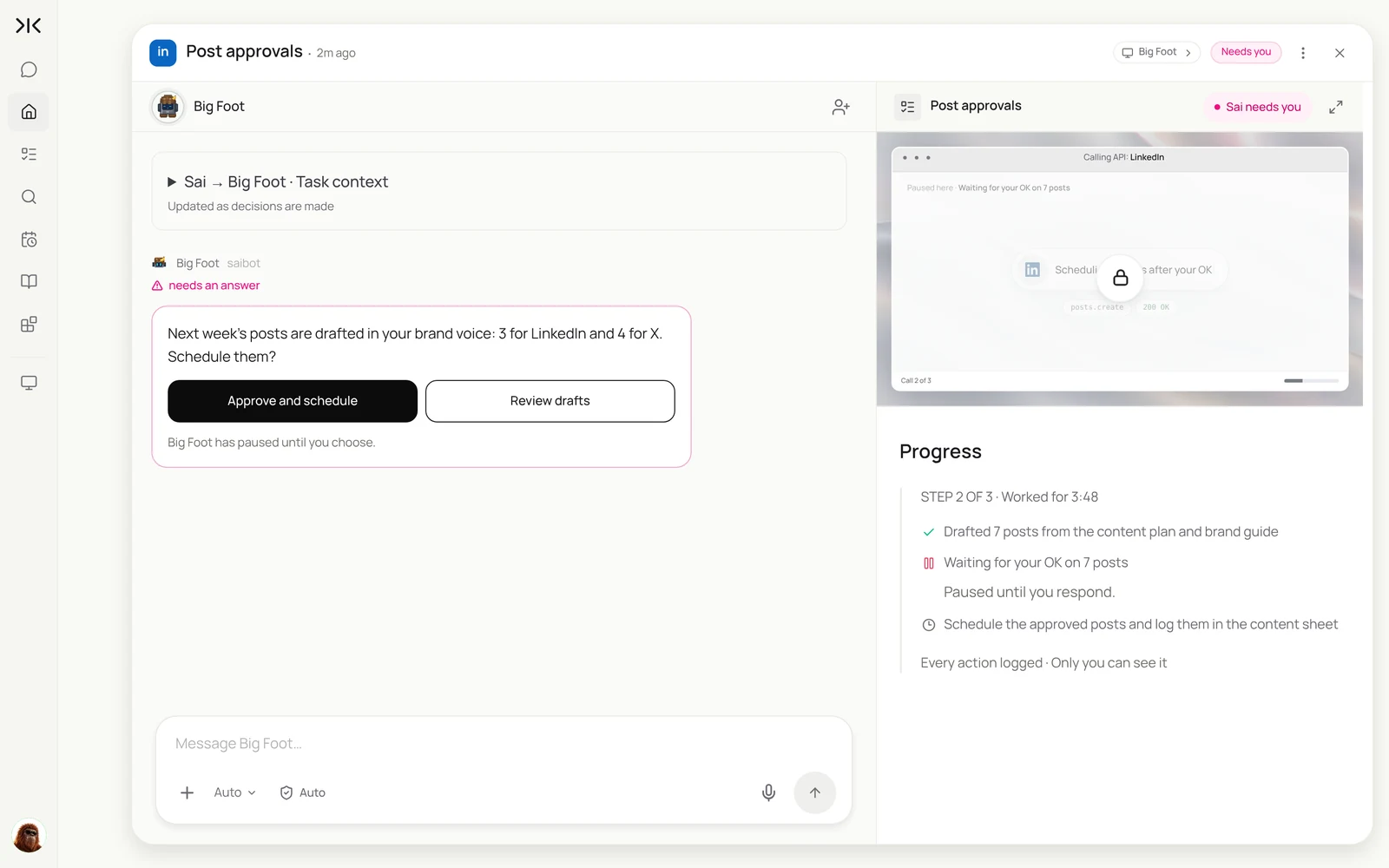
Now Sai writes. It reads each source, drafts every post to your skill, and stops. You review the drafts, edit any you want, and approve. Only then does Sai schedule them in each platform.
Draft next week's posts from the Content plan sheet using my brand-voice skill.
Put each draft in the Draft column and suggest an image from Drive > Social assets.
Wait for my approval. After I approve, schedule each post at its time in the plan
and add the post link to the sheet.
Draft next week’s posts from the Content plan sheet: 3 for LinkedIn and 4 for X, in our brand voice. Hold them for my approval, then schedule them at the times in the sheet.
- 7 posts planned, 3 themes
- Read 5 sources
- 7 drafts with suggested visuals
- Approved by you · 2 edited
- 3 posts scheduled
- 4 posts scheduled
For channel-specific playbooks, see how to build a LinkedIn content engine, how to automate X posting and an Instagram weekly content workflow.
Step 4: Reply to mentions and comments
Replies are where brands earn trust, and where slow responses cost the most. Sai collects mentions and comments twice a day, drafts replies in your voice, and flags anything sensitive for you to handle personally.
Twice a day, collect new comments on our posts and mentions of our brand on LinkedIn, X and Instagram.
- Draft a reply for each one that warrants an answer, using my brand-voice skill.
- Flag complaints, press questions and anything about pricing for me. Do not draft those.
Hold every reply for my approval.
Step 5: Watch competitors and trends
Every Monday, Sai reads what your competitors posted and which topics your audience is talking about, and writes a short summary with ideas for the week.
Every Monday at 8:00, read last week's posts from the 6 competitor accounts in the Rivals sheet
and the top posts on our 5 topic hashtags. Write 5 lines: what they posted, what got engagement,
and two ideas we could use. Read only.
See how to track X and Instagram rivals for a fuller monitoring setup, or the monitor competitor websites use case to watch their sites too.
Step 6: Get a weekly performance report
Analytics live in a different place on every platform. Sai opens each one, copies the numbers for every post into one sheet, and writes five lines on what worked.
Every Monday at 9:00, pull last week's numbers for every post on LinkedIn, X and Instagram
into the Performance sheet: date, channel, post link, impressions, engagements, clicks, follows.
Compare with the previous four weeks and email me five lines on what to repeat and what to drop.
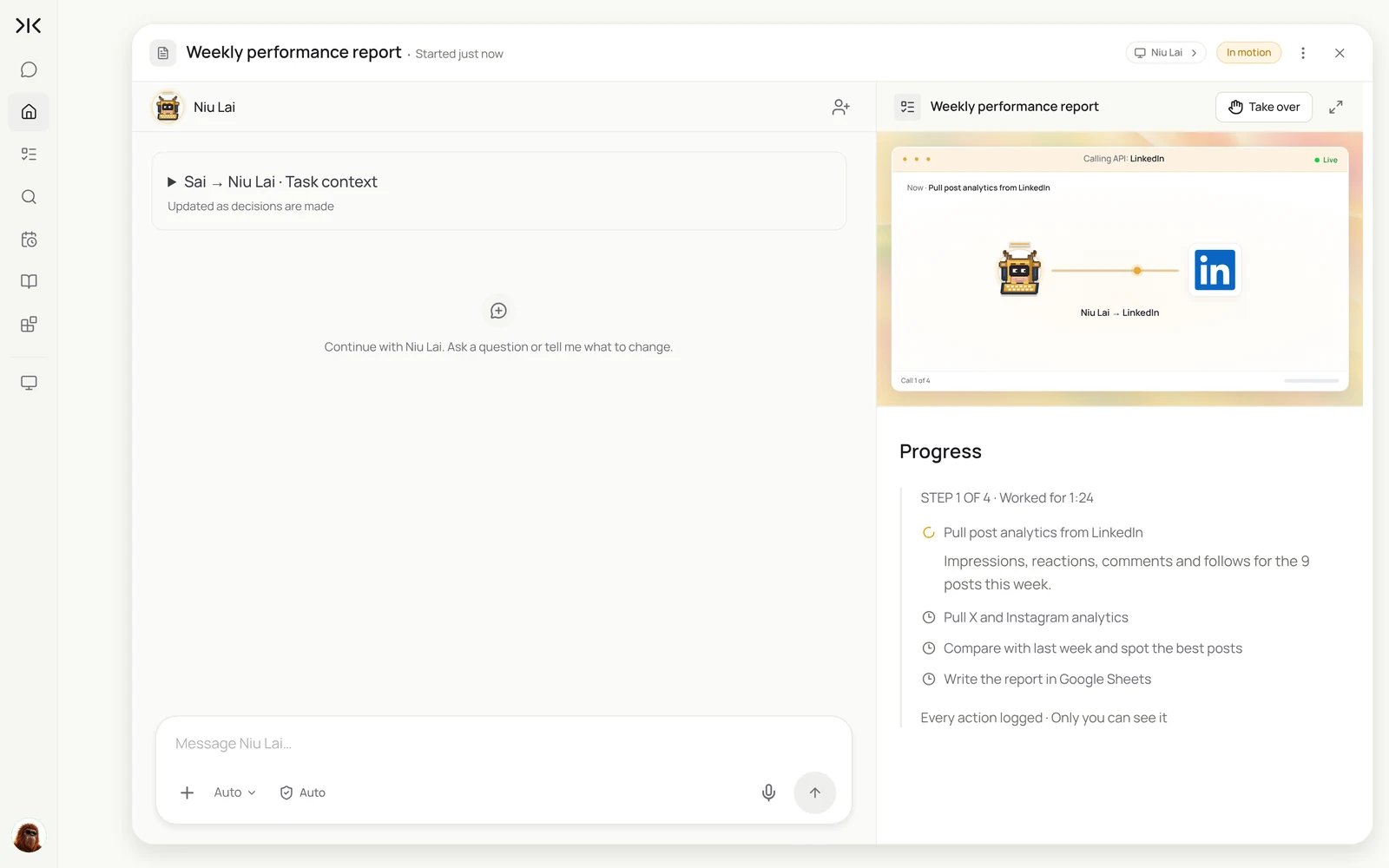
Every Monday, pull last week’s numbers for every post on LinkedIn, X and Instagram into the Performance sheet, and write me five lines on what worked.
- 3 posts, 18.4K impressions
- 4 posts, 9.1K impressions
- 2 posts and 6 stories
- 15 rows added
- Summary sent
Step 7: Put your AI social media manager on a schedule
When each task produces a result you trust, choose Set as recurring. This is your social media manager's week.
| Routine | When it runs | What you do |
|---|---|---|
| Trend and rival watch | Mondays 8:00 AM | Read 5 lines |
| Performance report | Mondays 9:00 AM | Read the summary |
| Mention replies | Daily, 10:00 AM and 4:00 PM | Approve the replies |
| Content plan | Fridays 2:00 PM | Adjust the plan in the sheet |
| Post drafts | Fridays 3:00 PM | Approve the week’s posts |
Every routine setting, including Code-Replay for repeated clicks, is explained in Routines.
Keep your AI social media manager safe
- Approve everything public. Posts, replies, likes and follows wait for your OK. Reading and reporting can run unattended.
- Work at a human pace. Each platform limits automated activity in its terms. Post and reply at the volume you would by hand; use Sai to do that work faster, not to multiply it.
- Facts from sources only. The skill limits claims to the linked source, so a draft never invents a number or a customer quote.
- Keep crisis replies human. Complaints, press and pricing questions are flagged, never drafted.
Why build your AI social media manager on Sai
It finishes the task. Sai ranks #1 on OSWorld, the public benchmark for agents completing real work on a real computer, such as reading analytics across four platforms into one sheet.
It covers every channel you use. Sai works in each platform's own interface, so a new channel is a sentence in the task, not a new integration.
It keeps your voice. The brand-voice skill holds your tone and every correction, so drafts get closer to final week after week.
Frequently asked questions
What is an AI social media manager?
An AI social media manager is software that plans, drafts, schedules and reports on social media posts, and drafts replies to comments and mentions. With Sai, a person approves everything before it goes public.
Can an AI social media manager post for me?
Yes, after you approve. Sai drafts and schedules posts on LinkedIn, X and Instagram, but nothing posts until you approve it.
Will the posts sound like AI?
Not if you write the brand-voice skill well. Give Sai your tone, words to avoid and three posts that worked, and correct drafts for a week; the corrections go into the skill.
Which platforms does it work with?
Any platform you can use in a browser, including LinkedIn, X, Instagram, YouTube, Facebook and TikTok, because Sai works in each platform’s own interface.
Can it reply to comments?
It drafts replies to comments and mentions and holds them for approval. Complaints, press and pricing questions are flagged for you instead.
How does it report performance?
It opens each platform’s analytics, copies the numbers for every post into a Google Sheet and writes a short summary of what worked.
How much does it cost?
You can build and test each step on the Free plan. Daily routines across several channels usually need Pro at $50 a month. See Plans, usage, and limits.
How long does it take to set up?
About 40 minutes to write the brand-voice skill, set up the Content plan sheet and run each task once.
Related guides
Keep building on the same pieces.
Routines for this role: automated client reporting.