
How to build an AI project manager with Sai
An AI project manager keeps projects moving between meetings: it writes the standup digest, turns meeting notes into tickets, triages new bugs, flags blocked and at-risk work, and sends the weekly status report. This guide builds one with Sai, step by step, using Linear or Jira, Notion, Slack, GitHub and Google Calendar, with every change to scope, priority or owners waiting for a person.
Tools: Linear, Jira, Notion, Slack, Google Calendar, Google Sheets
TL;DR: the AI project manager you end up with
By the end of this guide you have an AI project manager that does the reporting and follow-up work of running projects, every day, so the team spends meetings on decisions instead of status. Priorities, scope and who works on what stay with people. It runs six routines:
- Standup digest. Every weekday before standup, posts what got done, what is blocked and what is at risk, per team.
- Meeting notes to tickets. After planning meetings, turns decisions and action items into Linear or Jira tickets with owners.
- Bug triage. Labels new bug reports, sets a suggested priority and owner, and links duplicates.
- Risk watch. Flags tickets with no movement, scope that grew mid-sprint and deadlines that no longer fit.
- Weekly status report. Every Friday, writes the project update for stakeholders in Notion and Slack.
- Release notes. Turns merged tickets into customer-facing notes for each release.
What is an AI project manager?
An AI project manager is an agent that runs the information side of project management: collecting status from tickets, pull requests and chat, writing digests and reports, turning notes into tickets and chasing what is stuck. It does not set priorities or make trade-offs. It makes sure the people who do have an accurate picture every day.
Sai fits because project status is scattered. The truth sits across Linear or Jira, GitHub, Slack threads, meeting notes in Notion and calendars. Sai reads them in one task, through integrations where they exist and in a browser where they do not, and writes back where the team already looks. For the Notion side in depth, see Sai × Notion.
What your AI project manager will do
Start with the standup digest. It is useful from day one and teaches Sai how your team works.
| Workflow | What Sai does | Cadence | Needs your approval |
|---|---|---|---|
| Standup digest | Done, blocked, at risk, today, per team | Weekdays 9:15 | No |
| Meeting notes to tickets | Decisions and action items into tickets with owners | After planning meetings | Yes, before creating |
| Bug triage | Labels, suggested priority and owner, duplicates | On every new issue | No for labels, yes for priority |
| Risk watch | Stalled tickets, scope creep, deadline slips | Daily | No, it flags |
| Weekly status report | Project update in Notion and Slack | Fridays 15:00 | Yes, before sharing outside the team |
| Release notes | Customer-facing notes from merged tickets | Each release | Yes, before publishing |
What you need before you start
- A Sai account. The Free plan includes one cloud computer for building and testing. Daily routines for several teams work best on Pro. See Plans, usage, and limits.
- Connections. Linear or Jira, Notion, Slack, GitHub and Google Calendar in Abilities → Integrations. Anything without an integration can be signed in on Sai’s cloud computer through its approval link.
- Your project rules. What each status means, what counts as blocked or at risk, and who owns what.
- A home for reports, such as a Status page in Notion and a #project-updates channel.
Step 1: Write your Project Rules skill
This skill is how Sai knows the difference between a ticket that is fine and one that is in trouble.
When to use it
Any task about our projects, sprints, tickets, standups or status reports.

Statuses
- Blocked: waiting on someone outside the assignee for more than 1 business day.
- At risk: estimate left > days left in the sprint, or no commit or PR in 3 days on an In Progress ticket.

Teams
- Platform (Linear team PLAT), Growth (GRO), Mobile (Jira project MOB).

Reports
- Lead with the answer: on track, at risk or off track, and why, in one line.
- Name owners. Link every ticket.

Never
- Change priority, scope, sprint or assignee without my OK.
- Close or delete tickets.
- Message anyone outside the team without my OK.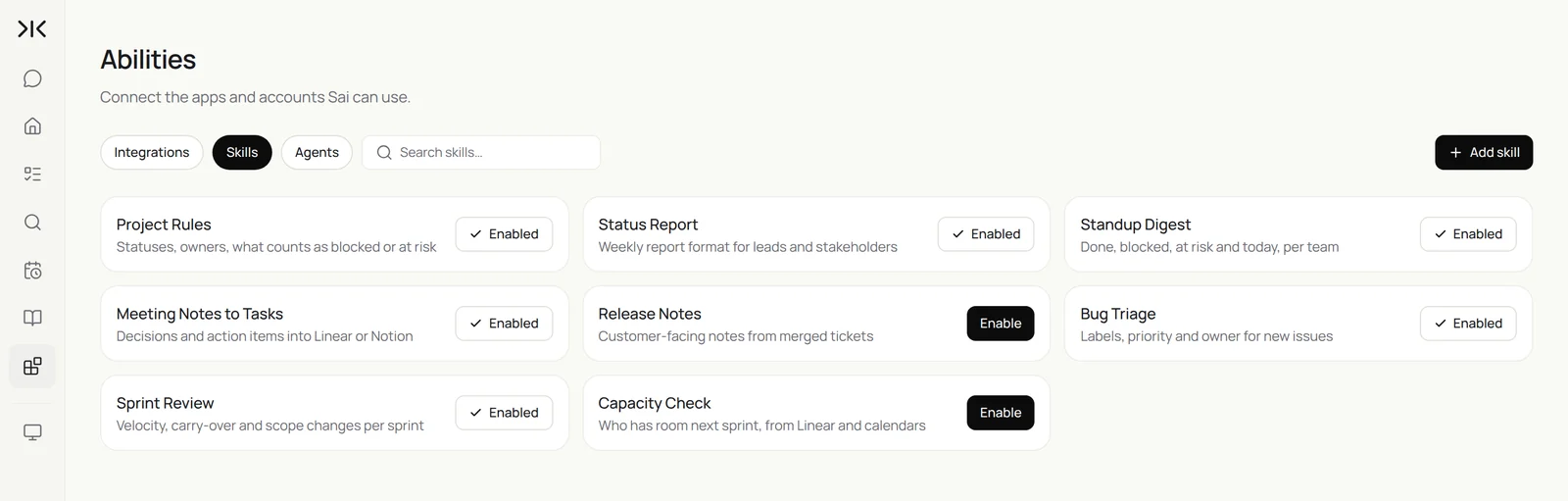
Step 2: Post the standup digest every morning
Standups get shorter when everyone has already read the status.
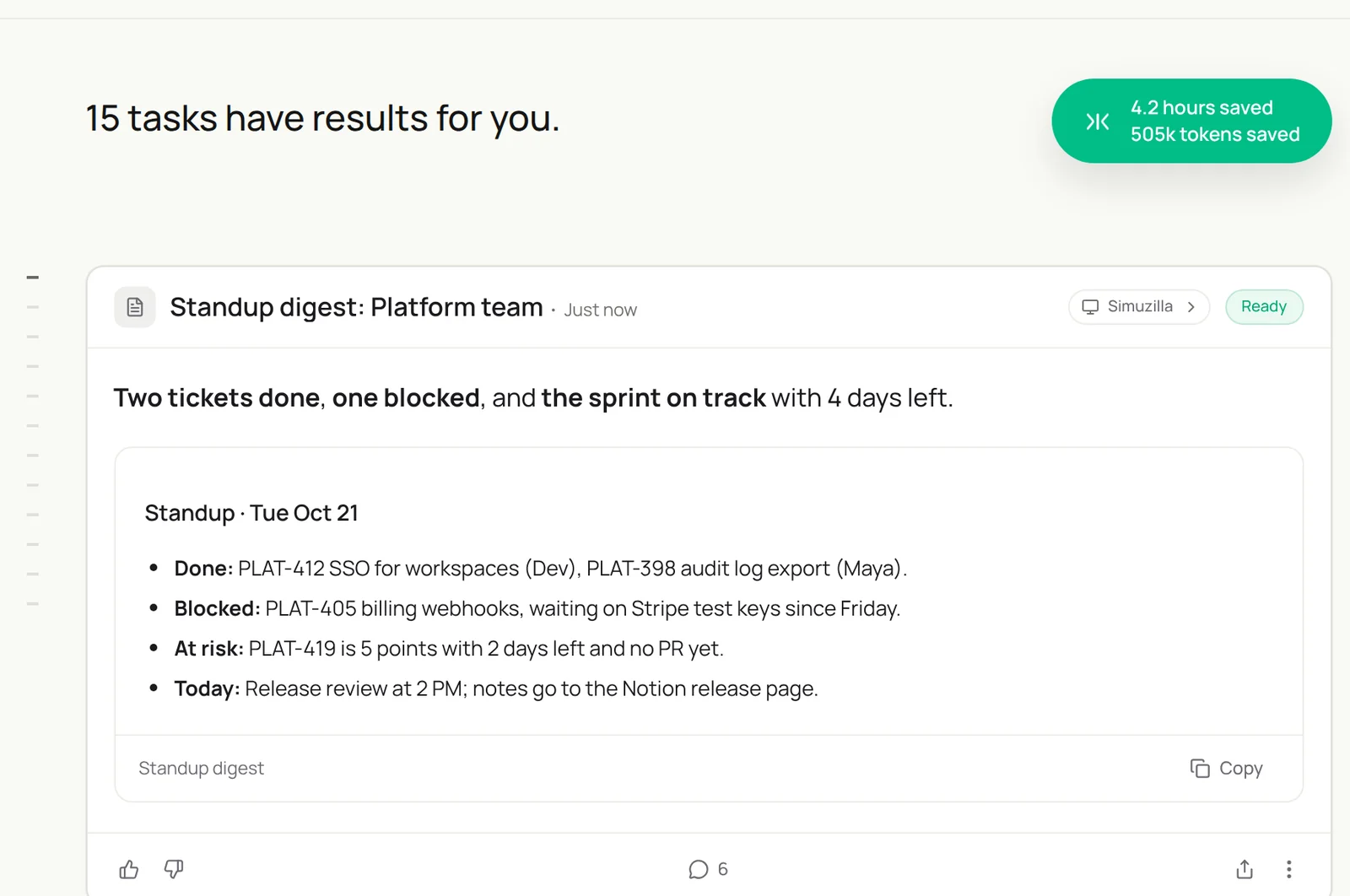
Every weekday at 9:15, for each team in my Project Rules skill:
list tickets moved to Done since yesterday, tickets that are Blocked or At risk with the reason,
and today's meetings that affect the sprint from Google Calendar.
Post one message per team in its Slack channel and add it to today's Standup page in Notion.
Before standup, list what each team finished since yesterday in Linear, what is blocked or at risk with the reason, and today’s meetings that affect the sprint. Post one message per team and add it to today’s Standup page in Notion.
- 3 teams · 46 tickets
- 12 open PRs
- Release review at 2 PM
- 3 digests posted
- Standup · Tue Oct 21
Step 3: Turn meeting notes into tickets
Decisions made in a meeting are lost if they never become tickets.
After each meeting called Planning or Review on my calendar, read its notes in Notion.
List each decision and action item with an owner and a due date.
Draft a Linear ticket for each action item in the right team, linked to the notes.
Show me the list before creating anything.
Related: integrating Google Sheets and Jira.
Step 4: Triage new bugs
A bug with a label, a priority suggestion and a duplicate check is half fixed.
On every new issue labeled bug in Linear:
- Add area labels and a suggested priority with a one-line reason.
- Search for duplicates and link them.
- If it came from support, link the tickets and count affected customers.
Ask the team lead before changing priority.
Support teams can feed this from the queue. See the AI customer support agent.
Step 5: Watch for risk every day
Most slips are visible days before they happen. Sai looks every day.
Every day at 16:00, check every In Progress ticket in the current sprint.
Flag tickets that match Blocked or At risk in my Project Rules skill, tickets added to the sprint after it started,
and epics whose remaining estimate no longer fits their target date.
Send me one Slack message with the list and a suggested action for each.
Step 6: Send the weekly status report
The update stakeholders read, written from the tickets, not from memory.
Every Friday at 15:00, write this week's status report on the Status page in Notion:
one line per project (on track, at risk, off track and why), what shipped, what slipped,
risks and decisions needed, and next week's goals. Link every ticket.
Post a five-line summary in #project-updates. Ask me before sharing outside the team.
Write this week’s status report on the Status page in Notion from Linear and Jira: one line per project with on track, at risk or off track and why, what shipped, what slipped, risks and decisions needed. Post a summary in #project-updates.
- 6 projects · 118 tickets
- 14 shipped · 5 slipped
- Week 43 report
- Posted
Step 7: Put your AI project manager on a schedule
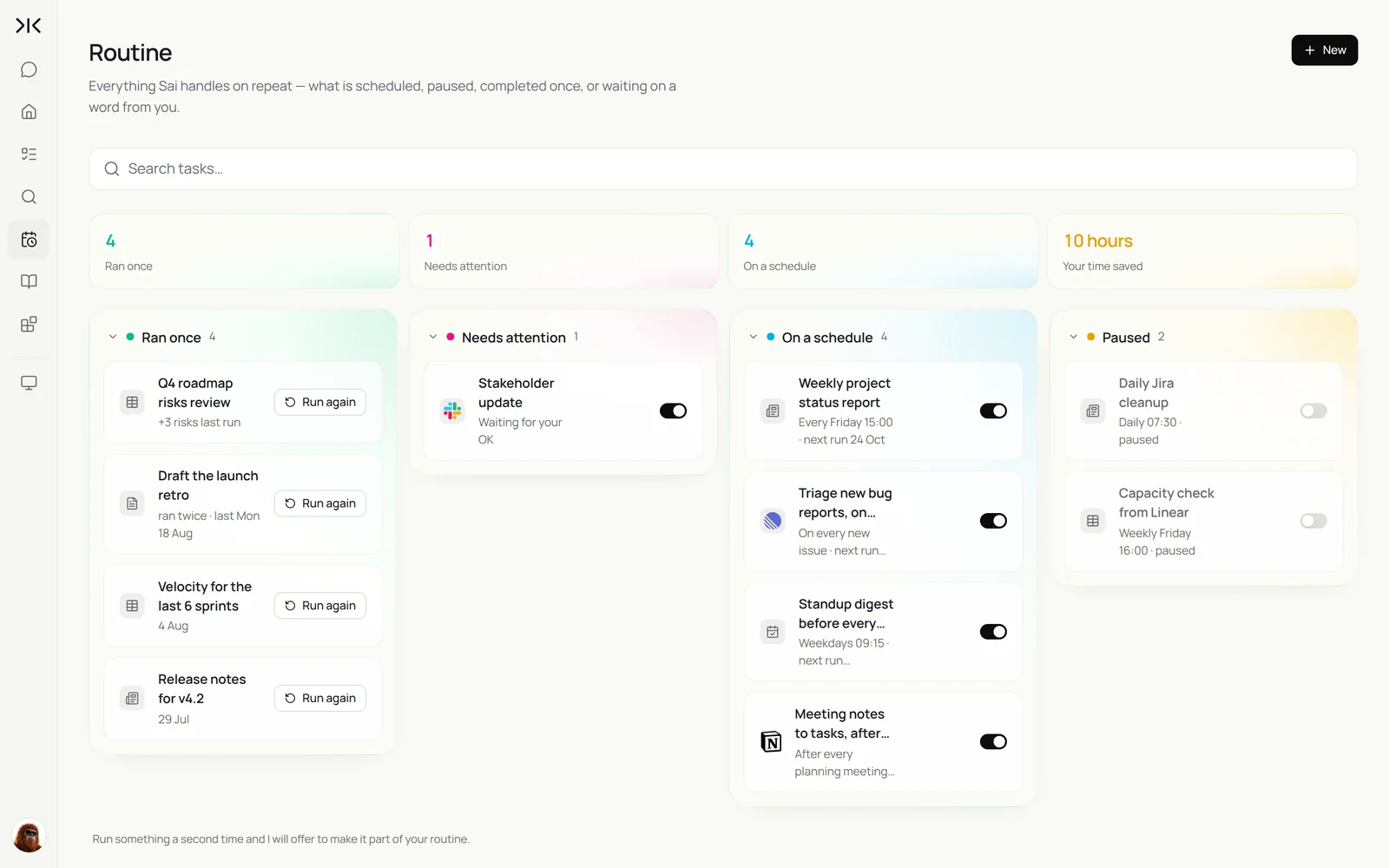
Once each task runs well by hand, make it a routine:
| Routine | When it runs | What you do |
|---|---|---|
| Standup digest | Weekdays 9:15 | Read it before standup |
| Meeting notes to tickets | After planning meetings | Approve the tickets |
| Bug triage | On every new issue | Confirm priorities |
| Risk watch | Daily 16:00 | Act on flags |
| Weekly status report | Fridays 15:00 | Approve sharing |
Keep your AI project manager safe
- Priorities are people’s calls. Sai suggests; leads decide scope, priority and assignments. Put that in the skill.
- No closing or deleting. Sai can comment and label, but never closes or deletes tickets.
- Scoped access. Connect only the teams and projects Sai needs, and keep private channels out of reach unless you add them.
- Status, not surveillance. Report on work, not on individuals’ hours. Agree with the team on what the digest includes.
- Ask before sharing outside. Stakeholder and customer-facing updates wait for approval.
Why build your AI project manager on Sai
- It reads everything the team writes. Tickets, pull requests, Slack threads, notes and calendars in one task.
- Your rules are a paragraph. What counts as blocked or at risk lives in a skill, not in tool-specific automation rules.
- It works across tools. Linear for one team and Jira for another is fine; Sai reads both.
- It finishes the task. Sai ranks #1 on OSWorld for completing real work on a real computer.
Frequently asked questions
What is an AI project manager?
An AI project manager is an agent that collects project status from tickets, pull requests and chat, writes standup digests and status reports, turns meeting notes into tickets and flags risk. People set priorities and make trade-offs.
Does Sai work with Linear and Jira?
Yes. Sai connects to Linear and Jira through Abilities → Integrations, and can use either in a browser on its own computer for anything the integration does not cover.
Can Sai turn meeting notes into tickets?
Yes. Sai reads the notes, lists decisions and action items with owners and due dates, drafts a ticket for each, and creates them after you approve.
Will Sai change priorities or assign work?
Not without approval. Sai suggests priorities and owners with a reason; a lead approves the change.
Can Sai write the weekly status report?
Yes. Sai writes it from the tickets: one line per project, what shipped and slipped, risks and decisions needed, with links, and posts it where you choose.
How does Sai decide a ticket is at risk?
With the rules in your Project Rules skill, such as remaining estimate versus days left, or no commit or pull request in three days.
Does Sai replace a project manager?
No. Sai does the status collection and follow-up so project managers can spend their time on planning, trade-offs and people.
How much does it cost?
You can build and test every step on the Free plan. Daily routines for several teams usually need Pro at $50 a month. See Plans, usage, and limits.
Related guides
Keep building on the same pieces.
Routines for this role: timesheet reminders and automated client reporting.