
Notion automations with AI: meeting notes, databases and wikis
Notion automations come in two kinds. Notion’s own database automations run simple rules when a property changes. AI automations go further: they read your notes and other tools and do the work, such as turning a meeting into tasks or flagging a stale wiki page. Sai adds the second kind on top of the first. It turns meeting notes into tasks, keeps project and CRM databases current, writes weekly digests and finds wiki pages that have gone out of date, working through the Notion integration. This guide covers what you can automate in Notion, the workflows teams, founders, sales and investors set up first, and how to set them up with integrations, skills, routines and approvals.
Tools: Notion, Slack, Linear, Gmail, Google Calendar
TL;DR: Notion automations with Sai, by team
Notion holds a team’s notes, plans and databases, and every one of them goes stale unless someone updates it. Sai is an AI agent that does that updating across Notion and the tools around it, on a schedule, and asks before it shares, archives or changes something others own. Here is what that covers, by team:
- Every team. Turns meeting notes into tasks with owners and due dates, keeps a decision log, and writes a weekly digest of what changed in your projects.
- Product and engineering. Syncs status between Linear or Jira and Notion roadmaps, drafts release notes pages, and keeps specs linked to their tickets. See AI project manager.
- Sales. Keeps a Notion CRM or account database current from Gmail and meetings, and writes an account page before each call.
- Investors and VCs. Logs pitches into a deal-flow database with stage, round and intro source, files decks, and writes a first-call memo page from the data room.
- Founders and operators. Fills the weekly KPI page, drafts the investor update in Notion, and keeps the hiring tracker database current. See AI chief of staff.
- Knowledge and support. Finds wiki pages nobody has touched in 90 days, checks them against recent decisions and release notes, and drafts updates for each owner.
How Sai works with Notion
Sai connects to Notion through its integration: connect it in Abilities → Integrations and choose which pages and databases Sai can see. Through it Sai can read pages, add and update database rows, create pages and append content, which covers most Notion work. For anything the integration cannot reach, Sai can open Notion in a browser on its own cloud computer.
Notion is usually one step in a bigger task. One task can read a meeting’s notes, create Linear tickets, add the decisions to a Notion database, and post a summary in Slack.
Notion’s built-in automations vs. AI automations
Notion’s database automations and an AI agent work well together. Use built-in automations for simple property rules, and an agent for anything that needs reading, judgment or other tools.
| Notion database automations | Zapier or Make | Sai (AI agent) | |
|---|---|---|---|
| Triggers | A page added or a property changed | Events in connected apps | A schedule, a meeting, or a request in chat |
| What it can do | Set properties, add pages, notify, send a Slack message | Move fields between apps | Read notes and threads, decide, write pages and rows |
| Understands content | No | No, field mapping only | Yes: decisions, action items, outdated facts |
| Across tools | Notion, Slack, a few others | Many, one step at a time | Notion, Linear, Jira, Slack, Gmail, Calendar in one task |
| Setup | Rules per database | Zaps per flow | A sentence and a skill |
| Plan | Paid Notion plans for most automations | Separate subscription | Free to build; Pro $50/mo for routines |
Built-in automations are best for simple, instant updates. An agent is best for the work in between, the kind someone does by reading.
How far Sai can go in Notion
What Sai can do in Notion, and the approval setting we recommend. Writing to pages and databases you point it to is safe on automatic. Anything that changes what others rely on, or who can see it, should wait for you.
| Area | What Sai can do | Recommended approval |
|---|---|---|
| Pages | Create pages, append sections, write digests and memos | Automatic in named spaces |
| Databases | Add and update rows, fill properties, link related rows | Automatic for your databases |
| Meeting notes | Extract decisions and action items, create tasks | Ask before creating tasks for others |
| Wiki upkeep | Find stale pages, draft updates, propose archives | Ask before editing others’ pages or archiving |
| Sharing | Share pages, change access | Always ask |
| Across tools | Linear, Jira, Slack, Gmail and Calendar in the same task | Same as the strictest step |
Sai sees only the pages and databases you share with the integration. Start with a few teamspaces and add more as you trust the routines.
Recommended Notion workflows
These are the workflows that save the most time. Each is set up later in this guide.
| Workflow | Who it is for | What Sai does | Routine |
|---|---|---|---|
| Meeting notes to tasks | Everyone | Decisions and action items into databases with owners | After each meeting |
| Weekly project digest | Teams and leads | What changed in each project, risks, next steps | Mondays 8:00 |
| Roadmap sync | Product | Status from Linear or Jira into the roadmap database | Daily |
| Notion CRM upkeep | Sales | Updates accounts from Gmail and meetings | Daily 19:00 |
| Deal-flow database | VC | Logs pitches with stage, round, intro source | Daily |
| First-call memo | VC | Memo page from the data room with sources | On request |
| KPI page and investor update | Founders | Fills the KPI page, drafts the update | Weekly, monthly |
| Wiki upkeep | Knowledge owners | Stale pages, suggested edits per owner | Monthly |
Set up Sai for Notion
Setup takes about 10 minutes. After that, every Notion workflow reuses the same connection, skills and approval rules.
Step 1: Connect Notion
Open Abilities → Integrations, connect Notion, and choose the teamspaces, pages and databases Sai may use. Connect Slack, Linear or Jira, Gmail and Google Calendar too if your workflows need them.
Step 2: Write your workspace rules as a skill
Open Abilities → Skills → Add skill → Write skill instructions. Tell Sai where things live and how your databases work.
When to use it
Any task that reads or writes our Notion workspace.

Where things live
- Meeting notes: Team > Meetings. Decisions: Decision Log database. Tasks: Roadmap database.
- Weekly digests: Team > Digests, one page per week.

Databases
- Roadmap: Status (Backlog, Next, In progress, Done), Owner, Due, Linear link.
- Deal Flow: Stage, Round, Sector, Intro from, Deck.

Writing
- Lead with the answer. Bullets over paragraphs. Link every source.

Never
- Share a page or change access.
- Delete pages. Propose archives instead.
- Edit pages owned by someone else without asking.
Step 3: Choose what runs on Auto
Use Auto for digests and updates to your own databases. Use Manual for tasks assigned to other people, edits to others’ pages, archives and sharing.
Step 4: Turn the task into a routine
Run each task once and check the pages. Then open Routine → New and describe the job in a sentence, including when it should run. See Routines.
Recipes: teams and projects
The routines that keep Notion true without anyone updating it by hand.
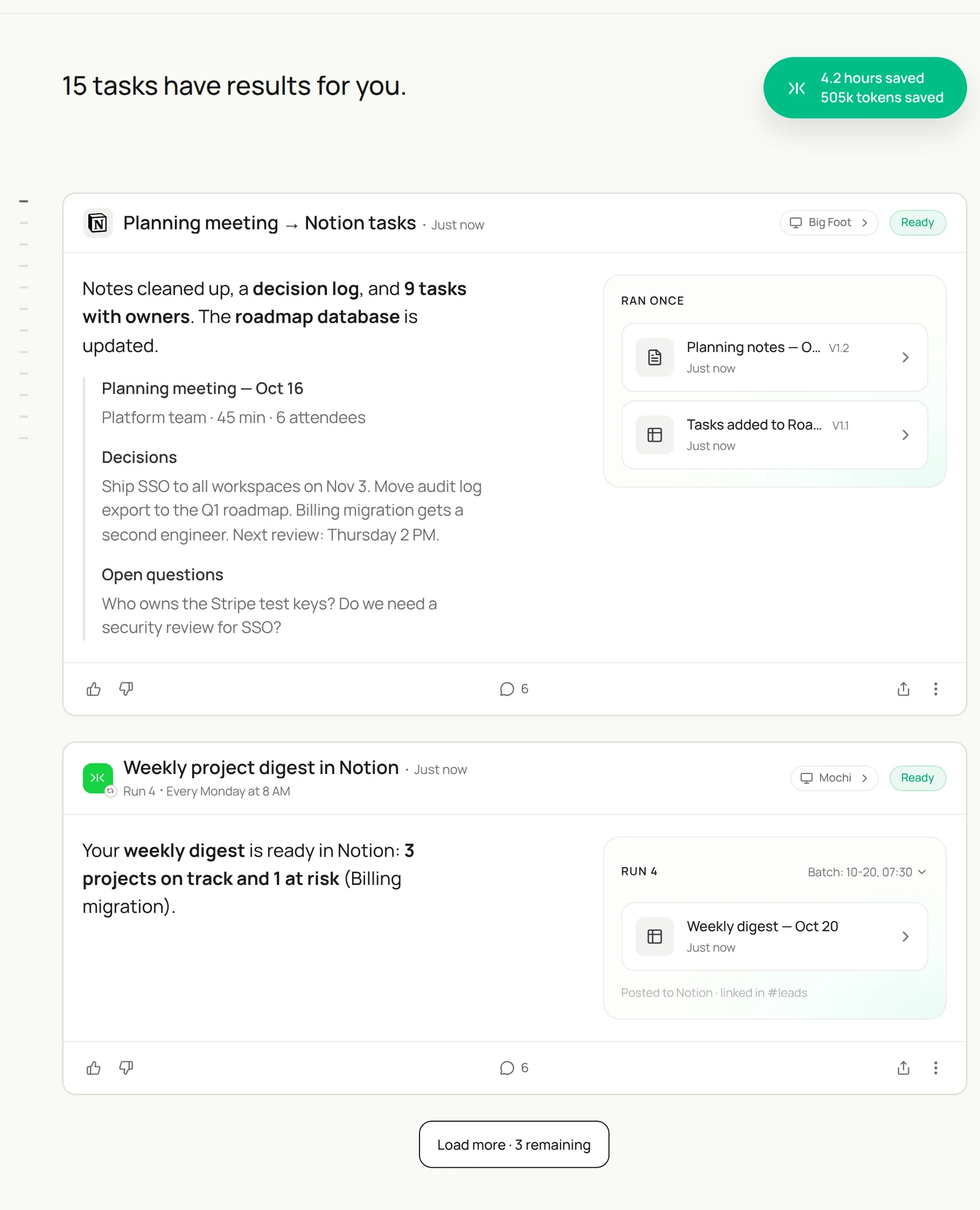
Read the notes from today’s planning meeting in Notion, add decisions to the Decision Log and action items to the Roadmap database with owners and due dates, and post a summary in #platform. Ask before assigning tasks to others.
- Planning meeting — Oct 16
- 4 decisions
- 9 tasks drafted with owners
- Posted
Meeting notes to tasks and decisions
Every decision written down, every action item owned.
After each meeting called Planning, Review or Sync on my calendar, read its notes page in Team > Meetings.
Add each decision to the Decision Log database with the date and a link to the notes.
Add each action item to the Roadmap database with owner and due date.
Post a five-line summary in the team's Slack channel. Ask me before assigning tasks to others.
Skill: Notion Workspace. Approval: Auto for the decision log, Manual for tasks.
Weekly project digest
One page every Monday that says what changed.
Every Monday at 8:00, create this week's digest page in Team > Digests.
For each project in the Roadmap database: status, what moved last week from Linear, risks, and next steps.
Link every ticket and page. Share the link in #leads.
Skill: Notion Workspace. Approval: Auto.
Recipes: sales and investing
For teams that run their pipeline in Notion databases.
Add today’s pitches from Gmail to the Deal Flow database with stage, round, sector, intro from and the deck link. For Ledgerline, marked Call booked, create a memo page from our template with the deck, founders’ backgrounds and open questions.
- 8 companies
- 8 rows
- Deck · model · cap table
- Memo: Ledgerline seed
Keep a Notion CRM current
Accounts that reflect the last conversation.
Every evening at 19:00, read today's emails with prospects and customers and today's meeting notes.
Update the matching row in the Accounts database: last touch, next step, stage and a one-line summary.
Add new companies as rows. Skip internal emails.
Skill: Notion Workspace. Approval: Auto. For a full CRM, see Sai × HubSpot or Sai × Salesforce.
Deal-flow database and first-call memos
Every pitch logged, every memo started from the data.
Every evening, read new pitch emails and intros in Gmail.
Add each company to the Deal Flow database with stage, round, sector, location, intro from and the deck link.
For companies I mark Call booked, create a memo page from our template with the deck, the founders' backgrounds and open questions, and cite every number.
Skill: Investment Thesis. Approval: Auto. See AI investment analyst.
Recipes: knowledge and wiki upkeep
A wiki people trust is one that someone keeps current.
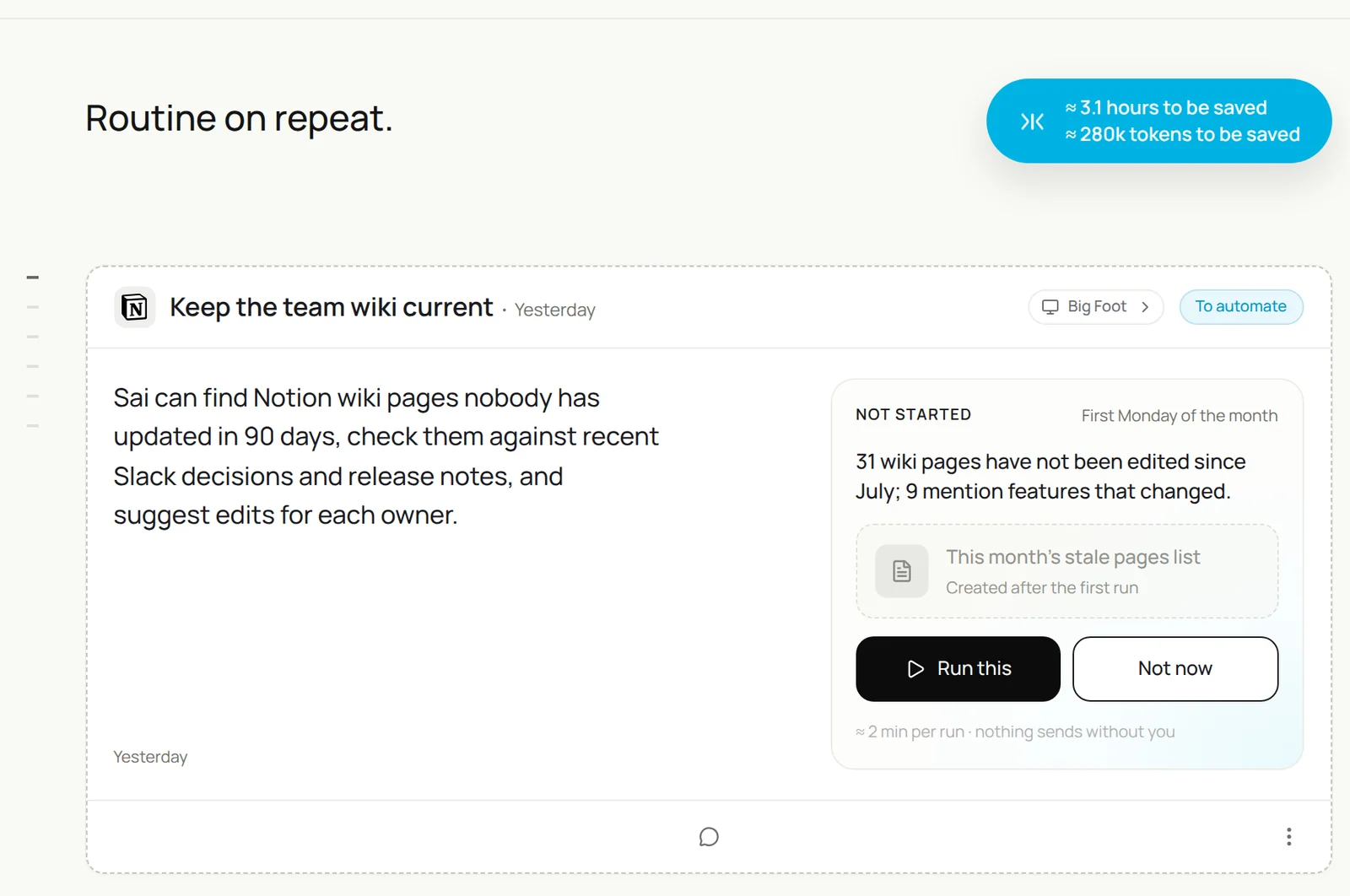
Find wiki pages not edited in 90 days, check them against Slack decisions, release notes and the Decision Log since then, draft the specific edits for pages that are out of date, and send each owner their list. Don’t edit or archive anything.
- 31 pages
- 3 months · 12 releases
- 9 out of date · 4 never opened
- 6 owners
Find and fix stale pages
The monthly sweep.
On the first Monday of the month, find wiki pages not edited in 90 days.
Check each against Slack decisions, release notes and the Decision Log from the same period.
For pages that are out of date, draft the specific edits and send each owner a list in Slack.
Propose archiving pages nobody has opened in 6 months. Do not edit or archive anything yourself.
Skill: Notion Workspace. Approval: Manual.
Release notes page
From merged tickets to a page customers can read.
When a release is tagged, list the Linear tickets in it.
Write a release notes page in Product > Releases: new, improved and fixed, in plain language, with links.
Ask me before sharing it outside the team.
Skill: Notion Workspace. Approval: Manual for sharing.
Where the results land
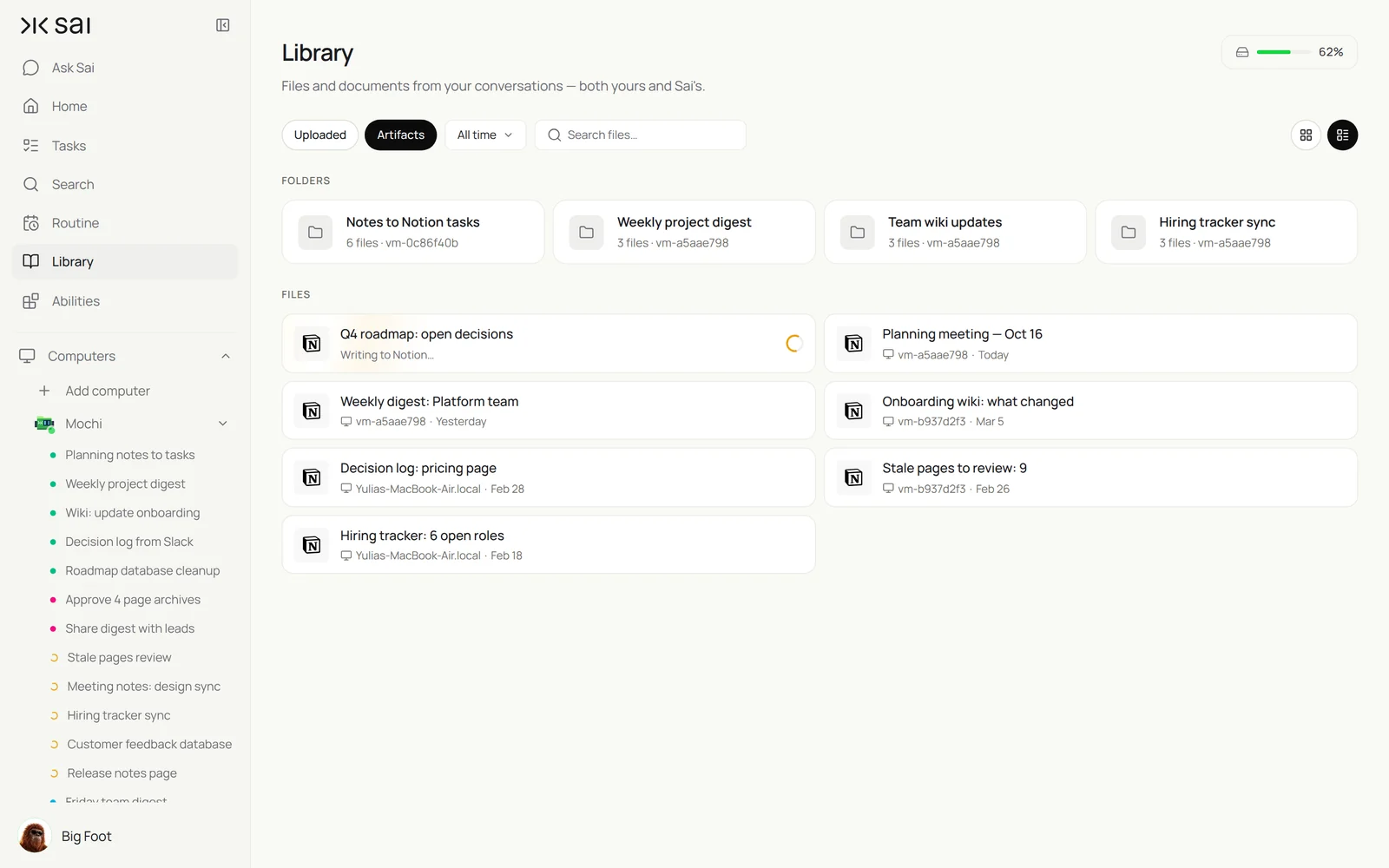
Everything Sai writes lands in your Notion workspace, in the pages and databases you named, with a link back to its sources. Summaries go to Slack, and Sai’s own copies of digests and memos are kept in its Library. To move tables out of Notion, see exporting Notion tables to Excel and embedding Google Sheets in Notion.
Notion automation ideas to start with
Ten automations teams set up in their first month, from simplest to most involved:
- When a task’s status changes to Done, post it in the team’s Slack channel (built-in automation).
- When a page is added to Meetings, set its date and attendees (built-in automation).
- After each meeting, add decisions to a decision log and action items to tasks (Sai).
- Every Monday, write a project digest page from the roadmap database and Linear (Sai).
- Sync ticket status from Linear or Jira into the roadmap database daily (Sai).
- Update a Notion CRM from today’s emails and meeting notes (Sai).
- Log pitch emails into a deal-flow database with stage and intro source (Sai).
- Write a release notes page from merged tickets (Sai).
- Find wiki pages untouched for 90 days and draft updates for their owners (Sai).
- Build a calendar view of deadlines from every project database and post a weekly summary (Sai).
Most of these take one task and one routine. Start with the meeting notes one; it saves time from the first meeting.
Example: one planning meeting, automated end to end
What happens after a 45-minute planning meeting when the meeting notes automation is on.
| Minute | What Sai does | Where it lands |
|---|---|---|
| +2 | Reads the notes page and the agenda | Team > Meetings |
| +4 | Logs 4 decisions with links back to the notes | Decision Log database |
| +6 | Drafts 9 tasks with owners and due dates | Roadmap database, waiting for approval |
| +8 | Posts a five-line summary | #platform in Slack |
| Monday | Includes the decisions in the weekly digest | Team > Digests |
Without the automation, this is usually 20 to 30 minutes of someone’s time after every meeting, when it happens at all.
Keep your Notion workspace safe
- Share only what Sai needs. The integration sees only the pages and databases you give it. Start small.
- No sharing or access changes. Sai never shares pages or changes permissions. Put that in the skill.
- Propose, don’t delete. Sai proposes archives and edits to others’ pages; owners decide.
- Cite sources. Digests and memos link every claim to the page, ticket or email it came from.
- Respect your plan’s settings. If your workspace restricts integrations, ask a workspace owner to approve the connection.
Why automate Notion with Sai
Why Sai is a good fit for Notion work.
- It works across your tools. Notion, Linear, Jira, Slack, Gmail and Calendar are steps in the same task.
- It understands the content. Sai reads notes and threads and knows a decision from a discussion and an action item from an idea.
- Your workspace map is a paragraph. Where things live and how databases work is in one skill.
- You stay in control. Auto for your own pages and databases, Manual for anything others own or see.
- It finishes the job. Sai ranks #1 on OSWorld for completing real work on a real computer.
Frequently asked questions
What are Notion automations?
Notion automations are rules that run in Notion databases when something changes, such as setting a property, adding a page or sending a Slack message. AI automations with an agent like Sai go further: they read notes and other tools and write pages, rows and digests for you.
Are Notion automations free?
Notion’s database automations are mostly part of paid Notion plans; check your plan’s limits. Sai can automate Notion through its integration, and you can build and test on Sai’s Free plan; routines usually need Pro at $50 a month.
Does Notion have automations?
Yes. Notion databases support built-in automations triggered by property changes or new pages. For work that needs reading and judgment across tools, such as meeting notes to tasks, use an AI agent alongside them.
Can Sai automate Notion?
Yes. Through the Notion integration Sai can read pages, add and update database rows, create pages and write digests, memos and release notes, on a schedule, and asks before sharing pages, editing others’ pages or archiving.
How does Sai connect to Notion?
Connect Notion in Abilities → Integrations and choose which teamspaces, pages and databases Sai can use. Sai sees nothing else.
Can Sai turn meeting notes into Notion tasks?
Yes. Sai reads the notes page, adds decisions to a decision log and action items to your tasks database with owners and due dates, and asks before assigning work to others.
Can Sai sync Linear or Jira with a Notion roadmap?
Yes. Sai reads ticket status from Linear or Jira and updates the matching rows in your Notion roadmap database, with links.
Can I use Notion as a CRM with Sai?
Yes. Sai keeps an accounts database current from emails and meeting notes. For larger teams, see Sai × HubSpot or Sai × Salesforce.
Can VCs use Notion with Sai for deal flow?
Yes. Sai logs pitches into a deal-flow database with stage, round and intro source, and writes first-call memo pages with sources.
Will Sai delete or share my pages?
No. In this setup Sai never shares pages or changes access, and proposes archives instead of deleting.
How much does it cost to automate Notion with Sai?
You can set up and test every workflow on the Free plan. Daily and weekly routines usually need Pro at $50 a month. See Plans, usage, and limits.
Related guides
Go deeper on the pieces used here.