
AI chief of staff: what it does for founders and how to set one up
An AI chief of staff is an agent that runs a founder’s operating cadence: the weekly KPI sheet, the Monday operating brief, investor and board updates, follow-ups from leadership meetings and the hiring tracker. Founders who spend most of Monday pulling numbers and chasing owners can get that down to reading one page. This guide explains what an AI chief of staff does, how it differs from an executive assistant, what it costs, and how to set one up with Sai step by step using Gmail, Google Calendar, Sheets, Slides, HubSpot and Slack. Every message to investors, the board or the team waits for your approval.
Tools: Gmail, Google Calendar, Google Sheets, Google Slides, HubSpot, Slack
TL;DR: the AI chief of staff you end up with
By the end of this guide you have an AI chief of staff that runs the operating cadence of a startup every week, so the founder walks into Monday knowing the numbers and leaves Friday with nothing dropped. Anything investors, the board or the team receive waits for you. It runs six routines:
- KPI sheet. Every Monday morning, fills last week’s numbers from Stripe, HubSpot, analytics and support emails.
- Monday operating brief. One page: numbers, what moved, decisions needed and this week’s priorities by team.
- Investor update. Monthly, drafts the update from the KPI sheet, wins, lowlights and asks.
- Board deck. Quarterly, fills your board template with metrics, plan versus actual and open decisions.
- Leadership follow-ups. After each leadership meeting, tracks decisions and owners and chases what is overdue.
- Hiring tracker. Keeps open roles, pipeline and interview load current for the founder.
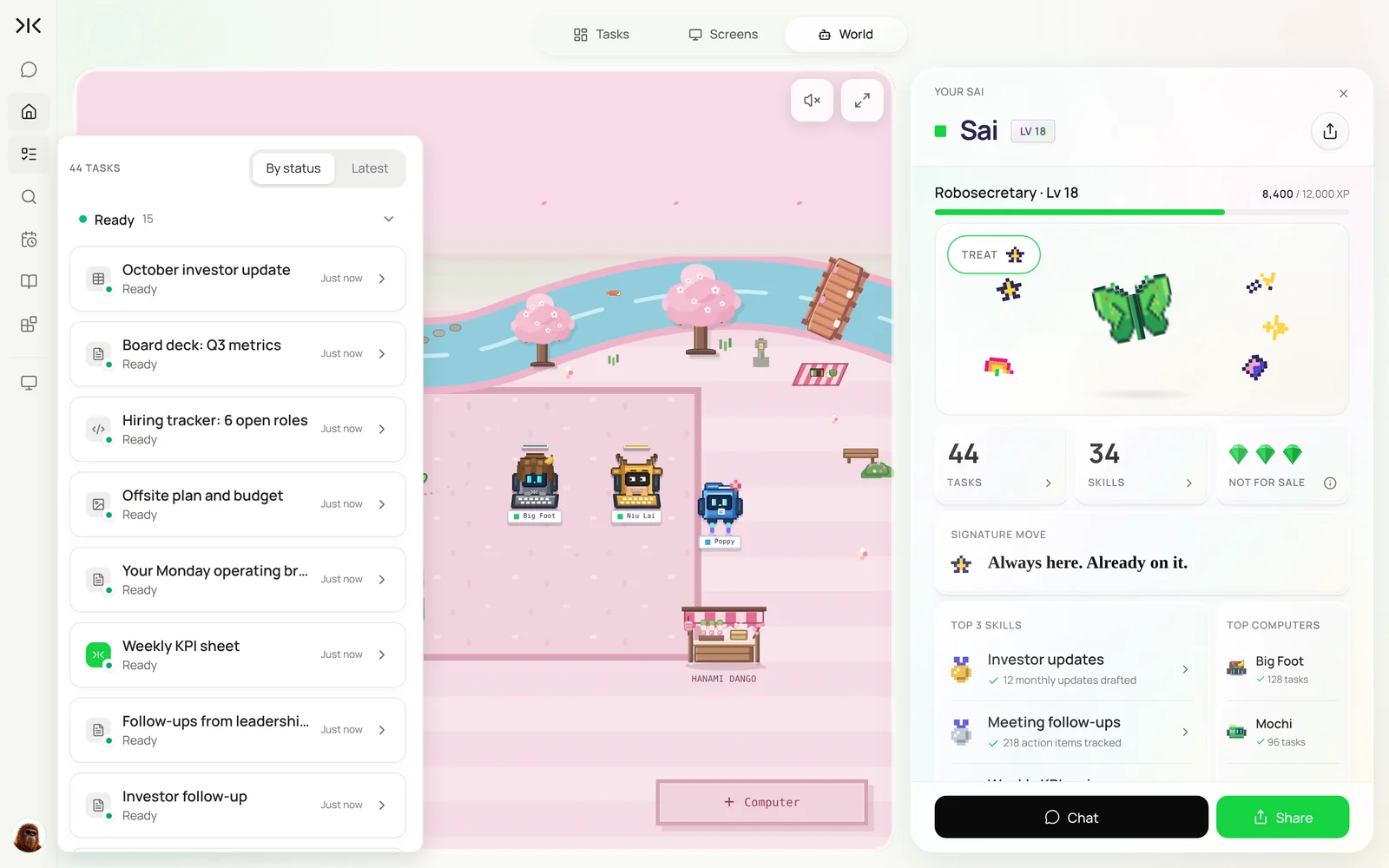
What is an AI chief of staff?
An AI chief of staff is an agent that runs the recurring operating work around a founder or CEO: collecting numbers, preparing briefs and updates, tracking decisions and following up. It does not set priorities or speak for the founder. It makes sure the information is ready and nothing falls through.
Sai fits because this work touches every tool in the company. It is different from an AI executive assistant, which manages one person’s inbox and calendar: a chief of staff works across the company’s numbers, meetings and people.
AI chief of staff vs. executive assistant vs. human chief of staff
The three roles overlap, but they cover different ground. Most founders start with the operating cadence, which is the part an agent does best.
| AI executive assistant | AI chief of staff | Human chief of staff | |
|---|---|---|---|
| Focus | One person’s inbox and calendar | The company’s operating rhythm | Strategy, people and execution |
| Typical work | Triage, scheduling, meeting briefs | KPI sheet, operating brief, investor updates, follow-ups | Priorities, hard conversations, special projects |
| Works across | Email, calendar, docs | Finance, CRM, analytics, docs, Slack | Everything, including people |
| Decisions | None | None; tracks and chases | Many, on the founder’s behalf |
| Cost | Free to build; Pro $50/mo | Free to build; Pro $50/mo | $150k–$250k a year |
For the inbox side, see the AI executive assistant guide and the best AI executive assistants.
What an AI chief of staff does each week
Start with the KPI sheet. Every other routine reads from it.
| Workflow | What Sai does | Cadence | Needs your approval |
|---|---|---|---|
| KPI sheet | Fills last week’s numbers with a source for each | Mondays 7:00 | No |
| Operating brief | Numbers, changes, decisions, priorities | Mondays 7:30 | No, it is for you |
| Investor update | Drafts from KPIs, wins, lowlights and asks | Monthly | Yes, before sending |
| Board deck | Fills the template, plan vs actual | Quarterly | Yes, before sharing |
| Leadership follow-ups | Tracks decisions and owners, chases overdue items | After each meeting | Yes, before chasing |
| Hiring tracker | Roles, pipeline and interview load | Weekly | No |
What you need before you start
- A Sai account. The Free plan includes one cloud computer for building and testing. A full weekly cadence works best on Pro. See Plans, usage, and limits.
- Connections. Gmail, Google Calendar, Drive, HubSpot and Slack in Abilities → Integrations. Stripe and your analytics tool signed in read-only on the cloud computer through Sai’s approval link.
- Your operating docs. The KPI sheet, investor update and board deck templates, and your list of investors.
- Meeting notes in one place, such as a Drive folder, so Sai can find decisions.
Step 1: Write your Operating Cadence skill
This skill tells Sai how your company runs: which numbers matter, where they come from and how you write to investors.
When to use it
Any task about company metrics, investor or board updates, leadership meetings or hiring.

Numbers (source of truth)
- MRR, new MRR, churn: Stripe. Pipeline and new deals: HubSpot.
- Activation and WAU: analytics weekly export. Tickets: support weekly email.
- Every number links to where it came from. If a source is missing, say so; never estimate.

Investor updates
- Highlights, lowlights, metrics table, asks. Under 400 words. Honest about misses.

Never
- Send anything to investors, the board or the whole team without my OK.
- Share financials outside the company or the board.
- Make commitments or decisions on my behalf.
Step 2: Fill the KPI sheet and write the Monday brief
The founder reads one page on Monday instead of opening seven dashboards.
Every Monday at 7:00, add last week's row to the KPI sheet:
MRR, new MRR, churn, pipeline created, deals won, activation, weekly active users, open tickets.
Link each number to its source. Then write my Monday operating brief:
the numbers with week-over-week change, three things that moved and why, decisions I need to make this week,
and each team's top priority from their Friday update in Slack.
It’s Monday. Add last week’s row to the KPI sheet from Stripe, HubSpot, analytics and the support email, link every number to its source, and write my Monday operating brief with what moved, decisions I need to make and each team’s priority.
- MRR $176K · WAU 4,210
- $420K created · 3 deals won
- 8 metrics with sources
- 5 teams
- 1 page
Related: building a SaaS metrics dashboard in Google Sheets.
Step 3: Draft the monthly investor update
Founders who send updates every month raise faster. Sai makes sure you never skip one.
On the first Monday of the month, draft the investor update in Gmail from my Operating Cadence skill:
highlights and lowlights from the KPI sheet and #wins, a metrics table with month-over-month change,
what we are focused on next month, and two specific asks.
Address it to the Investors list. Do not send.
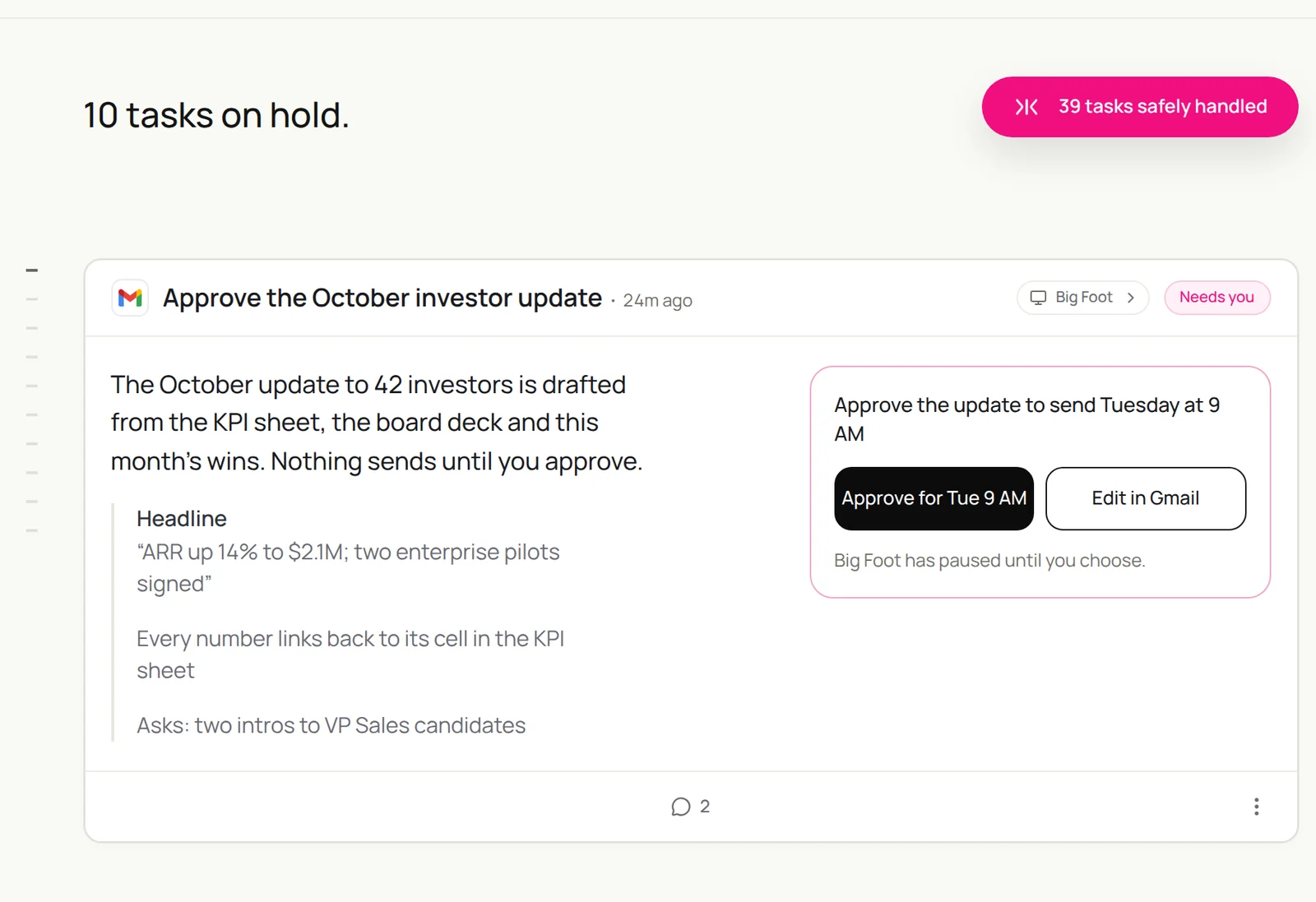
Draft the October investor update from my Operating Cadence skill: highlights and lowlights from the KPI sheet and #wins, a metrics table with month-over-month change, next month’s focus and two asks. Address it to the Investors list and don’t send.
- ARR $2.1M · +14% MoM
- 7 wins · 2 lowlights
- 382 words · 42 recipients
Step 4: Prepare the board deck
Board prep is where a chief of staff earns their keep. Sai does the first 80%.
The board meeting is on November 12. Copy last quarter's deck in Drive > Board and update it:
metrics for Q3 from the KPI sheet, plan vs actual with a one-line reason for each miss,
hiring against plan, cash and runway, and the three decisions we need from the board.
List anything you could not fill. Do not share the deck.
To keep plans and goals in one place, see building OKR spreadsheets in Google Sheets.
Step 5: Track leadership decisions and follow-ups
Most dropped balls are decisions nobody wrote down.
After each leadership meeting on my calendar, read the notes in Drive > Leadership.
Add each decision and action item to the Follow-ups sheet with owner and due date.
Every Thursday, list items that are overdue and draft a short Slack nudge to each owner. Show me before sending.
Step 6: Keep the hiring tracker current
Hiring is the founder’s biggest lever. Sai keeps the picture current without another meeting.
Every Friday, update the Hiring tracker sheet for each open role:
candidates by stage from our ATS, interviews scheduled next week and who is interviewing,
roles with no new candidates in 14 days, and offers out. Post a five-line summary to me in Slack.
For the recruiting side, see How to build an AI recruiter. For engineering and product status, see the AI project manager.
Step 7: Put your AI chief of staff on a schedule
Once each task runs well by hand, make it a routine:
| Routine | When it runs | What you do |
|---|---|---|
| KPI sheet and Monday brief | Mondays 7:00 | Read it |
| Investor update | First Monday of the month | Edit and approve |
| Board deck | Two weeks before each board meeting | Edit and present |
| Leadership follow-ups | After meetings, Thursdays | Approve nudges |
| Hiring tracker | Fridays | Read it |
How much does an AI chief of staff cost?
A human chief of staff at a startup typically costs $150,000 to $250,000 a year. An AI chief of staff covers a narrower slice, the recurring operating work, for far less. With Sai you can build and test every step on the Free plan, and a full weekly cadence usually needs Pro at $50 a month (see Plans, usage, and limits).
Many founders use both. The agent handles the cadence, and the person, when you hire one, starts on day one with clean numbers and a record of every decision.
When a founder needs an AI chief of staff
The signs it’s time:
- You rebuild the same KPI numbers from five tools every week.
- Investor updates slip because nobody owns them.
- Decisions from leadership meetings resurface weeks later, undone.
- Board prep takes days, and most of it is copying numbers.
- You’re about to hire a chief of staff and want the cadence running before they start.
Example: a founder’s week with an AI chief of staff
An illustrative week for a 25-person startup with Stripe, HubSpot and a weekly leadership meeting.
| When | What Sai has ready | What the founder does |
|---|---|---|
| Monday 7:00 | KPI sheet filled with sources; one-page operating brief | Reads it in 10 minutes |
| Monday 10:00 | Leadership agenda with last week’s open decisions | Runs the meeting |
| Monday 11:30 | Decisions and action items logged with owners | Approves the list |
| Thursday 9:00 | Overdue follow-ups with a nudge drafted to each owner | Approves nudges |
| Friday | Hiring tracker summary and next week’s priorities | Reads it |
| First Monday of the month | Investor update drafted with a metrics table | Edits and sends |
The founder’s time on operating reporting drops from most of a day to well under an hour a week.
Keep your AI chief of staff safe
- You speak for the company. Investor updates, board materials and team-wide messages wait for your approval.
- Read-only on money. Give Sai read-only access to Stripe and banking; it never changes billing, payouts or plans.
- Numbers need sources. Every metric links to its source, and missing data is called out rather than estimated.
- Keep confidential things confidential. Board materials and financials stay in restricted Drive folders. Tell Sai never to share outside the company.
- Decisions stay with people. Sai tracks decisions and chases owners; it does not make or change them.
Why build your AI chief of staff on Sai
- It works across the company’s tools. Stripe, HubSpot, analytics, Gmail, Slides and Slack in one task, the way a chief of staff would.
- It keeps the cadence. Routines run on Sai’s cloud computers, so the brief and the update are ready even in the weeks you are traveling.
- It learns how you write. The Operating Cadence skill holds your voice and your rules, and every edit can be saved back.
- It finishes the task. Sai ranks #1 on OSWorld for completing real work on a real computer.
Frequently asked questions
What does an AI chief of staff do?
An AI chief of staff keeps the operating cadence running: it fills the weekly KPI sheet, writes the Monday operating brief, drafts investor updates and the board deck, tracks leadership decisions and chases overdue follow-ups. The founder approves anything sent.
How much does an AI chief of staff cost?
With Sai you can build and test on the Free plan; a full weekly cadence usually needs Pro at $50 a month. A human chief of staff typically costs $150,000 to $250,000 a year and covers much more ground.
How do I build an AI chief of staff?
Write an Operating Cadence skill with your metrics, sources and rules, connect your tools, run each task once (KPI sheet, Monday brief, investor update, follow-ups), then turn them into routines. The steps above take about an hour to set up.
What is an AI chief of staff?
An AI chief of staff is an agent that runs a founder’s operating cadence: KPI tracking, weekly briefs, investor and board updates, decision follow-ups and hiring status. The founder sets priorities and approves anything sent.
How is an AI chief of staff different from an AI executive assistant?
An executive assistant manages one person’s inbox, calendar and meetings. A chief of staff works across the company: metrics, updates, leadership decisions and hiring.
Can Sai write my investor update?
Sai drafts it from your KPI sheet, wins and lowlights, with a metrics table and asks, and links every number to its source. You edit and send it.
Can Sai prepare a board deck?
Yes. Sai updates your last deck with this quarter’s metrics, plan versus actual and open decisions, and lists anything it could not fill.
Where does Sai get the numbers?
From the sources you name in the skill, such as Stripe, HubSpot and analytics exports, read-only. If a source is missing, Sai says so instead of estimating.
Will Sai send anything to investors without me?
No. In this setup every message to investors, the board or the whole team waits for your approval.
Is it safe to give Sai access to company financials?
Use read-only access, keep board and finance folders restricted, and put the never-share rule in the skill. Review the first few updates closely.
How much does it cost?
You can build and test every step on the Free plan. A full weekly cadence usually needs Pro at $50 a month. See Plans, usage, and limits.
Related guides
Keep building on the same pieces.
Skills that fit this role: accounts receivable automation, payroll automation and employee onboarding.
Routines for this role: the month-end close checklist and weekly bank reconciliation.