
AI recruiter: what it does, 6 workflows and how to build one
An AI recruiter is an agent that takes over the coordination half of hiring: sourcing candidates, screening applicants against a scorecard, drafting outreach, scheduling interviews and keeping the ATS current. For a team screening 200 applicants a role, that can turn two days of first-pass review into an hour of checking the agent’s shortlist. This guide explains what an AI recruiter does, how to use AI for recruiting fairly and legally, and how to build one with Sai step by step using LinkedIn, Greenhouse, Gmail and Google Calendar. Every message to a candidate and every hiring decision stays with you.
Tools: LinkedIn, Greenhouse, Gmail, Google Calendar, Google Sheets, Slack
TL;DR: the AI recruiter you end up with
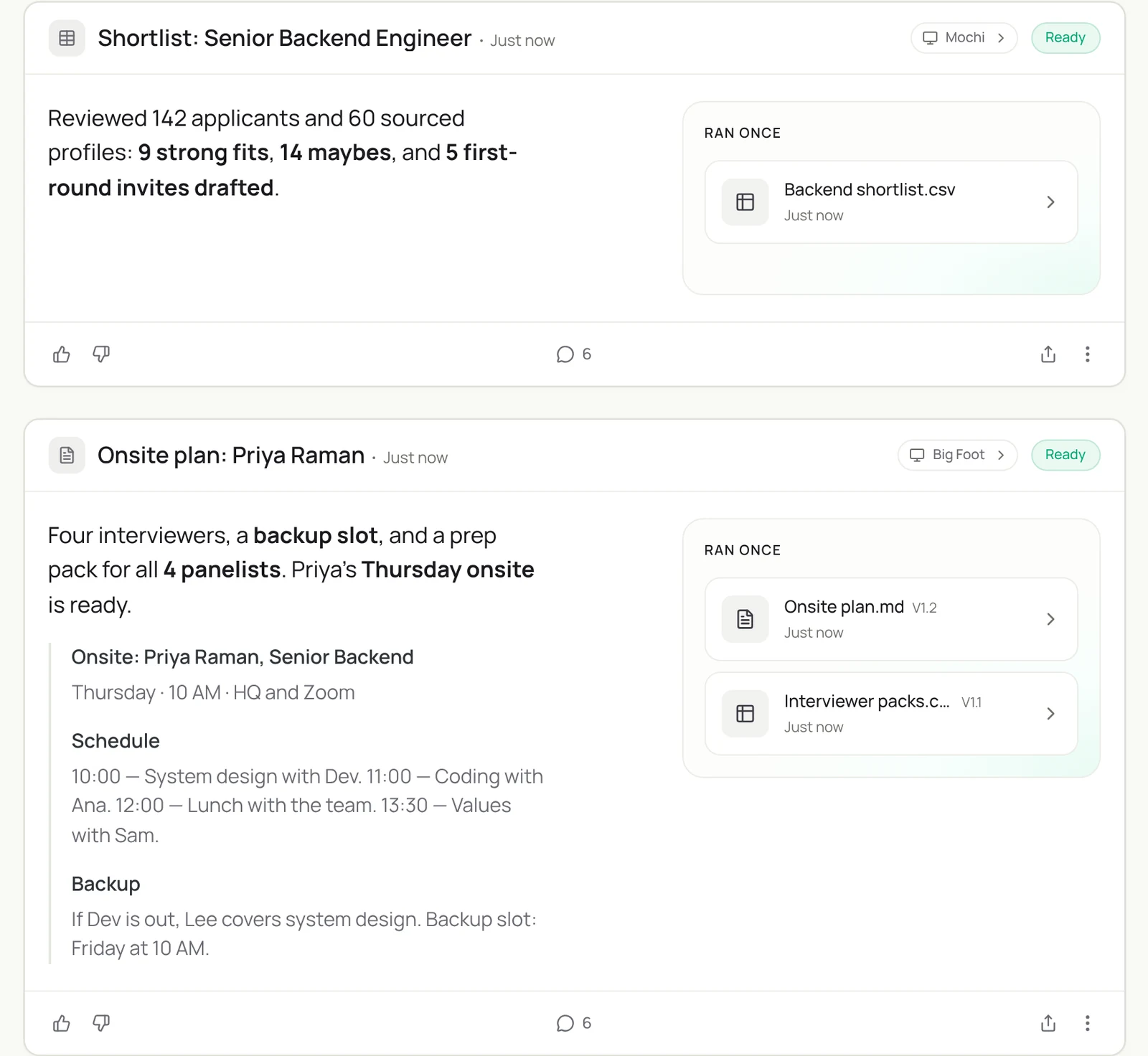
By the end of this guide you have an AI recruiter that keeps every open role moving, on its own cloud computer, while hiring decisions and candidate relationships stay with you and your team. It runs six routines:
- Sourcing. Every week per role, finds people on LinkedIn who meet the scorecard, builds a shortlist and drafts a personal first message.
- Applicant screening. Every morning, reads new applications in your ATS, summarizes each against the must-haves and sorts them for review.
- Candidate replies. Drafts answers to candidate emails, from logistics to take-home instructions, for you to send.
- Interview scheduling. Finds a slot that works for the whole panel, drafts the invite and prepares interviewer packs.
- Pipeline hygiene. Keeps stages, notes and feedback in the ATS current, and nudges interviewers who owe a scorecard.
- Weekly hiring report. Every Friday, posts each role’s funnel and blockers in Slack.
What is an AI recruiter?
An AI recruiter is software that handles the repetitive work around hiring: finding candidates, reading applications, writing outreach, coordinating calendars and keeping records up to date. It does not decide who gets hired. It gives recruiters and hiring managers more time for the conversations that do decide it.
Sai suits this work because hiring runs across tools that rarely talk to each other: LinkedIn, an ATS such as Greenhouse or Lever, email, calendars and a hiring channel. Sai works in all of them on its own computer, the way a recruiting coordinator would.
It is one of the AI employees you can run side by side, each on its own computer.
Where an AI recruiter fits
An AI recruiter works alongside your ATS and your recruiters. Here’s what changes for each part of the hiring loop.
| Job | By hand | ATS features | AI recruiter (Sai) |
|---|---|---|---|
| Sourcing | Search LinkedIn, copy profiles | Inbound only | Searches LinkedIn by your scorecard, logs matches with a reason |
| Screening | Read every application | Knockout questions | Scores against must-haves, explains each score, never rejects |
| Outreach | Write each message | Templates | Drafts a personal note per candidate for your approval |
| Scheduling | Email back and forth | Self-scheduling links | Finds panel slots across calendars, sends invites you approve |
| ATS hygiene | Updated when remembered | Manual stage moves | Logs every touch, flags stale candidates |
| Decisions | Hiring team | Hiring team | Still the hiring team |
Templates to start from: AI resume screening and a hiring pipeline before you have an ATS.
What an AI recruiter does: 6 workflows
Set up one workflow at a time, starting with the one that takes your team the most hours.
| Workflow | What Sai does | Cadence | Needs your approval |
|---|---|---|---|
| Sourcing | Searches LinkedIn, checks profiles against the scorecard, builds a shortlist, drafts messages | Weekly per role | Yes, before any message |
| Applicant screening | Summarizes new applicants against must-haves in the ATS | Daily 8:00 | No, a person decides |
| Candidate replies | Drafts answers to candidate emails | As they arrive | Yes, before sending |
| Interview scheduling | Finds panel slots, drafts invites, prepares interviewer packs | On request | Yes, before invites |
| Pipeline hygiene | Updates stages and notes, nudges missing scorecards | Daily 17:00 | No for notes, yes for nudges |
| Weekly hiring report | Posts funnel and blockers per role in Slack | Fridays 16:00 | No, it is a summary |
What you need before you start
- A Sai account. The Free plan includes one cloud computer, enough to build and test each step. See Plans, usage, and limits.
- A scorecard per role. Must-haves, nice-to-haves and deal-breakers, written the way you would brief a sourcer.
- Accounts Sai will use. LinkedIn (or LinkedIn Recruiter) and your ATS signed in on the cloud computer through Sai’s approval link. Gmail and Google Calendar connected in Abilities → Integrations.
- Two or three outreach messages that worked, so drafts sound like your team.
Step 1: Write your Hiring skill and connect Gmail
Your Hiring skill holds the scorecard, your voice and the rules. Then connect Gmail so Sai can read candidate replies and draft answers. Sai shows exactly what it can and cannot do with the account before you grant it.
When to use it
Any task about candidates, applicants, interviews or the ATS.

Senior Backend Engineer scorecard
Must-have: 5+ years backend, Go or Java, has run production Postgres.
Nice-to-have: payments or billing systems, on-call leadership.
Deal-breakers: none listed. Do not infer age, gender, ethnicity or other protected traits.

Outreach voice
Short and specific: one thing from their work, one line on the role, one question.

Rules
- Never reject, advance or message a candidate without my OK.
- Never send more than 25 first messages a day.
- Log every touch in Greenhouse.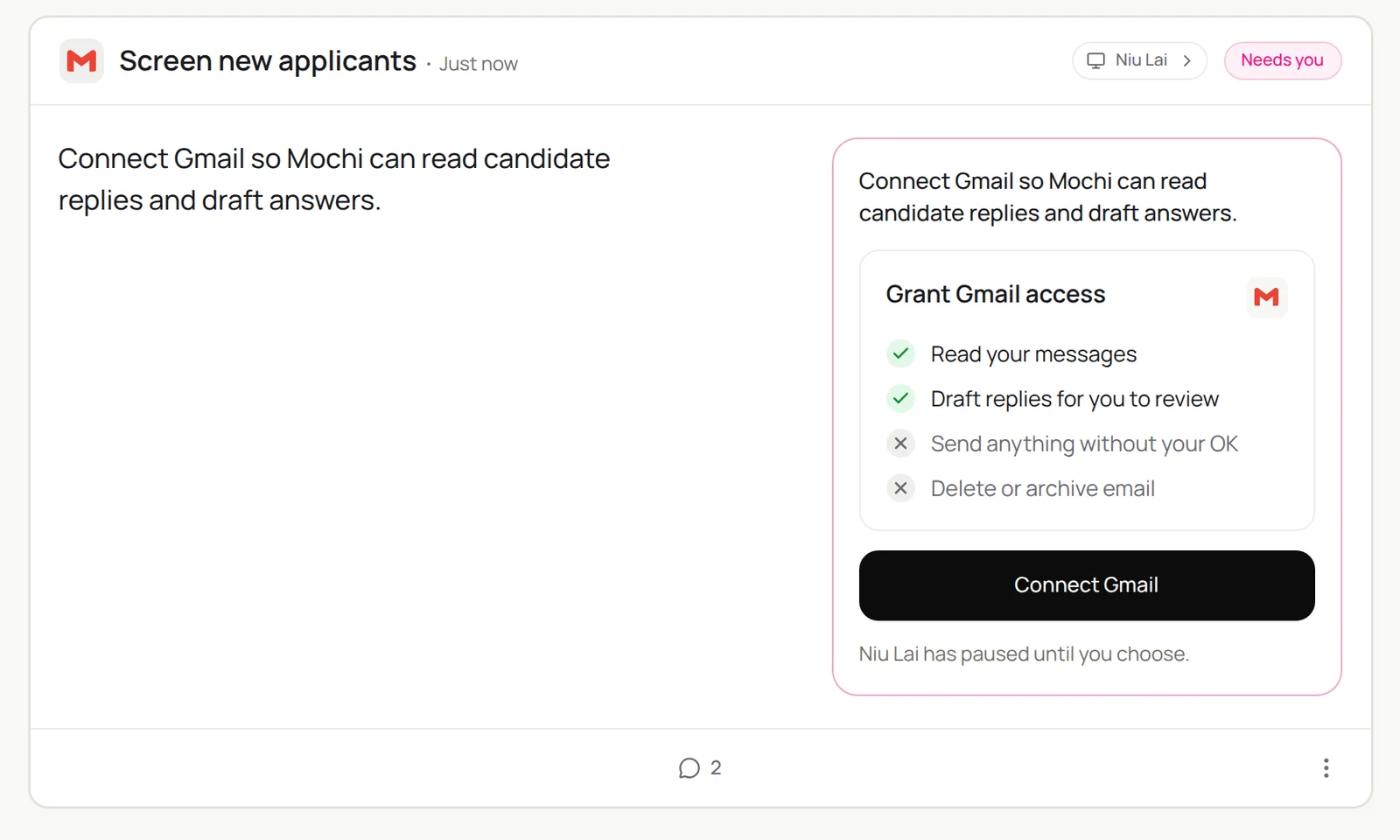
Step 2: Source candidates on LinkedIn
Sai runs the search, reads every profile against the scorecard and writes a reason for each person it keeps, so you review a shortlist instead of a search page.
Find 20 people on LinkedIn for the Senior Backend Engineer role using my Hiring skill.
Check every must-have on the profile. Skip current employees of our customers.
Add them to the Backend shortlist sheet with a one-line reason and the profile link.
Draft a short, personal first message for each in Gmail. Do not send.
We’re hiring a Senior Backend Engineer. Find 20 people on LinkedIn who match the scorecard in my Hiring skill, add them to the Backend shortlist sheet with a one-line reason, and draft a short, personal first message for each. Don’t send.
- 86 profiles in the first pages
- 20 match all must-haves
- 20 rows with reasons
- 20 drafts, each with a specific hook
Related: Sai × LinkedIn covers search, pacing and LinkedIn’s rules in more depth.
Step 3: Screen new applicants
Inbound applicants deserve a fast, fair first read. Sai summarizes each one against the same must-haves, and a person makes every decision.
Every weekday at 8:00, open new applications for Senior Backend Engineer in Greenhouse.
For each: a three-line summary against the must-haves, with evidence from the resume.
Sort into Meets all, Meets some, Unclear. Add the summary as a note in Greenhouse.
Do not reject or advance anyone.
Step 4: Answer candidates and schedule interviews
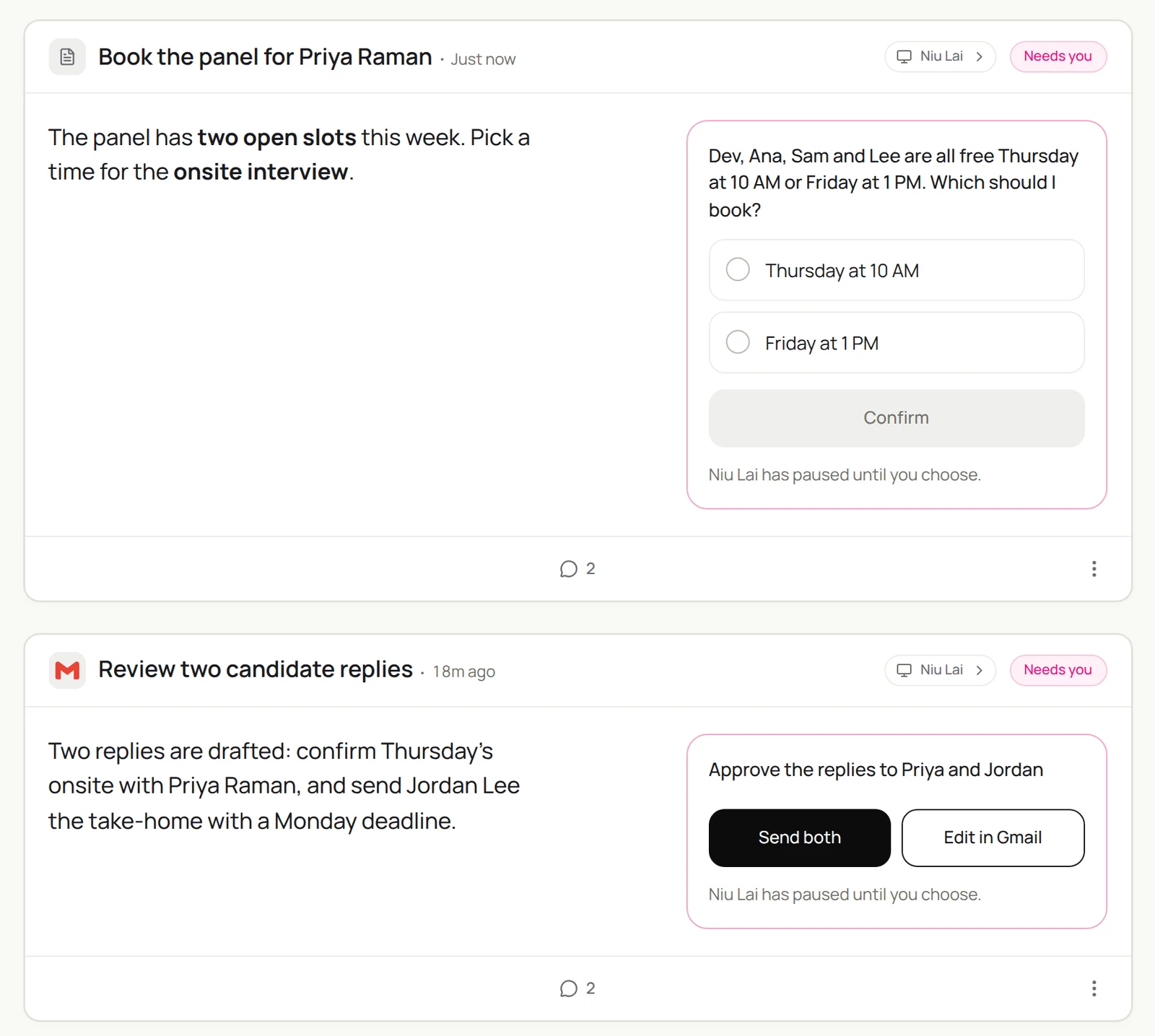
Scheduling is where hiring loses days. Sai reads the reply, checks the whole panel’s calendars, prepares the packs and brings you the choice.
Priya Raman accepted the onsite.
Find a 3.5-hour block next week when Dev, Ana, Sam and Lee are all free, outside focus time.
Draft the invite with the agenda, prepare an interviewer pack for each person
with her resume, the scorecard and their focus area, and post the plan in #hiring-backend.
Show me the options before sending anything.
Priya accepted the onsite. Find a 3.5-hour block next week when Dev, Ana, Sam and Lee are free, draft the invite with the agenda and the interviewer packs, and post the plan in #hiring-backend.
- Free Thursday or Friday next week
- 2 blocks where all 4 are free
- 4 packs with resume, scorecard and focus areas
- Plan posted, invite waiting for you
Step 5: Keep the ATS current
A clean pipeline makes every hiring meeting shorter.
Every weekday at 17:00, check every active candidate in Greenhouse.
Make sure the stage matches the latest email or calendar event.
Add missing notes from today's emails.
List interviewers who owe a scorecard for more than 24 hours and draft a friendly Slack nudge.
Step 6: Send a weekly hiring report
Give hiring managers the numbers without a meeting.
Every Friday at 16:00, post in #hiring a short report for each open role:
new applicants, screened, first interviews, onsites, offers, and time in each stage.
Name the one blocker per role, with what would unblock it.
Step 7: Put your AI recruiter on a schedule
Turn each task into a routine once it works by hand:
| Routine | When it runs | What you do |
|---|---|---|
| Sourcing | Tuesdays 9:00 per role | Review the shortlist, approve messages |
| Applicant screening | Weekdays 8:00 | Decide on each applicant |
| Pipeline hygiene | Weekdays 17:00 | Approve nudges |
| Weekly hiring report | Fridays 16:00 | Read it, unblock one thing |
See Routines for every setting.
How to use AI for recruiting, step by step
If you’re new to AI in recruiting, add it one stage at a time, in this order:
- 1. Scheduling first. It’s low risk and saves the most back-and-forth.
- 2. ATS hygiene. Logging and stale-candidate flags make every report accurate.
- 3. Sourcing. A weekly shortlist with reasons, which you review before any outreach.
- 4. Screening support. Scores with explanations that a person reads. The agent never rejects anyone.
- 5. Outreach drafts. Personal notes you approve, within daily limits.
Will AI replace recruiters?
No, but it changes what recruiters spend time on.
- AI takes: searching, logging, scheduling, first-pass summaries and reminders.
- Recruiters keep: judging fit, selling the role, managing hiring managers, offers and candidate experience.
- Rules require it: laws such as NYC Local Law 144 regulate automated employment decision tools. Keeping decisions with people, and documenting how scores are produced, keeps you on the right side of them.
What to look for in AI recruiting tools
Six checks before an AI recruiting tool touches candidate data.
| Check | Why it matters | How Sai handles it |
|---|---|---|
| No automated rejections | Decisions must stay human | Scores and explains; never rejects or advances on its own |
| Explains every score | Candidates and auditors may ask why | Each score cites the scorecard line and the evidence |
| Ignores protected traits | Bias and legal risk | The skill forbids inferring age, gender, ethnicity and similar traits |
| Works with your ATS | Your data stays in one place | Uses Greenhouse or Lever as a recruiter would |
| Respects LinkedIn limits | Accounts get restricted | Human-paced searches and capped daily outreach |
| You approve messages | Candidate experience is your brand | Every message waits for approval |
Example: one role, start to shortlist
An illustrative senior engineering role with 220 inbound applicants and a 4-person interview panel.
| Stage | By hand | With an AI recruiter | Who decides |
|---|---|---|---|
| Sourcing | 6 hours for 40 profiles | A weekly shortlist of 25 with reasons | Recruiter picks who to contact |
| Screening 220 applicants | 2 days of first-pass reading | Scores with evidence in about an hour of review | Recruiter and hiring manager |
| Outreach to 25 candidates | 3 hours | 25 personal drafts approved in 20 minutes | Recruiter approves each one |
| Scheduling 12 panel interviews | About 60 emails | Slots found across 4 calendars, invites approved | Recruiter |
| ATS updates | Weekly cleanup | Logged after every touch | Nobody: it’s automatic |
Nobody is rejected or advanced by the agent. Every decision column above stays with a person.
Keep your AI recruiter fair and safe
- People make hiring decisions. Sai summarizes and sorts. Rejecting, advancing and offering are always done by a person.
- Use job-related criteria only. Write must-haves as skills and experience, and tell Sai never to infer protected traits.
- Check the rules where you hire. Some places regulate automated tools in hiring, for example New York City’s Local Law 144 on automated employment decision tools. Ask your counsel how they apply to your process.
- Approve every candidate message. Keep outreach personal and at a human pace, within LinkedIn’s User Agreement.
- Keep candidate data where it belongs. Notes go in the ATS, not in personal docs, and Sai never shares resumes outside the hiring team.
Why build your AI recruiter on Sai
It works across the whole hiring stack. LinkedIn, your ATS, Gmail, calendars and Slack in one task, without integrations to maintain.
It writes like your team. The Hiring skill holds your voice and scorecards, and every edit you make can be saved back.
It gets cheaper as it repeats. With Code-Replay, the weekly sourcing run replays as code once it has worked.
It finishes the task. Sai ranks #1 on OSWorld, the public benchmark for agents completing real work on a real computer.
Frequently asked questions
Will AI replace recruiters?
No. AI takes over searching, logging, scheduling and first-pass summaries. Recruiters keep judging fit, selling the role, working with hiring managers and making offers, and rules like NYC Local Law 144 expect people to stay in the decision.
How do I use AI for recruiting?
Start with scheduling and ATS hygiene, then add sourcing shortlists, screening scores with explanations, and outreach drafts you approve. Keep every hiring decision with people.
What is an AI recruiting agent?
An AI recruiting agent is an AI recruiter that carries out recruiting tasks on its own, such as sourcing, screening support, scheduling and ATS updates, across the tools your team already uses, with people approving messages and decisions.
What is an AI recruiter?
An AI recruiter is software that handles the repetitive work of hiring: sourcing candidates, summarizing applicants, drafting outreach, scheduling interviews and keeping the ATS current. People still make every hiring decision.
Can Sai source candidates on LinkedIn?
Yes. Sai searches LinkedIn or LinkedIn Recruiter with your filters, checks each profile against your scorecard, builds a shortlist with reasons and drafts a personal first message for you to send.
Does Sai work with Greenhouse and Lever?
Yes. Sai uses your ATS in a browser on its own computer, signed in as you, so it can read applications, add notes and update stages without an integration.
Will Sai reject candidates automatically?
No. In this setup Sai summarizes and sorts applicants, and a person decides who moves forward or is rejected.
Can Sai schedule interviews with a whole panel?
Yes. Sai checks every interviewer’s calendar, proposes slots that work for everyone, drafts the invite and prepares interviewer packs, and sends the invite when you approve.
Is using an AI recruiter legal?
It depends on where you hire and how the tool is used. Some places, such as New York City, regulate automated tools that score candidates. Keep people in charge of decisions and check with your counsel.
How do I keep candidate outreach personal?
Put two or three messages that worked into your Hiring skill, ask Sai to reference something specific from each profile, and approve every message before it goes out.
How much does it cost?
You can build and test every step on the Free plan, which includes a daily allotment of computer time. Daily routines usually need Pro at $50 a month. See Plans, usage, and limits.
Related guides
Keep building on the same pieces.
Skills that fit this role: employee onboarding automation, payroll automation and AI PDF form filling.