
How to build an AI customer support agent with Sai
An AI customer support agent triages the support queue, answers routine questions from your help center, looks up orders and accounts, and hands refunds, complaints and anything sensitive to a person. This guide builds one with Sai, step by step, using Zendesk or a shared Gmail inbox, your help center, Shopify or your admin tools, and Slack, with every refund and every reply you choose to review waiting for approval.
Tools: Zendesk, Gmail, Shopify, Slack, Google Sheets, Notion
TL;DR: the AI customer support agent you end up with
By the end of this guide you have an AI customer support agent that works the queue all day on its own cloud computers: it sorts every ticket, answers the routine ones from your help center, and gets the hard ones to the right person fast. Refunds, angry customers and anything about money or data stay with people. It runs six routines:
- Triage. Every 15 minutes, tags new tickets by topic and urgency, merges duplicates and routes them to the right queue.
- Routine answers. Drafts replies to how-to, order-status and account questions from your help center and order data.
- Escalation. Sends outages, security reports and VIP customers to #support-urgent with a summary, within minutes.
- Refunds and exceptions. Prepares the refund or credit with the policy that applies, and waits for a person.
- Help center gaps. Every Monday, lists questions the help center does not answer and drafts an article for each.
- Weekly report. Ticket volume, first-reply time, top topics and the bugs customers hit most.
What is an AI customer support agent?
An AI customer support agent is software that handles the repetitive part of customer support: reading and sorting tickets, answering common questions from approved content, looking up orders and accounts, and routing everything else to a person with the context already gathered. It is different from a chatbot on your website: it works inside your support tools, behind your team, and your team decides how much of its work goes out without review.
Sai fits because support work crosses tools. One ticket can need the help center, the order in Shopify, the carrier’s tracking page and the customer’s history in your CRM. Sai works through all of them on its own computer, the way a support rep would. For the account side after the sale, see the AI customer success manager.
What your AI customer support agent will do
Start with triage and routine answers. They save the most time in the first week.
| Workflow | What Sai does | Cadence | Needs your approval |
|---|---|---|---|
| Triage | Tags topic and urgency, merges duplicates, routes | Every 15 minutes | No |
| Routine answers | Drafts replies from the help center and order data | Every 15 minutes | Yes at first, then Auto for safe topics |
| Escalation | Posts urgent tickets to Slack with a summary | As they arrive | No |
| Refunds and exceptions | Prepares the refund or credit with the policy | As they arrive | Always |
| Help center gaps | Lists unanswered questions, drafts articles | Mondays 9:00 | Yes, before publishing |
| Weekly report | Volume, first-reply time, topics, top bugs | Fridays 16:00 | No |
What you need before you start
- A Sai account. The Free plan includes one cloud computer, enough to build and test each step. A queue that runs all day works best on Pro. See Plans, usage, and limits.
- Your support tool. Zendesk, or a shared support inbox in Gmail. Give Sai its own agent seat, signed in on the cloud computer through Sai’s approval link, rather than sharing someone’s login.
- Your help center and saved replies (macros). Sai answers from these, so they are the source of truth.
- Order and account lookup. Shopify or your admin tool, read-only. See Sai × Shopify for stores.
Step 1: Write your Support Playbook skill
This skill decides what Sai may answer on its own and what always goes to a person.
When to use it
Any task that reads or answers support tickets or the support inbox.

Voice
- Warm, short, first name. Say sorry once, then fix it. Sign off as "Sam, Customer Support".

Answer on your own (after I turn on Auto)
- How-to questions answered by a help center article. Link the article.
- Order status, with the tracking link.

Always a person
- Refunds, credits, discounts, chargebacks.
- Anyone angry, threatening to cancel, or asking twice.
- Security, privacy, legal or data deletion requests.

Escalate to #support-urgent within 5 minutes
- Outages, payment failures for many customers, VIP accounts (list in the VIPs sheet).

Never
- Promise a date for a fix or a feature.
- Guess. If the help center does not cover it, hand it to a person.
Step 2: Triage every new ticket
Good triage is half of support. Sai reads every ticket the moment it arrives.
Every 15 minutes, read new tickets in Zendesk.
Tag each with topic (shipping, billing, bug, how-to, account) and urgency, using my Support Playbook skill.
Merge duplicates from the same customer. Route billing to the Billing view and bugs to the Bugs view.
Post anything urgent to #support-urgent with a two-line summary and the ticket link.
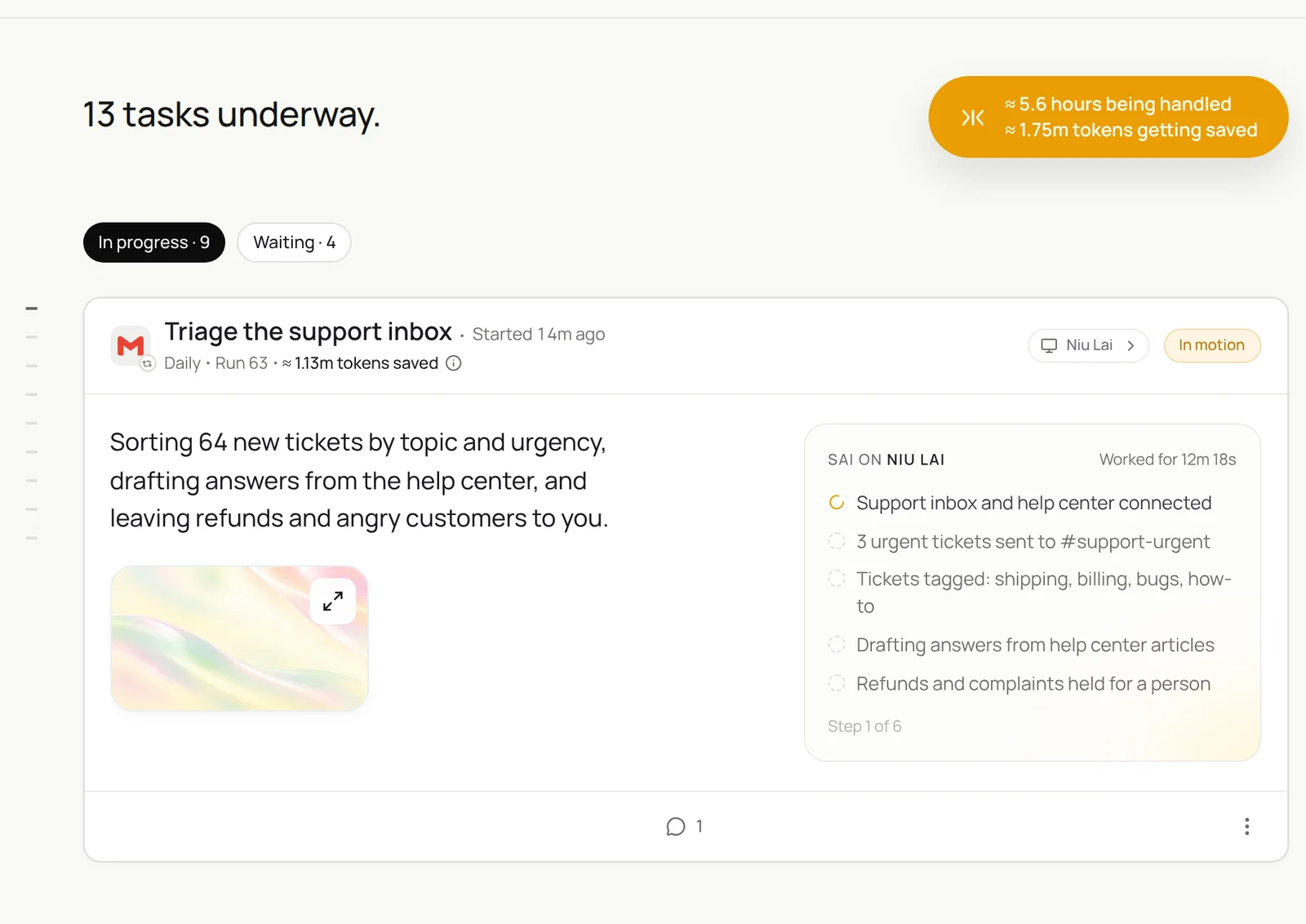
Read new tickets in Zendesk, tag topic and urgency with my Support Playbook skill, merge duplicates, draft answers from the help center for how-to and shipping questions, and post anything urgent to #support-urgent.
- 64 new tickets
- 5 merged · 11 to Billing · 9 to Bugs
- 22 orders checked
- 31 drafts with article links
- 3 posted to #support-urgent
Related: syncing Zendesk tickets to Google Sheets.
Step 3: Draft routine answers from the help center
Sai drafts. You review until the drafts are consistently right, then let safe topics run on Auto.
For each new ticket tagged how-to or shipping:
- Find the help center article that answers it and draft a reply that links it.
- For order questions, look up the order in Shopify and check tracking on the carrier's site.
- If no article answers it, do not draft; tag it needs-human and add the question to the Gaps sheet.
Hold every draft for review.
After a week, turn on Auto for order-status and how-to replies only. Keep everything else on Manual.
Step 4: Hand refunds and hard cases to people, with context
The goal is not fewer people on hard tickets. It is people who start with everything they need.
For tickets about refunds, credits, complaints or cancellations:
- Summarize the issue in three lines and the customer's history: orders, past tickets, plan.
- Prepare the refund or credit the policy allows, with the policy line quoted.
- Assign to the on-call agent and wait. Never issue a refund yourself.
Step 5: Close the help center gaps
Every question answered by hand twice is an article you are missing.
Every Monday at 9:00, read last week's tickets tagged needs-human and the Gaps sheet.
Group questions that came up three or more times.
For each group, draft a help center article in our template with steps and screenshots to capture.
Put drafts in Notion > Help center drafts for review. Do not publish.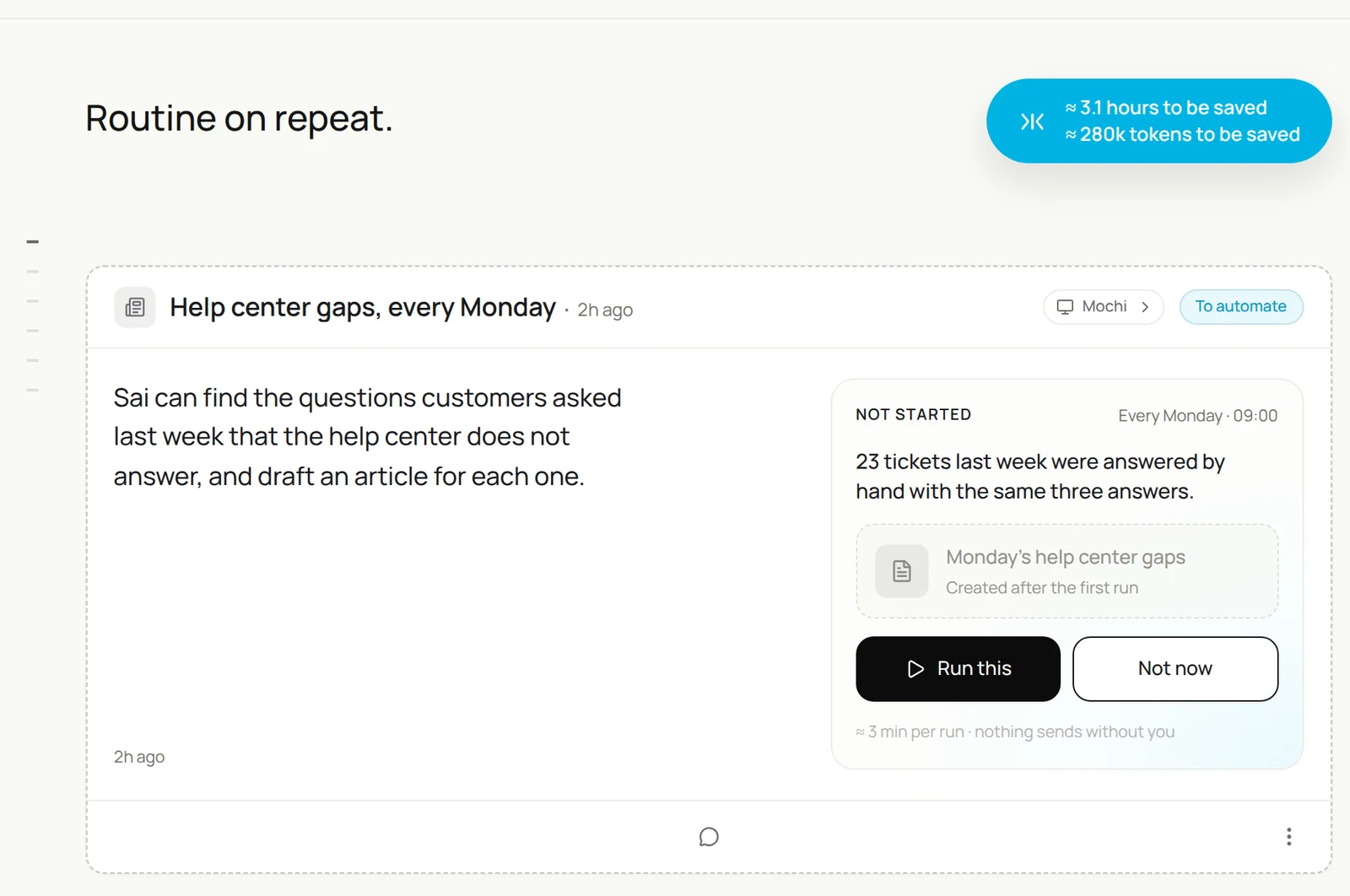
Step 6: Send the weekly support report
One message that shows what customers needed this week and where the product hurt.
Every Friday at 16:00, from this week's tickets:
volume by topic, median first-reply and resolution time, share answered from the help center,
the five bugs customers reported most with ticket counts and links,
and three quotes worth reading. Post in #support and add a row to the Support Report sheet.
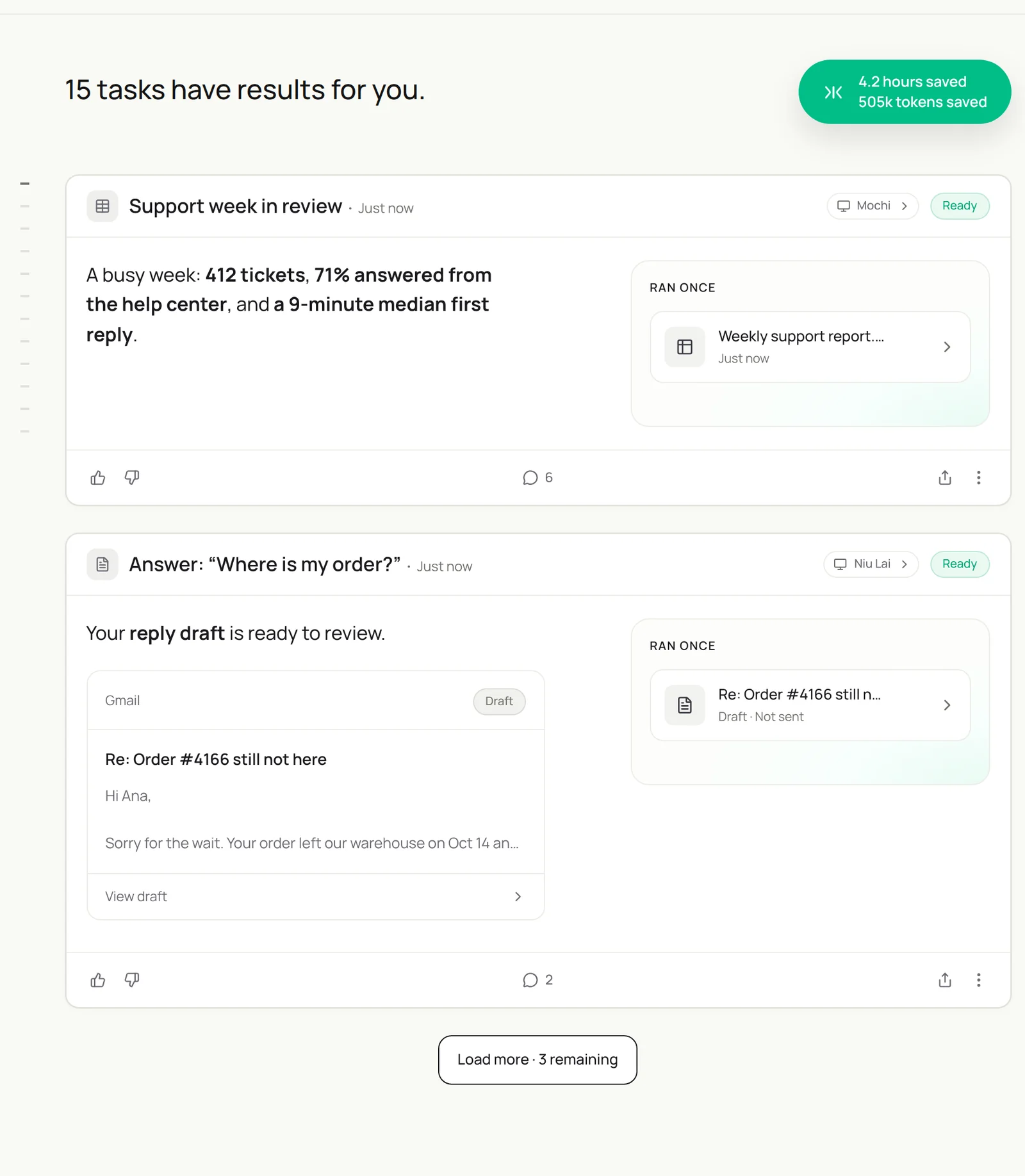
Write this week’s support report from Zendesk: volume by topic, median first-reply and resolution time, share answered from the help center, the top five bugs with ticket counts, and three quotes. Post it in #support.
- 412 tickets
- 9 min median first reply · 71% from help center
- Report posted
Product teams can turn the top bugs into tickets. See the AI project manager.
Step 7: Put your AI customer support agent on a schedule
Once each task runs well by hand, make it a routine:
| Routine | When it runs | What you do |
|---|---|---|
| Triage and escalation | Every 15 minutes | Pick up urgent tickets |
| Routine answers | Every 15 minutes | Review drafts, then Auto for safe topics |
| Refunds and exceptions | As they arrive | Decide and approve |
| Help center gaps | Mondays 9:00 | Edit and publish articles |
| Weekly report | Fridays 16:00 | Share with product |
Turn on Code-Replay for triage, which repeats the same steps on every run. See Routines.
Keep your AI customer support agent safe
- Money and judgment stay human. Refunds, credits, cancellations and angry customers always go to a person. Put that in the skill.
- Answer only from approved content. Sai replies from your help center and order data, and hands over anything it cannot cite.
- Its own seat. Give Sai a named agent seat in your support tool, so every action is attributed and can be audited.
- Be honest with customers. If your policy or local rules require it, say that replies may be drafted with AI help.
- Protect customer data. Read-only access to orders and accounts, and never paste customer data into tools your contracts do not cover.
Why build your AI customer support agent on Sai
- It works across your support stack. Ticket, help center, order, carrier and CRM in one task, with no integration to build for each.
- It hands over well. Hard tickets arrive with a summary, the customer’s history and the policy that applies.
- It gets cheaper as it repeats. With Code-Replay, triage replays as code instead of reasoning through every step again.
- It finishes the task. Sai ranks #1 on OSWorld for completing real work on a real computer. For the bigger picture, see customer care automation with AI.
Frequently asked questions
What is an AI customer support agent?
An AI customer support agent is software that triages tickets, answers routine questions from approved content, looks up orders and accounts, and routes hard cases to people with context. People handle refunds, complaints and sensitive requests.
Can Sai work in Zendesk?
Yes. Sai uses Zendesk in a browser on its own cloud computer with its own agent seat, so it can tag, merge, route and draft replies the way an agent would.
Will Sai reply to customers on its own?
Only for the topics you allow. Start with every reply on Manual, then turn on Auto for safe topics such as order status and how-to questions once the drafts are consistently right.
Can Sai issue refunds?
No. In this setup Sai prepares the refund or credit with the policy that applies and waits for a person to approve it.
How does Sai know the right answer?
From your help center and saved replies. If no article answers the question, Sai hands the ticket to a person and adds the question to a gaps list.
How is this different from a support chatbot?
A chatbot talks to customers on your site. Sai works behind your team, in your support tools, with access to orders, accounts and the help center, and your team decides what goes out.
Can Sai find gaps in our help center?
Yes. Every week Sai groups questions answered by hand, and drafts a help center article for each group for your review.
How much does it cost?
You can build and test every step on the Free plan. A queue that runs all day usually needs Pro at $50 a month. See Plans, usage, and limits.
Related guides
Keep building on the same pieces.
Skills that fit this role: insurance eligibility verification and order entry automation.