
How to build an AI research analyst with Sai
An AI research analyst gathers sources, reads them, and turns them into briefs, market maps and reports you can check line by line. This guide builds one with Sai, step by step, across the web, Google Docs, Sheets and Slides, with every fact linked to its source and the scope confirmed with you before deep work starts.
Tools: Google Chrome, Google Docs, Google Sheets, LinkedIn, Notion
TL;DR: the AI research analyst you end up with
By the end of this guide you have an AI research analyst that does the legwork of research on its own cloud computer and shows you its sources. It runs five routines:
- Company one-pagers. A cited brief on any company before a call or a meeting.
- Market maps. A sheet of every company in a space, by segment and stage, with a source for every row.
- Competitor watch. A Monday summary of what competitors shipped, priced and announced.
- News and funding scan. A daily digest of the news in your sector.
- Reports and slides. Findings turned into a cited memo and a short deck.
What is an AI research analyst?
An AI research analyst is software that performs the collection and synthesis work of a human analyst: finding sources, reading websites, filings and news, extracting facts into a consistent structure, and writing summaries with citations. A person sets the question, checks the sources and draws the conclusions.
What separates a research analyst from a chat answer is the paper trail. Every number has a link, unverified claims are marked, and the output lands in the formats your team already uses: a doc, a sheet, a deck.
What your AI research analyst will do
These are the six workflows this guide sets up. Each starts as a one-off task and becomes a routine or a reusable skill.
| Workflow | What Sai does | Cadence | Needs your input |
|---|---|---|---|
| Company one-pager | Reads the site, funding, leadership and news, writes a cited brief | Before calls | No |
| Market map | Finds companies in a space and fills a sheet with sources | Monthly refresh | Yes, confirm the scope |
| Competitor watch | Reads competitor sites, pricing pages and changelogs | Weekly | No |
| News and funding scan | Collects sector news and funding announcements | Daily | No |
| Research memo | Writes a cited memo from a question and a source list | On request | Yes, confirm the outline |
| Slides | Turns a memo into a short deck | On request | No |
What you need before you start
- A Sai account. The Free plan is enough to build and test each step. Long research runs and daily monitoring work best on Pro. See Plans, usage, and limits.
- Your research standards. Which sources you trust, which you never use, and how you want citations formatted.
- A Drive folder for briefs, maps and memos, and any paid sources you are allowed to use, signed in on the cloud computer.
- A clear question. Research tasks go wrong when the scope is vague; the guide shows how to make Sai confirm it.
Step 1: Write your research standards as a skill
Your standards decide whether you can trust the output. Write them once in Abilities → Skills.
Name: research-standards

Sources
- Prefer primary sources: company sites, filings, press releases, official statistics.
- News: established outlets and trade press. Never use content farms or AI-generated summaries as a source.
- Funding: company announcements first, then databases we subscribe to.

Citations
- Every fact gets an inline link to the page it came from.
- If two sources disagree, show both and say which you trust and why.
- Mark anything you could not verify as (unverified).

Output
- Lead with the answer in three lines. Then the detail.
- Numbers with units and dates. No adjectives where a number will do.

Rules
- Before a task longer than 30 minutes, confirm the scope with me.
- Never email or message anyone without my approval.
More on skills in Skills.
Step 2: Write a cited company one-pager
The fastest win: a brief on any company, ready before a call. Sai reads the company site, funding history, leadership and a year of news, and writes one page where every fact links to its source.
Write a one-page brief on Acme Freight before my 3:00 PM call:
- What they do, who they sell to, size and locations.
- Funding history and investors.
- Leadership, and anyone who joined or left this year.
- News from the last 12 months that matters for a partnership.
- Three good questions to ask.
Follow my research-standards skill. Save it to Drive > Research > Companies.
Write a one-page brief on Acme Freight before my call: what they do, size, funding, leadership, recent news and three good questions to ask. Cite every fact.
- Read 9 pages
- Found 3 funding rounds
- 5 executives, 2 new this year
- 11 articles, 4 relevant
- 1-page brief, 14 citations
Running this before every call? Save it as a skill or attach it to your calendar, as in the AI executive assistant guide. The web research brief use case shows the same pattern from the API.
Step 3: Build a market map with sources
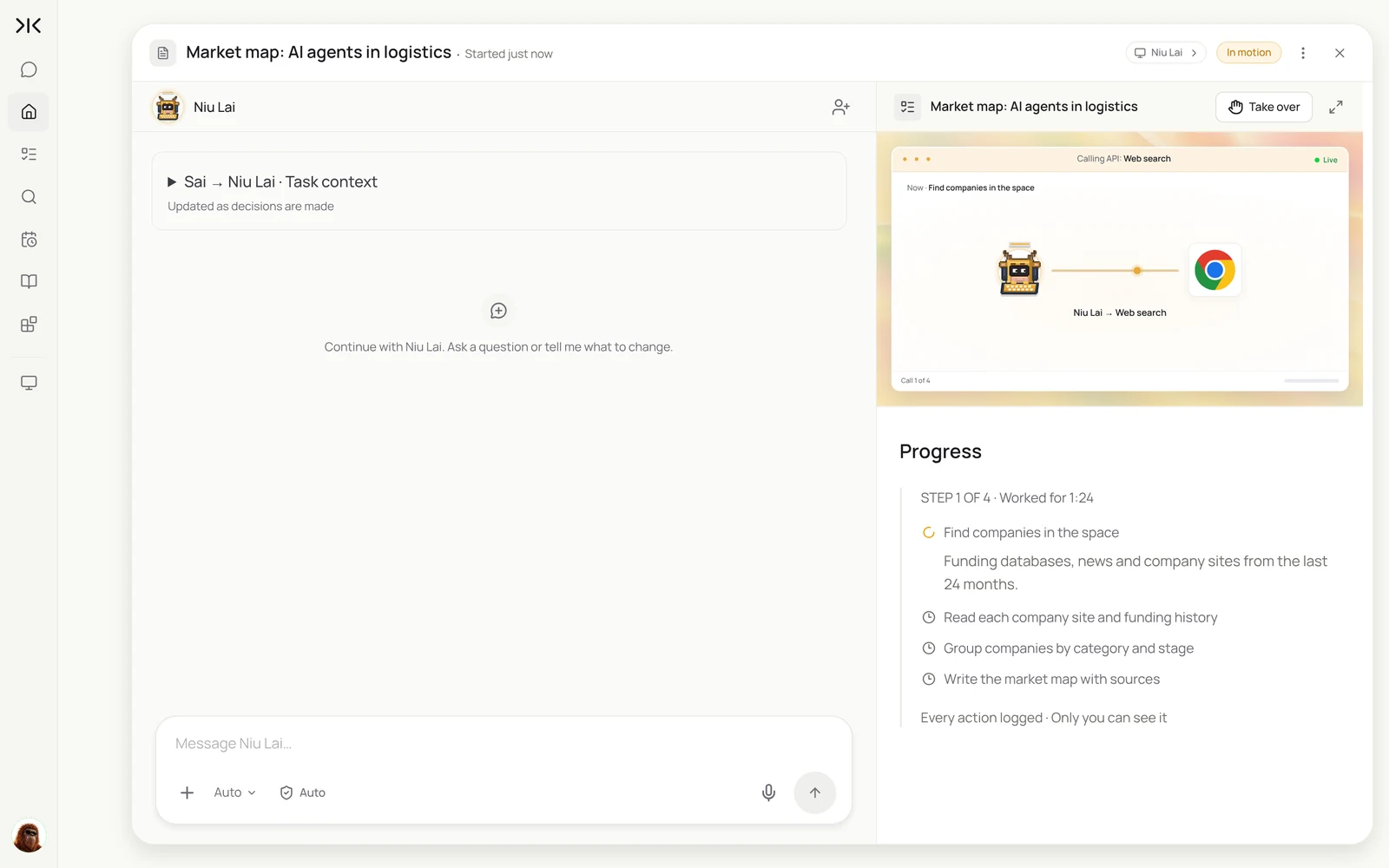
Market maps take days by hand and go stale in weeks. Sai finds the companies, confirms the segments with you, then reads each one and fills a sheet with a source for every number.
Build a market map of AI agent startups in logistics in a new Google Sheet.
First, list the segments you find and ask me which to cover.
Then for each company: name, segment, founded, stage, total funding, lead investors,
one-line description and a source link for each number.
Add a summary tab with 5 takeaways. Follow my research-standards skill.
Build a market map of AI agent startups in logistics: company, segment, stage, total funding, investors and one-line description, with a source link for every row.
- 64 candidate companies
- Scope confirmed by you · 3 segments
- Read 41 companies
- 41 rows with sources
- Summary with 5 takeaways
Step 4: Confirm the scope before deep work
The most expensive research mistake is answering the wrong question well. Your skill tells Sai to stop and confirm the scope before long tasks; you answer with a click.
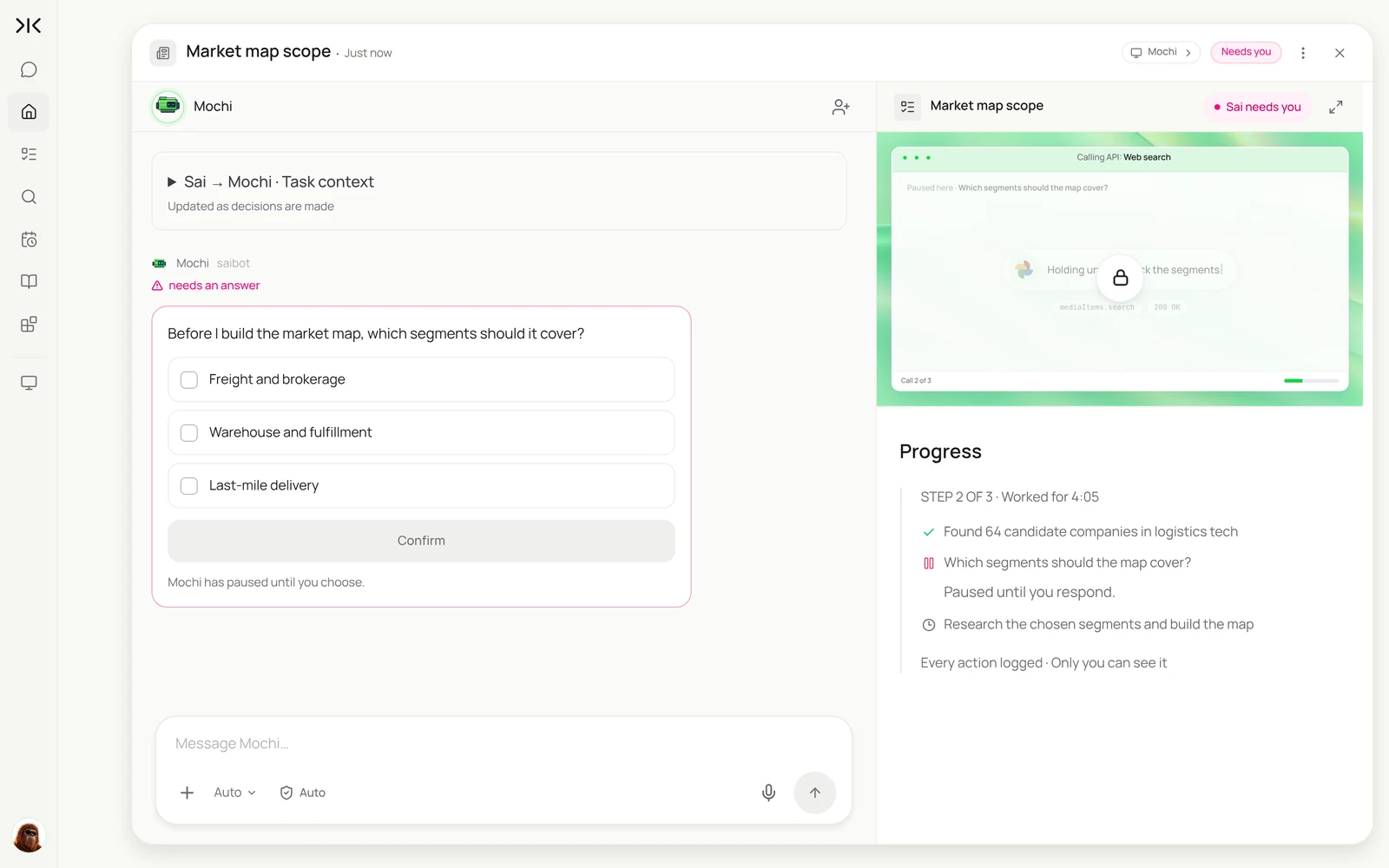
The same pause works for any research memo: ask Sai to propose an outline and the source list first, approve or edit it, and only then let it write.
Step 5: Watch competitors and your sector
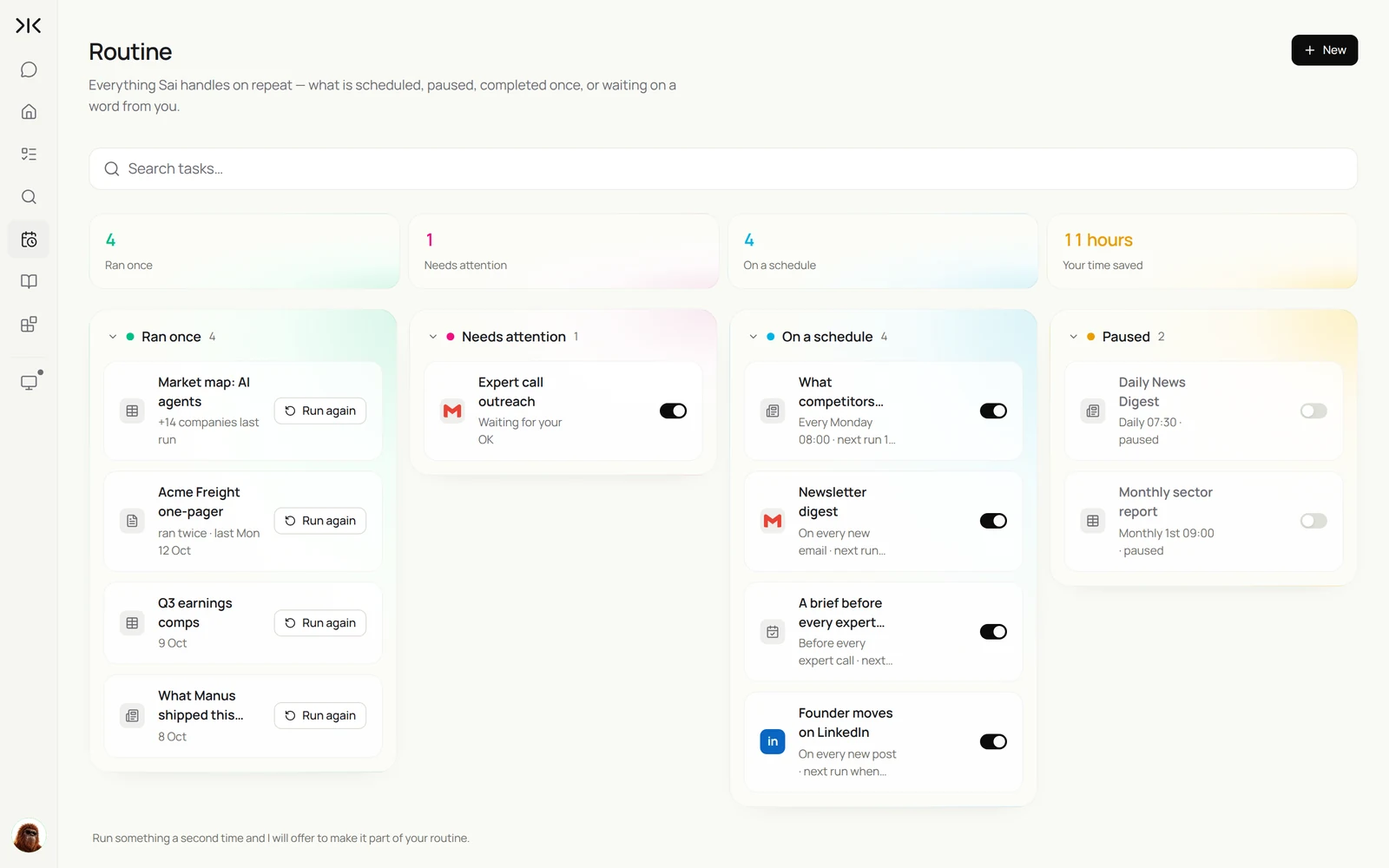
Monitoring is research on a schedule. Sai reads competitor pricing pages, changelogs and blogs every week, and sector news every morning, and only tells you what changed.
Every Monday at 8:00, check the pricing pages, changelogs and blogs of the 8 companies in the Competitors sheet.
Record anything that changed since last week with the date, the old value, the new value and a link.
Every weekday at 7:00, collect logistics-tech funding and partnership news from the last 24 hours.
Email me one digest. Skip anything already reported.
See also the monitor competitor websites use case and our roundup of AI market research tools.
Step 6: Turn research into a memo and slides
Research only counts once someone reads it. Sai turns your findings into a cited memo in Docs and a short deck in Slides, in your team's template.
Using the market map and this month's competitor notes, write a 2-page memo:
'Where AI agents are winning in logistics, and where we should play'.
Propose the outline first and wait for my OK. Cite every fact.
Then make a 6-slide summary in our Slides template in Drive > Templates.
The document to slides use case covers the deck step on its own.
Step 7: Put your AI research analyst on a schedule
Monitoring runs as routines; one-pagers and memos run on request. Choose Set as recurring on the ones you want every week.
| Routine | When it runs | What you do |
|---|---|---|
| News and funding scan | Weekdays 7:00 AM | Skim one digest |
| Competitor watch | Mondays 8:00 AM | Read what changed |
| Company one-pager | Before external calls | Read the brief |
| Market map refresh | First Monday of the month | Confirm the scope |
| Research memo and slides | On request | Approve the outline |
Every routine setting is explained in Routines.
Keep your AI research analyst trustworthy
- Every fact has a link. If a claim has no source, it is marked unverified, never presented as fact.
- Confirm the scope. Long tasks start with a scope or outline you approve.
- Respect paywalls and terms. Use only sources you are licensed to use, signed in on the cloud computer with your own access.
- You draw the conclusions. Sai gathers and structures; recommendations in a memo are drafts for you to own.
Why build your AI research analyst on Sai
It finishes the task. Sai ranks #1 on OSWorld, the public benchmark for agents completing real work on a real computer, such as reading 40 company sites into a structured sheet.
It reads what search engines miss. Sai works in a real browser, so it can use sources behind a login you have, pages that need clicks, and PDFs.
Its output is your format. Briefs land in Docs, maps in Sheets, decks in Slides, with citations your team can check.
Frequently asked questions
What is an AI research analyst?
An AI research analyst is software that finds and reads sources, extracts facts into a consistent structure and writes cited summaries, briefs and reports. A person sets the question and draws the conclusions.
How is this different from asking a chatbot?
A chatbot answers from what it already knows or a quick search. An AI research analyst on Sai reads the actual pages, works through dozens of sources, puts results in a sheet or doc, and links every fact.
Can it build a market map?
Yes. Sai finds companies in a space, confirms the segments with you, then fills a Google Sheet with stage, funding, investors and a source for every row.
Does it cite sources?
Yes. The research-standards skill in this guide requires an inline link for every fact and marks anything it could not verify.
Can it use paid databases?
Yes, if you have access. Sign in on the cloud computer through an approval link, and Sai uses the database like you would, within its terms.
Can it monitor competitors?
Yes. A weekly routine reads competitor pricing pages, changelogs and blogs and reports only what changed.
How much does it cost?
You can build and test each step on the Free plan. Long research runs and daily monitoring usually need Pro at $50 a month. See Plans, usage, and limits.
How long does it take to set up?
About 30 minutes to write the research-standards skill and run a one-pager and a small market map.
Related guides
Keep building on the same pieces.
Skills that fit this role: website data to Excel or Sheets, AI brand visibility tracking and Excel automation.