
How to build an AI e-commerce operations agent with Sai
An AI e-commerce operations agent runs the daily back office of an online store: listings, prices, stock, order issues, reviews and reports. This guide builds one with Sai, step by step, in the Shopify, Amazon Seller Central and Google Sheets accounts you already have, with every publish, price change and customer email waiting for your approval.
Tools: Shopify, Amazon Seller Central, eBay, Google Sheets, Gmail
TL;DR: the AI e-commerce operations agent you end up with
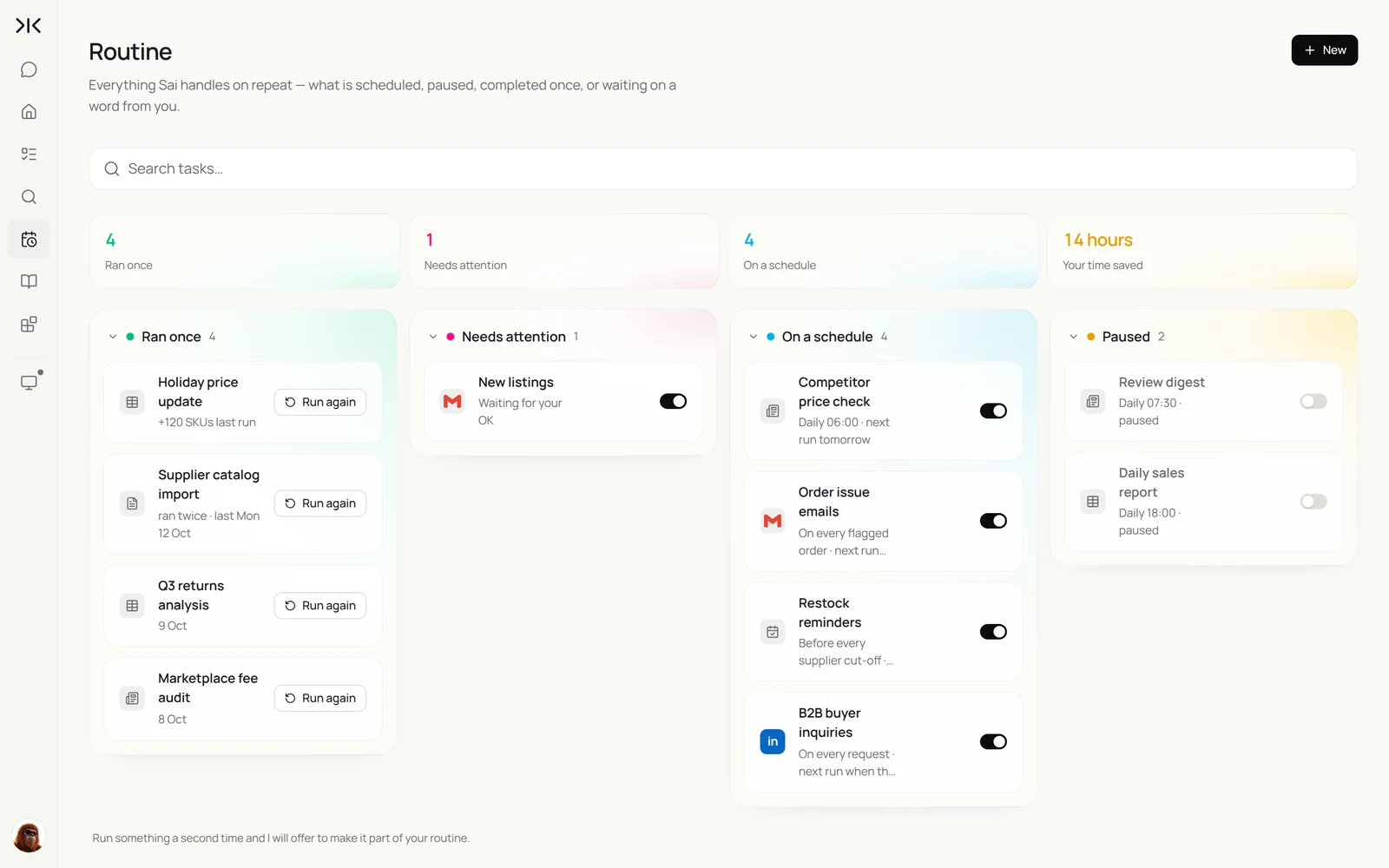
By the end of this guide you have an AI e-commerce operations agent that works through your store's admin on its own cloud computer, while you keep the final say on anything customers or marketplaces see. It runs five routines:
- New listings. Creates products on Shopify and Amazon from your supplier sheet and publishes them after your approval.
- Competitor price check. Every morning, compares your prices with the market, shipping included, and flags what is out of line.
- Restock reminders. Watches stock levels and drafts purchase orders before supplier cut-offs.
- Order issue emails. Drafts replies for late, damaged and wrong-item orders and holds them for your OK.
- Daily sales and review digest. One email with yesterday's sales by channel and every new review that needs attention.
What is an AI e-commerce operations agent?
An AI e-commerce operations agent is software that handles the recurring admin of selling online: creating and updating listings, keeping prices and stock in line across channels, monitoring competitors, answering order questions and reporting sales. It works in the same seller dashboards a person would use.
Store apps usually solve one job in one channel. An operations agent covers the work between them, such as copying a product from a supplier sheet to Shopify and Amazon, or checking a competitor's price on a site that has no feed. For a Shopify store in depth, see How to automate Shopify operations with Sai.
What your AI e-commerce operations agent will do
These are the six workflows this guide sets up. Each starts as a one-off task and becomes a routine when the output is right.
| Workflow | What Sai does | Cadence | Needs your approval |
|---|---|---|---|
| New listings | Creates products on Shopify and Amazon from a supplier sheet | When the sheet changes | Yes, before publishing |
| Competitor price check | Checks competitor prices with shipping, flags gaps | Daily | No, it only reports |
| Price updates | Applies the price changes you approve | After the check | Yes, before any change |
| Restock reminders | Checks stock, drafts purchase orders | Before supplier cut-offs | Yes, before sending |
| Order issue emails | Drafts replies for late or damaged orders | Twice a day | Yes, before sending |
| Sales and review digest | Sales by channel and new reviews in one email | Daily | No, it only reads |
What you need before you start
- A Sai account. The Free plan is enough to build and test each step. Daily routines across several channels work best on Pro. See Plans, usage, and limits.
- A Supplier sheet with SKU, title, specs, price, cost and photo links, and a Pricing sheet with the competitor listings you track.
- Seller accounts Sai will sign in to. Shopify admin, Amazon Seller Central and any other marketplace. Use a staff account with only the permissions these tasks need.
- Your listing rules: title format, bullet structure, banned claims and pricing floors.
Step 1: Write your store playbook as a skill
Marketplaces are strict about listing format and claims, and your margins depend on price rules. Put both in a skill so every task follows them.
Name: store-playbook

Listings
- Title: Brand + product + key spec + size or count. Under 150 characters on Amazon.
- 5 bullets: benefit first, then the spec that proves it.
- Only use specs from the Supplier sheet. Never claim "best", "#1" or medical benefits.

Pricing
- Never price below cost x 1.35. Never change a price without my approval.
- Compare competitor prices including shipping to ZIP 94107.

Customers
- Replies are friendly and short. Offer a replacement before a refund for damaged items.
- Refunds over $100 go to me.

Rules
- Never publish, change a price, refund or email a customer without my approval.
More on skills in Skills.
Step 2: Create new listings on Shopify and Amazon
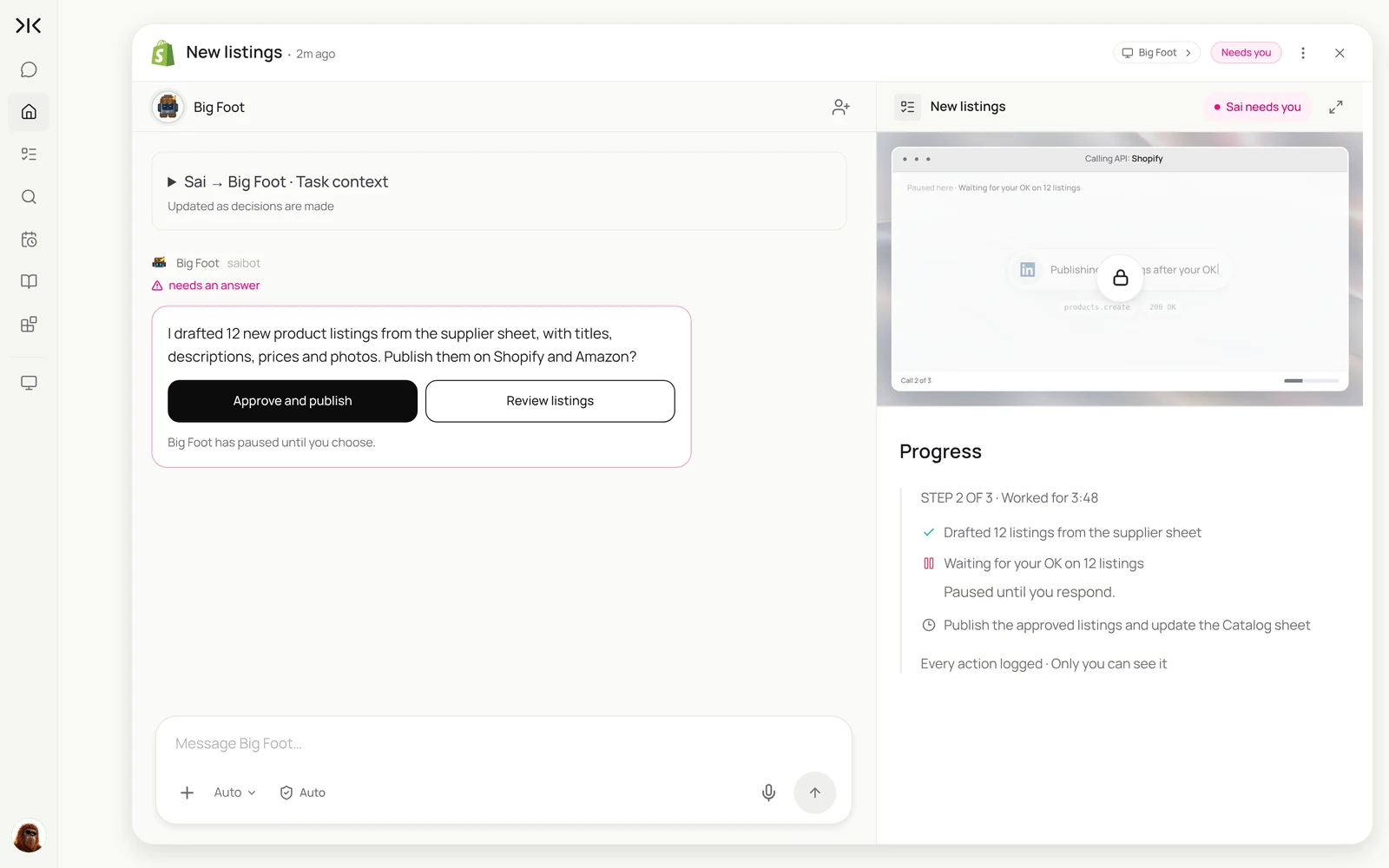
Listing the same product twice, in two different admin panels, is the most repetitive job in e-commerce. Sai does it from the supplier sheet, saves everything as drafts, and publishes only after you approve.
Create listings for the new products in the Supplier sheet (rows with Status = new):
- Shopify: a draft product with title, description, price, SKU, inventory and photos.
- Amazon Seller Central: a listing saved as inactive with the same details, using my store-playbook skill.
Wait for my approval, then publish both and add the live links to the Catalog sheet.
Create listings for the 12 new products in the Supplier sheet on Shopify and Amazon. Write titles and descriptions from our listing skill, upload the photos, and leave them as drafts until I approve.
- 12 products with specs and photos
- 36 photos sized for both channels
- 12 draft products created
- 12 listings saved as inactive
- Approved by you
- 12 rows updated with live links
The same approach works on eBay and other marketplaces; see automating item listing on eBay.
Step 3: Check competitor prices every morning
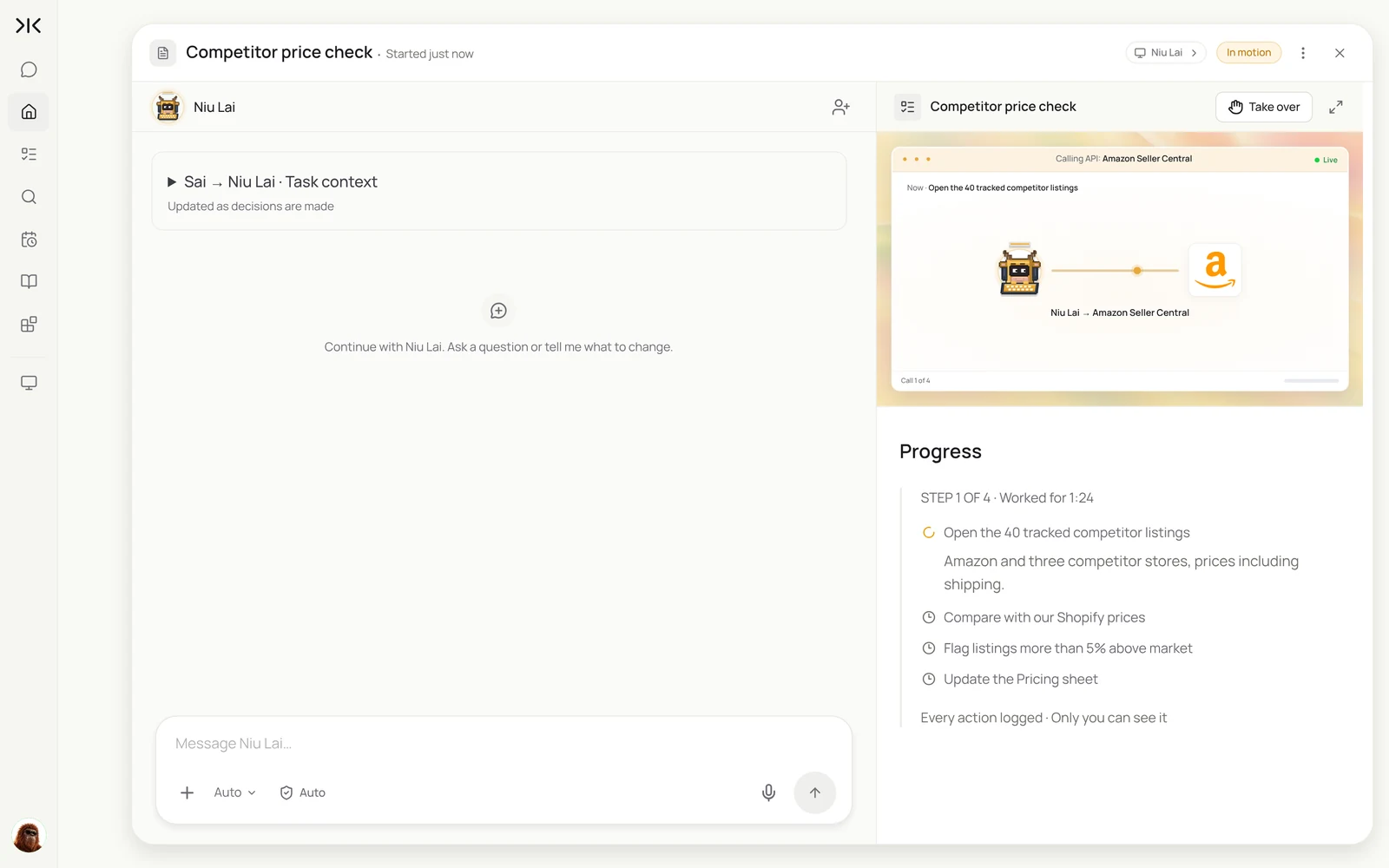
Prices move overnight, and most competitor sites have no feed you can subscribe to. Sai opens each listing as a shopper would, shipping included, and compares it with yours.
Every morning at 6:00, check the 40 competitor listings in the Pricing sheet.
Record price plus shipping to ZIP 94107 and stock status.
Compare with our Shopify price for the matching product and flag anything more than 5% above the lowest.
Email me the flagged products. Do not change any prices.
Every morning, check the prices of the 40 competitor listings in the Pricing sheet, including shipping. Compare with our Shopify prices and flag anything more than 5% above market. Do not change prices.
- 40 competitor listings to check
- 22 listings checked
- 18 listings checked
- 6 products more than 5% above market
- Report sent
For one-off comparisons, the compare prices across sites use case shows the same pattern.
Step 4: Keep stock in line before cut-offs
Running out costs ranking as well as sales. Sai checks stock across channels and drafts the purchase order in time for each supplier's cut-off.
Two days before each supplier's order cut-off (dates in the Suppliers sheet):
- Read stock for every SKU in Shopify and Amazon FBA.
- Flag SKUs with less than 21 days of cover at the last 30 days' sales rate.
- Draft a purchase order email to the supplier with quantities to reach 60 days of cover.
Hold the email for my approval.
Step 5: Answer order issues fast
Late, damaged and wrong-item orders need a reply within hours. Sai reads the order, checks tracking, drafts the reply according to your playbook, and waits for your OK.
Twice a day, read new emails tagged Order issue in Gmail.
For each: find the order in Shopify, check tracking, and draft a reply using my store-playbook skill.
Propose the fix (replacement, reship or refund) in a note to me. Refunds over $100 are mine.
Hold every reply for my approval.
Step 6: Get one daily digest
Instead of opening three dashboards every morning, get one email.
Every day at 7:00, email me:
- Yesterday's orders and revenue by channel (Shopify, Amazon, eBay).
- New reviews of 3 stars or less, with a suggested response.
- Anything flagged by the price check or the stock check.
Step 7: Put your AI e-commerce operations agent on a schedule
When each task produces the result you want, choose Set as recurring. This is your operations agent's week.
| Routine | When it runs | What you do |
|---|---|---|
| Competitor price check | Daily 6:00 AM | Approve price changes, if any |
| Daily digest | Daily 7:00 AM | Read one email |
| Order issue emails | Daily 10:00 AM and 3:00 PM | Approve the replies |
| Restock reminders | Before supplier cut-offs | Approve the purchase orders |
| New listings | When the supplier sheet changes | Approve the listings |
Turn on Code-Replay for the price check and listings: the clicks are the same every time, so replays are faster and cheaper. More in Routines.
Keep your AI e-commerce operations agent safe
- Approve anything customers or marketplaces see. Publishing, prices, refunds and customer emails wait for your OK.
- Use a staff account. Give Sai's sign-in only the permissions these tasks need, and never the account owner role.
- Price floors in the skill. Sai never proposes a price below the floor you set, and never changes one without approval.
- Follow marketplace rules. Listing claims and images must meet each marketplace's policies; the playbook keeps drafts within them.
Why build your AI e-commerce operations agent on Sai
It finishes the task. Sai ranks #1 on OSWorld, the public benchmark for agents completing real work on a real computer, such as a listing that spans a sheet, two seller dashboards and a photo folder.
It gets cheaper as it repeats. With Code-Replay, the daily price check replays as code, so the hundredth run costs less than the first.
It works where there is no API. Competitor sites, supplier portals and smaller marketplaces are all reachable, because Sai uses them like a person.
Frequently asked questions
What is an AI e-commerce operations agent?
It is software that runs the recurring admin of an online store: listings, prices, stock, order issues, reviews and reports, working in the same seller dashboards a person uses.
Can it list products on Shopify and Amazon?
Yes. Sai creates Shopify drafts and inactive Amazon listings from your supplier sheet, then publishes them after you approve.
Will it change my prices automatically?
No. The price check only reports. Price changes happen only after you approve them, and never below the floor in your skill.
Does it work with eBay, Etsy or Walmart?
Yes. Sai works in any seller dashboard you can use in a browser, so another marketplace is a line in the task.
Can it answer customer emails?
It drafts replies to order issues using your playbook and holds them for approval. Large refunds stay with you.
Is it safe to give an AI agent my seller account?
Use a staff account with limited permissions, keep approvals on for anything customers see, and sign in through Sai’s approval link so passwords stay out of the chat.
How much does it cost?
You can build and test each step on the Free plan. Daily routines across several channels usually need Pro at $50 a month. See Plans, usage, and limits.
How long does it take to set up?
About 45 minutes to write the playbook, prepare the two sheets and run each task once.
Related guides
Keep building on the same pieces.
Skills that fit this role: order entry automation, competitor prices to a sheet and automated data entry.
Routines for this role: competitor price monitoring, MAP pricing monitoring and the Shopify inventory report.