
How to build an AI SEO content marketer with Sai
An AI SEO content marketer researches what your buyers search for and ask AI assistants, writes briefs, drafts articles in your voice, adds internal links, refreshes pages that are slipping and reports on what is working. This guide builds one with Sai, step by step, using Google Search Console, Google Docs and Sheets, your CMS and Notion, with every publish waiting for an editor.
Tools: Search Console, Google Docs, Google Sheets, Notion, Slack
TL;DR: the AI SEO content marketer you end up with
By the end of this guide you have an AI SEO content marketer that runs the research and production line behind your content, every week, so your writers and editors spend their time on judgment and originality. Publishing stays with an editor. It runs six routines:
- Keyword and question research. Groups keywords into clusters, maps them to pages, and collects the questions people ask, including in AI search.
- Content briefs. For each new page: the intent, the questions to answer, competitor gaps, internal links and sources.
- Drafts. Writes the first draft in your voice from the brief, with a definition up top, an FAQ and cited sources.
- Internal links. Adds links from existing pages to new ones, and from new pages to your product and guides.
- Refreshes. Every month, finds pages losing clicks in Search Console and proposes specific updates.
- Weekly report. Clicks, impressions, top movers and new questions from Search Console.
What is an AI SEO content marketer?
An AI SEO content marketer is an agent that does the research, briefing, drafting and maintenance work behind search content. It finds what people search for and ask, turns that into briefs and drafts, links pages together, and keeps existing pages current. Editors decide what gets published, add experience and opinion, and check every claim.
Sai fits because SEO work moves between many tools: Search Console, keyword tools, competitor pages, your CMS, Docs and Sheets. Sai works through them on its own computer the way a content marketer would. It also writes for AI search: clear definitions, direct answers and cited sources make a page easier for assistants to quote.
What your AI SEO content marketer will do
Start with research and briefs. Good briefs make every later step better.
| Workflow | What Sai does | Cadence | Needs your approval |
|---|---|---|---|
| Keyword research | Clusters, questions, mapping to pages | Monthly | No, it is research |
| Content briefs | Intent, questions, gaps, links, sources | Per article | Yes, before drafting |
| Drafts | First draft in your voice with FAQ and sources | Per article | Yes, editor review |
| Internal links | Links between new and existing pages | Per article | Yes, before publishing |
| Refreshes | Pages losing clicks, specific updates | Monthly | Yes |
| Weekly report | Clicks, impressions, movers, new questions | Mondays 9:00 | No |
What you need before you start
- A Sai account. The Free plan includes one cloud computer for building and testing. Weekly production works best on Pro. See Plans, usage, and limits.
- Search Console access for your site, signed in on the cloud computer through Sai’s approval link. A keyword tool you already pay for is optional.
- Your voice and standards, written down: who you write for, how you sound, what you never claim.
- A content plan in Google Sheets or Notion, and access to your CMS as a contributor, not an admin.
Step 1: Write your Content Standards skill
This is where quality comes from. Make it specific.
When to use it
Any research, brief, draft, edit or report for our blog, guides or website.

Reader
- Operators and team leads evaluating AI agents. Practical, busy, skeptical of hype.

Structure
- Answer the question in the first 120 words. Then a TL;DR list.
- A standalone 'What is ...' definition. H2s that match real questions.
- 6-8 FAQs from People Also Ask and Search Console queries.

Sources and claims
- Every statistic links to the original source. No made-up numbers or quotes.
- Mark anything you could not verify. Never name a customer without approval.

Links
- 3+ internal links to guides and product pages, 2+ external links to primary sources.

Never
- Publish. Drafts go to the editor.
- Copy competitor text. Summaries in your own words only.
Related: Simular’s AI SEO writer.
Step 2: Research keywords and questions
Research decides what is worth writing. Ask Sai to show where every number comes from.
Build this month's keyword research for 'AI agents for operations' in the Content Plan sheet.
Start from Search Console queries for the last 90 days and our keyword tool.
Group keywords into clusters, note intent and the page that should rank for each.
Collect People Also Ask questions and the questions AI assistants answer for these topics.
Mark any search volume that comes from only one source.
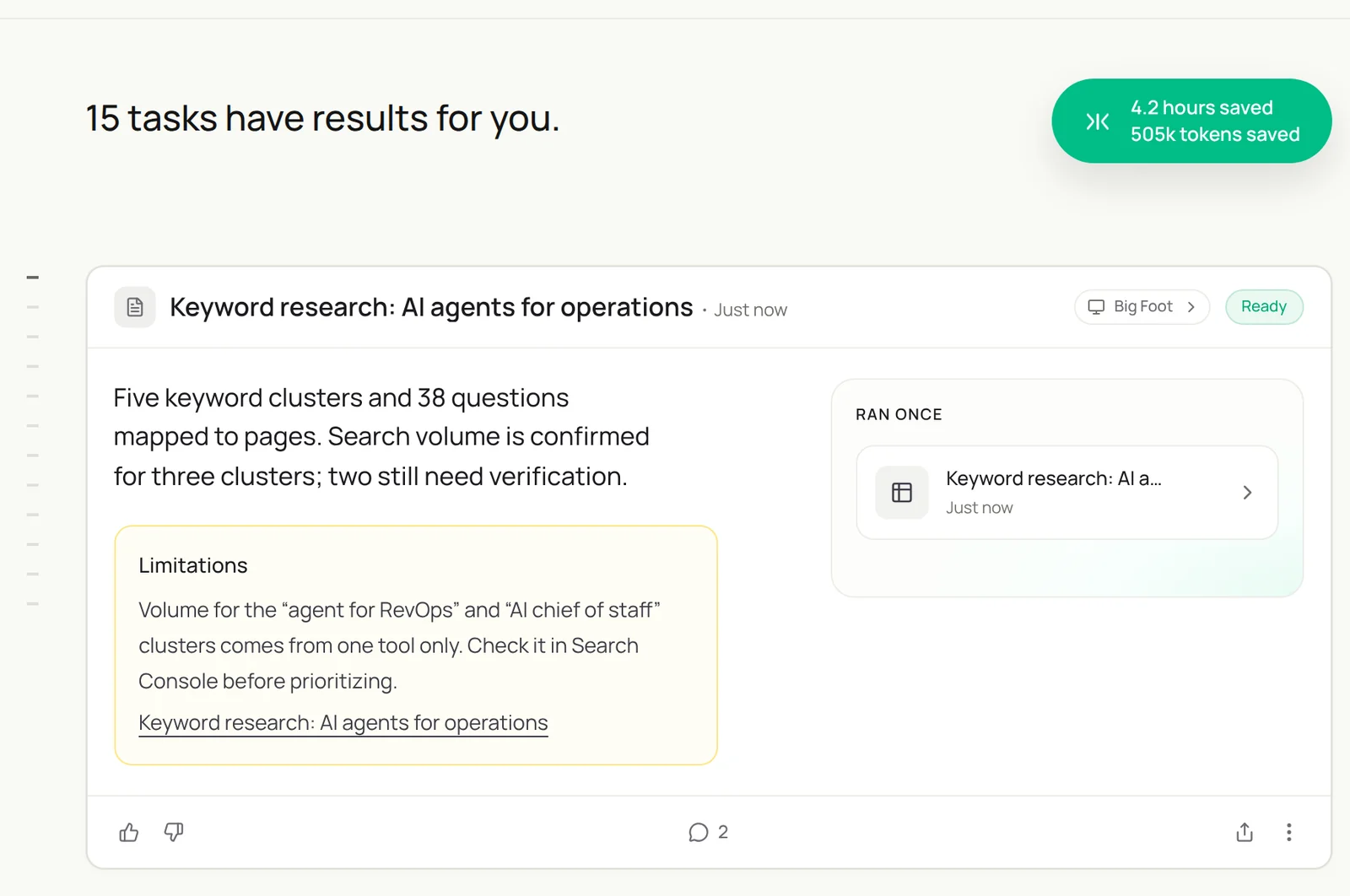
Build this month’s keyword research for "AI agents for operations": start from Search Console queries for the last 90 days and our keyword tool, group them into clusters with intent and a target page, collect People Also Ask questions, and mark any volume from a single source.
- 1,840 queries · 90 days
- 212 keywords
- 38 questions
- 5 clusters · 38 questions mapped
Related: seed keywords from your content and keyword analysis in Google Sheets.
Step 3: Write the brief
A brief is the contract between research and writing.
Write a content brief in Google Docs for 'How to automate HubSpot':
- Search intent and who is searching, in two lines.
- The questions to answer, from the Content Plan sheet.
- What the top five results cover and what they miss.
- Internal links to add, from our sitemap, and three primary sources.
- A proposed outline with H2s phrased as questions.
Follow my Content Standards skill.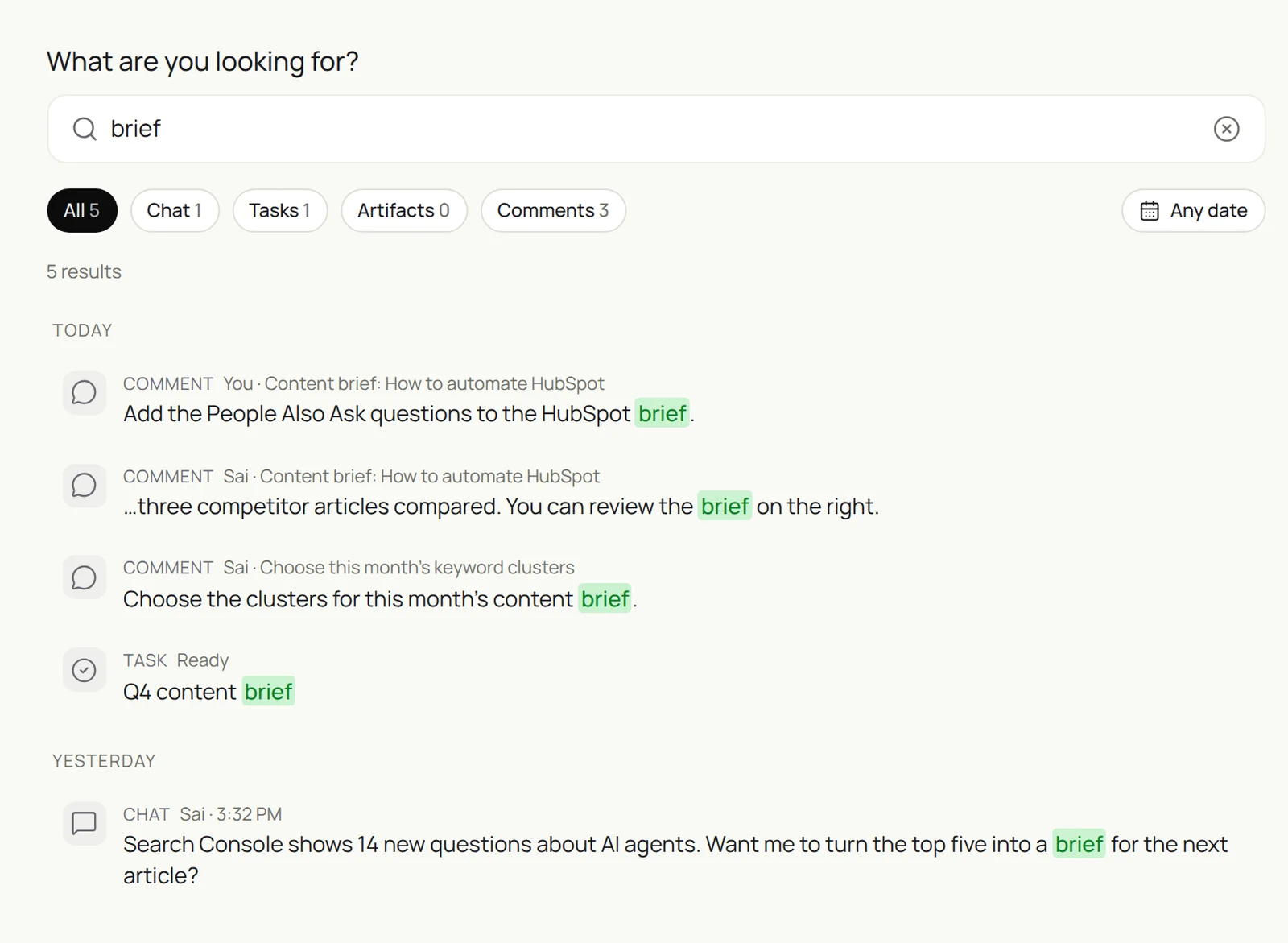
Step 4: Draft in your voice
The draft follows the brief. The editor adds what only your team knows.
Draft the article from the approved brief in Google Docs, following my Content Standards skill.
Put the definition and a TL;DR in the first 120 words. Answer every question in the brief.
Cite every number. Mark places where an example from our team or customers would help with [EXAMPLE].
End with the FAQ. Do not publish.
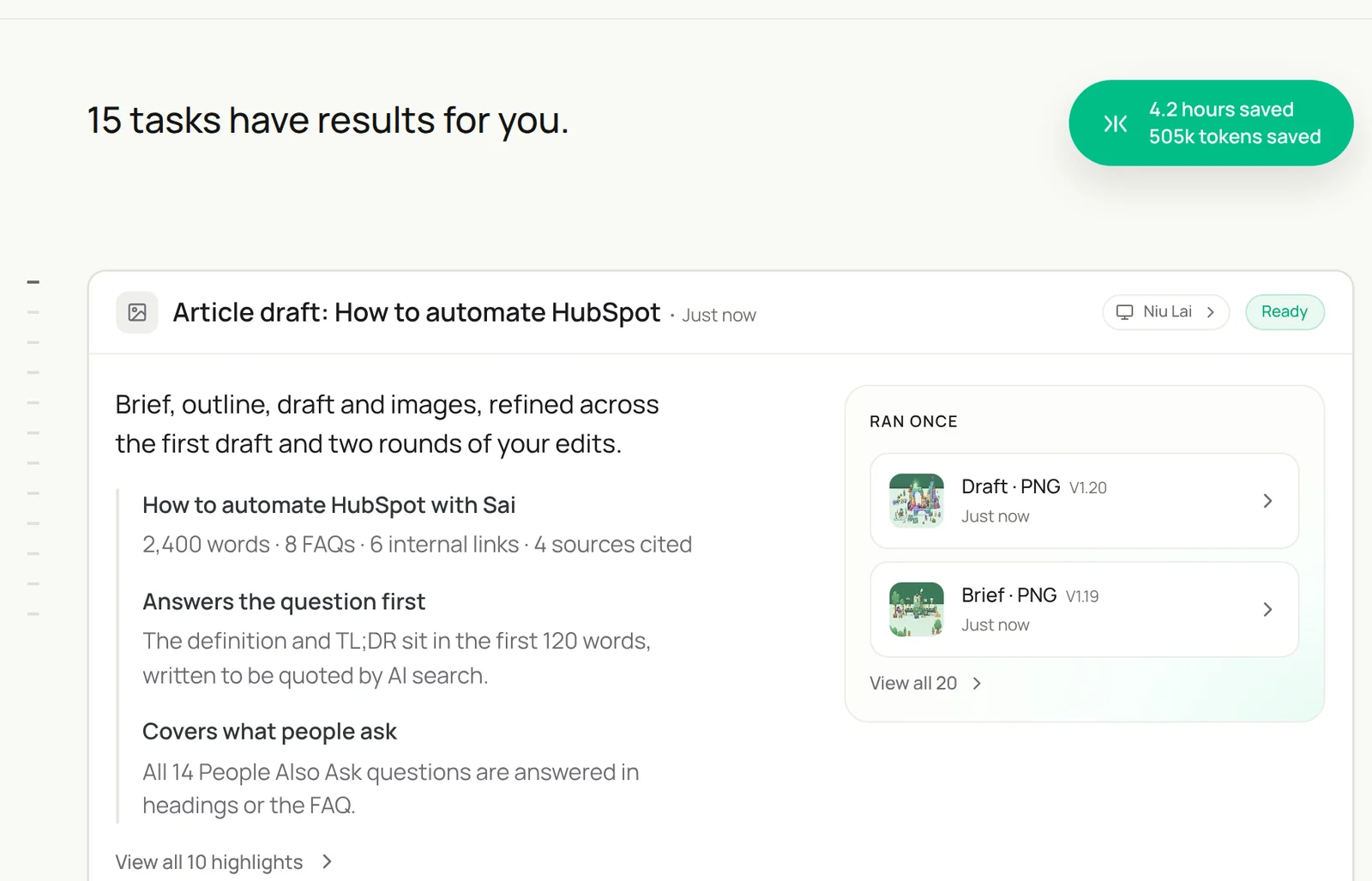
Draft "How to automate HubSpot" from the approved brief in Google Docs, following my Content Standards skill. Answer in the first 120 words, cover every question in the brief, cite every number, mark places for our own examples, and end with the FAQ.
- 14 questions · 9 H2s
- 4 primary sources
- 2,400 words · 8 FAQs
- 6 links in, 3 links out
Step 5: Add internal links both ways
New pages rank faster when existing pages link to them.
For the new article, find 5 existing pages on our site that discuss the same topic.
For each, propose one sentence with a natural link to the new page, and where it goes.
Add 3 links from the new page to relevant guides and product pages.
Put all proposals in the Links tab of the Content Plan sheet for the editor.
Step 6: Refresh pages that are slipping
Updating a page that already ranks is often worth more than a new one.
On the first Monday of each month, find pages in Search Console whose clicks fell more than 20% over 90 days.
For each, compare it with the current top results and list what changed: new questions, outdated facts, missing sections.
Propose specific edits and new FAQs. Do not change the live page.
For research-heavy pages, see the AI research analyst. For distribution, see the AI social media manager and Sai × X.
Step 7: Report weekly and put it on a schedule
Once each task runs well by hand, make it a routine:
| Routine | When it runs | What you do |
|---|---|---|
| Keyword research | First Monday of the month | Pick clusters |
| Briefs and drafts | As the plan says | Approve briefs, edit drafts |
| Internal links | After each draft | Approve links |
| Refreshes | First Monday of the month | Approve edits |
| Weekly report | Mondays 9:00 | Read it |
The weekly report: clicks and impressions, top movers up and down, new queries worth a page, and pages published last week. See Routines.
Keep your AI SEO content marketer honest
- Editors publish. Sai drafts; an editor checks every claim, adds experience and approves. Put that in the skill.
- Cite primary sources. Every number links to where it came from. Unverified claims are marked, not published.
- Write for people first. Google’s guidance rewards helpful, original content regardless of how it was produced; drafts need your team’s experience and examples.
- No copying. Competitor research is summarized in Sai’s own words. Never paste their text into your page.
- Contributor access. Give Sai a CMS role that can create drafts but not publish.
Why build your AI SEO content marketer on Sai
- It works across the whole content stack. Search Console, keyword tools, competitor pages, Docs, Sheets and your CMS in one task.
- It follows your standards. Structure, voice, sourcing and linking rules live in a skill and apply to every piece.
- It keeps old pages alive. Monthly refreshes catch decay before it costs traffic.
- It finishes the task. Sai ranks #1 on OSWorld for completing real work on a real computer.
Frequently asked questions
What is an AI SEO content marketer?
An AI SEO content marketer is an agent that researches keywords and questions, writes content briefs, drafts articles, adds internal links, refreshes declining pages and reports on search performance. Editors approve and publish.
Can Sai do keyword research?
Yes. Sai groups keywords from Search Console and your keyword tool into clusters, maps them to pages, collects People Also Ask questions, and marks numbers that come from a single source.
Will AI-written content rank on Google?
Google evaluates content by how helpful and original it is, not how it was produced. Drafts from Sai still need your team’s experience, examples and fact-checking before they are worth publishing.
How does Sai write for AI search?
By following structure that assistants can quote: a direct answer and definition up front, headings that match real questions, an FAQ and cited sources.
Can Sai add internal links?
Yes. Sai finds related pages, proposes natural link sentences in both directions, and lists them for the editor to approve.
Can Sai update old articles?
Sai finds pages losing clicks in Search Console, compares them with current top results and proposes specific edits. It does not change live pages.
Does Sai publish to our CMS?
Not in this setup. Give Sai a contributor role so it can create drafts; an editor publishes.
How much does it cost?
You can build and test every step on the Free plan. Weekly production usually needs Pro at $50 a month. See Plans, usage, and limits.
Related guides
Keep building on the same pieces.
Skills that fit this role: AI brand visibility tracking and website data to Sheets.
Routines for this role: automated SEO reports and automated client reporting.